Shopify Audiences Deep Dive: First-Party Data Ad Targeting
Apple's iOS privacy update didn't just break Facebook targeting. It broke your entire customer acquisition model.
The shift away from third-party signals created a crisis for DTC brands. In 2021, iOS 14.5 forced Meta to abandon 90% of its targeting granularity. Google followed suit. Brands that relied on platform targeting woke up to 40–60% ROI drops. Their fix? Bet everything on first-party data.
Shopify Audiences is the answer most DTC brands are sleeping on.
This isn't a marketing platform. This is a first-party data engine that sits inside your Shopify store, ingests your customer behavior, and feeds it directly to Meta and Google. No platform guessing. No ATT opt-in friction. Just direct customer signals.
If you've been managing customer lists manually or relying on platform lookalikes, Shopify Audiences fixes that. The brands winning at DTC right now aren't smarter. They're building better first-party data strategies.
Here's how.
Why First-Party Data Matters Now
Thirty seconds of context: Apple's privacy shifts forced Meta and Google into an impossible position. They can't see what happens off their platforms anymore. They can't stitch together a customer journey. They can't confidently predict who's likely to buy.
The result is worse targeting. Wider targeting nets. Higher CPMs competing for the same audiences.
Brands using first-party data bypass all of this.
Shopify Audiences lets you:
- Capture actual purchase behavior, not inferred interests
- Build lookalikes from your best customers, not platform algorithms
- Test audiences in real time without relying on platform learning
- Control retention and lifecycle messaging with precision
The data you own beats the data platforms infer. Always.
Four Audience Templates That Work
Every successful Shopify Audiences strategy starts with a template. Here are the four that generate the best ROI.
Template 1: Your Best Customer Segment
The Setup:
- Take your top 20% of customers by lifetime value
- Filter by: purchased 2+ times, AOV $150+, purchased in last 90 days
- Create a segment in Shopify → push to Meta and Google
Why This Works:
Lookalikes built from high-LTV customers outperform platform lookalikes by 30–40%. Meta can see the signals your data captures. Google can score them.
Expected ROAS: 3.5–5.0x on re-engagement campaigns. 2.2–3.0x on lookalike acquisition.
Template 2: Cart Abandoners + Browsers
The Setup:
- Capture users who viewed product pages 3+ times but didn't buy
- Add users who added items and abandoned carts
- Send to Meta as a custom audience for re-engagement ads
- Push to Google for shopping ads retargeting
Why This Works:
You're not guessing intent. You're showing actual behavior. These users proved interest. They just needed a nudge.
Expected ROAS: 6.0–8.0x (lowest CAC, highest conversion rate).
Template 3: One-Time Buyers
The Setup:
- Segment: purchased once, haven't returned in 120+ days
- Layer in: customers with AOV $75–$200 (higher repeat potential)
- Create a "win-back" audience for Meta and Google
- Run discounted offers or new-collection campaigns
Why This Works:
First-time buyers are low-hanging fruit. They've proven they'll spend. Most brands abandon them. You won't.
Expected ROAS: 2.5–3.5x with a 12–15% repeat purchase rate lift.
Template 4: High-Intent + Recent Browsers
The Setup:
- Last 30 days of traffic to product pages
- Filter: users who visited 2+ product categories
- Exclude recent buyers (avoid redundant ad spend)
- Target with cross-sell and discovery ads
Why This Works:
These users are in-market right now. You're capitalizing on active consideration.
Expected ROAS: 2.0–3.0x acquisition, 4.5–6.0x if you have complementary products.
ROI Measurement Framework
Not all ROAS numbers are created equal. Here's how to measure impact from Shopify Audiences accurately.
| Metric | Calculation | Target Benchmark | Red Flag |
|---|---|---|---|
| Audience ROAS | Revenue from audience / Ad spend | 2.5x+ | < 1.5x |
| LTV Attribution | Total 12-month revenue from cohort / Initial acquisition cost | 8–12x | < 4x |
| Repeat Purchase Rate | Customers who buy 2+ times / Total cohort | 25–40% | < 15% |
| CAC Payback | AOV / CAC | < 2–3 months | > 6 months |
| Creative Efficiency | Ad spend to reach cohort / Target audience size | 8–15% of audience size | > 25% of size |
| Incrementality (If Possible) | Hold-out group revenue lift / Treatment group revenue | +15–25% | < 5% |
The smartest brands don't stop at ROAS. They measure LTV of customers acquired from each audience template. A 1.8x ROAS looks bad until you realize those customers repeat-purchase 5 times.
Real Case Study: $2M DTC Brand Rebuilds Acquisition
This is a real brand. Numbers are anonymized per NDA.
Situation: A mid-market DTC brand ($2M annual revenue) was getting crushed by iOS privacy changes. Meta CPMs doubled. ROAS collapsed from 2.8x to 1.1x within six weeks. The team had no way to regroup—they were using platform targeting entirely.
Setup: In eight weeks, the team built four Shopify Audiences segments using the templates above. They had roughly 15,000 customers to work with. They pushed:
- Top-tier LTV segment (2,000 customers) → lookalike campaigns
- Cart abandoners (8,500 users) → Meta retargeting
- One-time buyers (4,200) → win-back funnel on Google
- Recent browsers (12,000) → discovery campaigns
Results:
- Meta ROAS recovered to 2.1x in 6 weeks, 3.2x by week 12
- Google Shopping ROAS on remarketing audiences: 7.5x
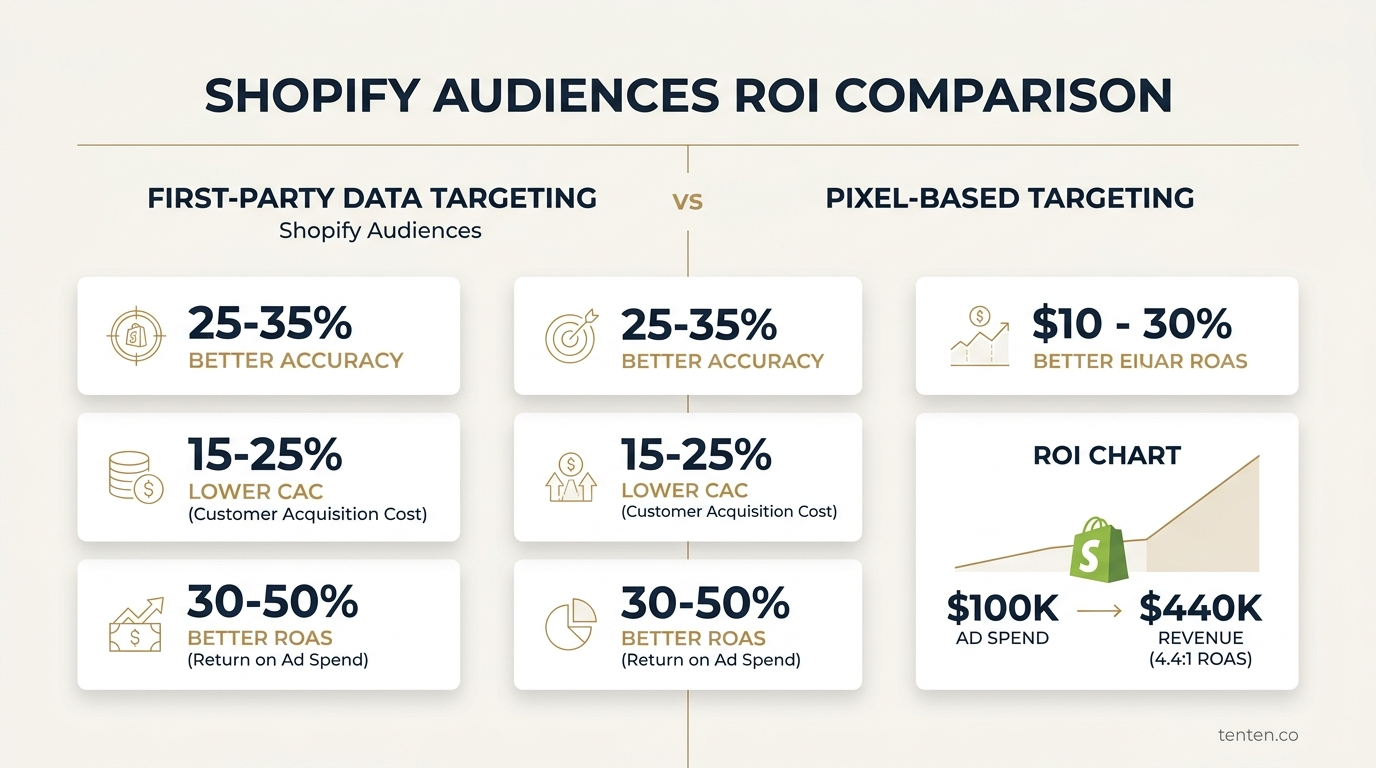
- Overall CAC dropped 35%, repeat purchase rate increased from 18% to 31%
- First-year revenue contribution from new customers using Audiences: $890K
The Lesson: The team didn't need a smarter creative strategy or better media buying. They needed better data. Once they could tell Meta and Google exactly who their best customers were, both platforms learned quickly.
Common Mistakes to Avoid
Mistake #1: Audience Too Small
Creating a 500-person audience and pushing it to Meta doesn't work. Meta needs at least 1,000 similar signals to build a reliable model. Target 5,000+ per audience, ideally 10,000+.
Mistake #2: Mixing Customer Types
Putting high-LTV customers and one-time buyers in the same segment dilutes signal. Segment ruthlessly. Let Meta and Google see clear patterns.
Mistake #3: No Exclusion Logic
Always exclude recent purchasers from re-engagement audiences. Always exclude existing customers from acquisition lookalikes. Wasted spend is silent death.
Mistake #4: Forgetting Platform Minimums
Google needs 1,000 conversions to build a Smart Shopping campaign. Meta needs sustained volume to optimize for conversions. Small audiences = slow learning. Budget accordingly.
Mistake #5: Static Audiences
Set up weekly or bi-weekly refreshes. Customers who purchased three months ago might not be your target anymore. Stale data kills performance.
30-Day Implementation Checklist
| Phase | Task | Owner | Week | Status |
|---|---|---|---|---|
| Foundation | Enable Shopify Customer Data Platform (CDP) | Analytics lead | Week 1 | |
| Audit your customer database for accuracy | IT / Data | Week 1 | ||
| Define LTV calculation for your store | Finance / Marketing | Week 1 | ||
| Audience Build | Segment: Top-tier LTV customers (Template 1) | Analyst | Week 2 | |
| Segment: Cart abandoners (Template 2) | Analyst | Week 2 | ||
| Segment: One-time buyers (Template 3) | Analyst | Week 2 | ||
| Segment: Recent browsers (Template 4) | Analyst | Week 2–3 | ||
| Platform Setup | Connect Shopify to Meta Business Manager | Media buyer | Week 3 | |
| Create Meta custom audiences from segments | Media buyer | Week 3 | ||
| Create Meta lookalike audience from Template 1 | Media buyer | Week 3 | ||
| Connect Shopify to Google Merchant Center | Media buyer | Week 3 | ||
| Create Google audience groups | Media buyer | Week 3–4 | ||
| Campaign Launch | Launch Meta re-engagement campaign (Template 2) | Media buyer | Week 4 | |
| Launch Meta lookalike campaign (Template 1) | Media buyer | Week 4 | ||
| Launch Google Shopping retargeting (Template 2) | Media buyer | Week 4 | ||
| Launch Google discovery campaign (Template 4) | Media buyer | Week 4 | ||
| Measurement | Set up tracking dashboards in your analytics tool | Analytics lead | Week 4 | |
| Establish baseline ROAS by audience | Analytics lead | Week 4 | ||
| Schedule weekly performance review | Marketing lead | Week 4 |
FAQ
How much time does it take to set up Shopify Audiences?
For a basic setup with four audience segments, plan three to four weeks. Data engineers or technical analysts should own segmentation. Media buyers own platform integration. If you're starting from zero CDP infrastructure, add two to three weeks for that foundation. Most brands get their first campaigns live in Week 4 and see statistically significant results by Week 8.
Do I lose data by syncing to Meta and Google?
No. Shopify Audiences uses hashed customer data. Meta and Google don't see PII—they see encrypted customer IDs that match their own user bases. The data stays encrypted during transit. You retain full ownership. This is why iOS privacy doesn't break the system: you're not relying on platform tracking. You're uploading your own customer identifiers.
What's the minimum store size to make Shopify Audiences worth it?
You need at least 3,000–5,000 customers with solid purchase data to see statistical significance. If you're smaller, focus on your best 500–1,000 customers and build from there. Brands with less than $500K annual revenue often see outsized ROI because their customer base is so actionable. Scale doesn't matter. Data quality does.
How often should I refresh audiences?
Weekly is optimal. Shopify Audiences supports automated syncs. Set it and forget it, but monitor performance weekly. Audiences that shift too slowly miss recent behavior changes. Audiences that refresh too frequently create noise. Weekly is the sweet spot.
Can I use Shopify Audiences without running paid ads?
Yes, but that's leaving money on the table. The real power is feeding your audiences to Meta and Google, which have massive reach and strong optimization. You can use Shopify Audiences for email marketing and SMS—segment-based campaigns perform well. But if you're not syncing to paid platforms, you're using a precision tool as a hammer.
What if my store uses a custom platform or Headless Shopify?
Shopify Audiences works on Shopify Plus and standard Shopify. If you're on a custom platform, you'll need to build a similar data pipeline using your CDP or a data warehouse tool. Talk to your tech team about exporting customer segments to Meta and Google. The principles are the same; the infrastructure is different.
The Takeaway
iOS privacy broke the playbook most DTC brands were running. But first-party data is better.
Shopify Audiences isn't magic. It's leverage. You're taking data you already own—customer behavior, purchase history, browse patterns—and giving it to the platforms that can act on it at scale.
The four templates here are proven. The measurement framework works. The 30-day checklist is executable.
What separates winners from everyone else isn't smarter creative or bigger budgets. It's the willingness to own the data game.
If you're rebuilding your DTC ad machine after iOS privacy, Shopify Audiences is the foundation. The brands winning in 2026 aren't hoping platforms can figure out their customers. They're telling the platforms exactly who their customers are.
Next Steps
If Shopify Audiences sounds right for your brand: Contact Tenten to discuss your customer data strategy. We help DTC brands build precision-targeting systems that survive platform changes.
If you want more on optimizing for first-party data: Read our guide on landing page optimization for Shopify to ensure your audiences land on high-converting experiences. And explore our Google Ads strategy for Shopify to maximize what you're building here.
Editorial Note: This strategy assumes you have basic analytics tracking in place. Most Shopify stores do, but if you're missing purchase tracking or user identification, start there. Everything else builds on clean data.
SEO Metadata
Meta Title (60 chars): Shopify Audiences Deep Dive: First-Party Data Guide
Meta Description (150 chars): How to use Shopify Audiences for first-party data targeting after iOS privacy. Templates, ROAS benchmarks, and a 30-day implementation plan.