The Pinterest Opportunity Every Shopify Merchant Misses
Most merchants think Pinterest is for DIY crafts and wedding planning. True, but incomplete.
Pinterest is a commerce platform. 72% of Pinners say they use Pinterest to discover new products (Pinterest Pinterns Q4 2024 Report). The platform has 500 million monthly active users globally, with strong Western demographics: 65% female, median age 25–54, median household income $100K+.
Here's the buried insight: Pinterest users are in research mode, not distraction mode. They're not doom-scrolling like on Facebook. They're actively looking for ideas, inspiration, and products. The buying intent is high.
Yet only 12% of Shopify merchants run Pinterest ads (Shopify Partner surveys). That's a gap.
The merchants winning Pinterest are seeing 2–4x ROAS compared to Facebook. But they know something: Pinterest requires different strategy than Facebook or Google.
Why Pinterest Works for E-commerce
Three mechanics explain Pinterest's e-commerce power:
1. Visual-First Inspiration Funnel
Users come to Pinterest to dream and research. A home decor merchant publishes a pin (beautiful product shot + styling inspiration). The user saves it. Weeks later, when they're ready to buy, they search their saves and buy.
This is different from Facebook, where ads interrupt the feed. Pinterest ads supplement the experience.
2. High Buying Intent
45% of Pinterest users are shopping on the platform monthly (Pinterest Q3 2024 data). It's an active intent channel, not awareness.
Compare to Facebook: 25% of users actively shopping. Pinterest's audience is warming or hot; Facebook's is cold-to-warm.
3. Demographic Match
Pinterest's core demographic is female, 25–54, household income $75K+. For fashion, beauty, home, wellness, and female-targeted lifestyle brands, this is a goldmine.
For B2B or male-skewing audiences, Pinterest is less effective. But for DTC brands targeting women, it's not just good—it should be table-stakes.
Pinterest vs. Facebook vs. Google Ads
| Factor | |||
|---|---|---|---|
| User Intent | High (researching) | Low–Medium (scrolling) | High (searching) |
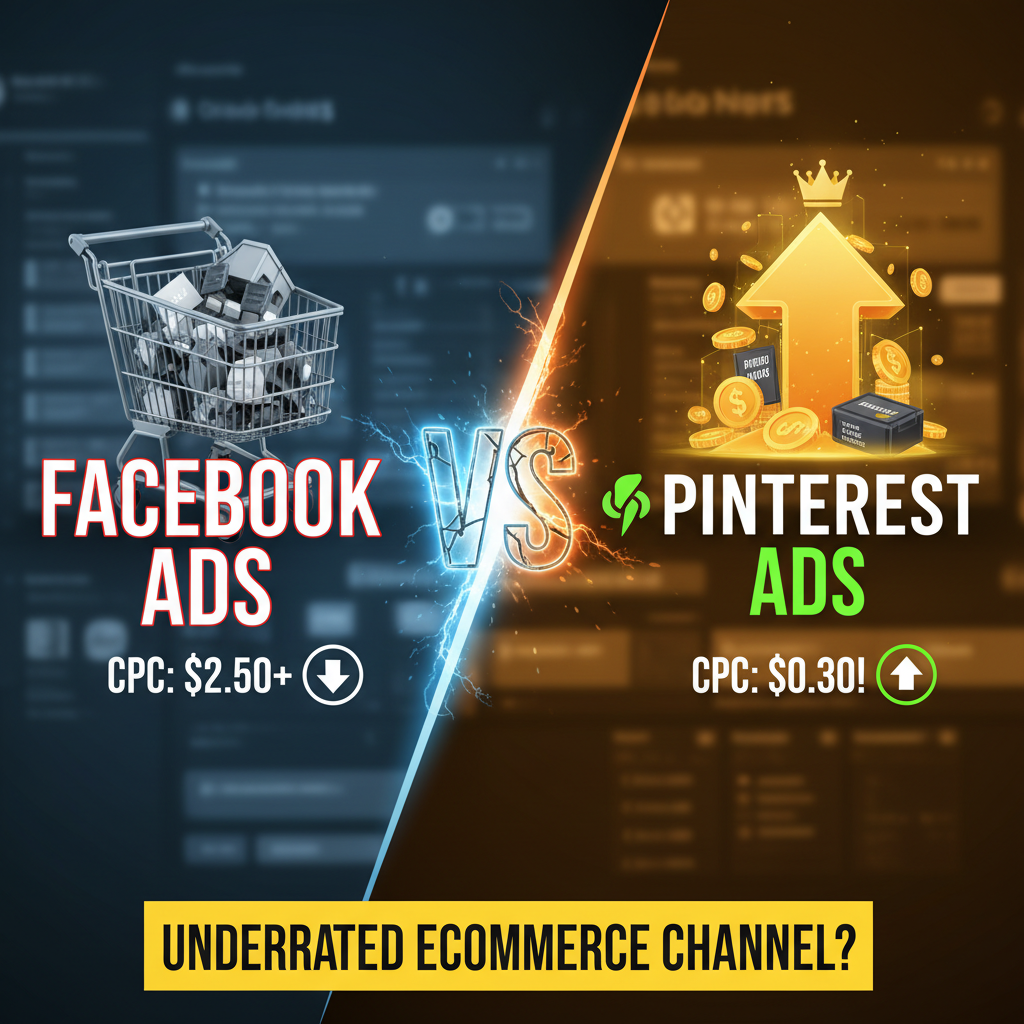
| Cost per Click | $0.20–$0.75 | $0.50–$2.00 | $1.00–$5.00 |
| Best ROAS | 2–4x | 1.5–3x | 1–2x |
| Best For | Brand discovery, inspiration-driven buys | Broad awareness, retargeting | High-intent conversion |
| Learning Time | 4–8 weeks | 2–4 weeks | 1–2 weeks |
| Visual Requirements | High quality, vertical orientation | Medium quality | Low (text-based acceptable) |
Pinterest's edge: low cost per click + high buying intent = superior ROAS for visual brands.
How Shopify + Pinterest Works
Pinterest doesn't have native Shopify integration like Facebook. You need to set up the integration manually.
Step 1: Claim Your Business Account
Sign up at business.pinterest.com. Verify your website domain. This gives you analytics and lets you run ads.
Step 2: Install Pinterest Tag (Conversion Tracking)
Pinterest Tag tracks conversions (purchases, checkouts, page views) back to your ads. Without it, you're flying blind.
Add this code to your Shopify store's footer:
<!-- Pinterest Tag -->
<script>
  !function(e){if(!window.pintrk){window.pintrk=function(){window.pintrk.queue.push(Array.prototype.slice.call(arguments))};var n=window.pintrk;n.queue=[],n.version="3.0";var t=document.createElement("script");t.async=!0,t.src=e;var r=document.getElementsByTagName("script")[0];r.parentNode.insertBefore(t,r)}}("https://s.pinimg.com/ct/core.js");
  pintrk('load', 'YOUR_PIN_TAG_ID');
  pintrk('page');
</script>
Get your tag ID from Pinterest Ads Manager > Conversions > Install the tag.
Step 3: Set Up Conversion Goals
Track: page visits, add to cart, checkouts, purchases. In Shopify, custom events fire automatically on purchase. Map them to Pinterest conversion goals.
Step 4: Upload Your Product Catalog (Optional but Recommended)
This lets you run Shopping Pins (product-specific ads). Upload via Pinterest Business Hub or Shopify's built-in Pinterest catalog connection (available in Shopify > Settings > Apps and Channels > Pinterest).
Pinterest Ad Types for Shopify
1. Promoted Pins (Standard)
Your existing pins, amplified through paid promotion. Simplest format, lowest setup.
Best for: Brand awareness, driving site traffic, inspiration-based categories.
2. Shopping Pins (Commerce)
Product-specific pins with price, availability, and direct "Shop" button. Requires product catalog upload.
Best for: Direct product sales, high-intent users.
3. Story Pins (Full-Screen)
Multi-page vertical videos. Best for storytelling, lifestyle content, before/after transformations.
Best for: Fashion, home, beauty, wellness.
4. Idea Pins (User-Generated Content)
Collages of user pins. Great for community building and social proof.
Best for: High-UGC brands, community engagement.
For Shopify stores, start with Promoted Pins and Shopping Pins. Story Pins come later.
Winning Pin Design for E-commerce
Pinterest has specific design rules. Violate them and your pins underperform.
Dimensions: 1000 x 1500 pixels (2:3 ratio vertical)
Most important rule: Pinterest is vertical. Horizontal pins get cropped and look bad. Design for vertical. Walgreens, Amazon, Target all use tall, vertical pins. You should too.
Design Principles:
1. Text Overlay (1/3 of pin space)
Include a clear, benefit-focused headline. Sans-serif font, bold, 40pt minimum.
Good: "Transform Your Home Office: 5 Must-Have Desk Organizers"
Bad: "Desk Organizers for Sale"
The headline must be readable as a thumbnail (the average pin is shown at 236x354 pixels, so text must be legible at that size).
2. High Contrast
Your pin competes in a feed of millions. Bright colors, clean backgrounds, white space. Don't be subtle.
Example: Bright color background (yellow, teal, pink) + white text + one central product image = winning Pinterest pin.
3. Central Subject (Top 50% of Pin)
Pinners decide in 0.5 seconds whether to save or scroll. Put your hero image/product in the top half. Don't bury it at the bottom.
4. Avoid Text Overload
One strong headline. Optional small subtext ("Free shipping," "Save $50"). That's it. Pinterest pins aren't landing pages; they're gateway drugs. Save the copy for the destination page.
5. Brand Color or Consistent Palette
All your pins should be visually coherent. Use 2–3 consistent colors. Pinners follow accounts, and consistency signals professionalism.
Example Pin (Home Decor):
- Background: Soft white/cream
- Product: Centered, beautifully lit desk lamp (top 60%)
- Headline: "Warm LED Desk Lamps: Reduce Eye Strain" (bold, white text, bottom 30%)
- Small text: "Shop bestsellers under $60"
- Consistent brand color (accent) in corner
This pin would likely perform. It's clear, vertical, benefit-driven, and visually clean.
Tools for Pin Design:
- Canva (templates, easy): Free–$13/month
- Figma (professional, flexible): Free–$15/month
- Adobe Express: Free
- Pinterest's own Design Builder (free for business accounts)
Batch-design pins (20–30 at a time) for each product or campaign. Reuse designs across campaigns; variation is good, but consistency matters.
Campaign Structure & Strategy
Audience Targeting (Most Important for Pinterest)
Pinterest targeting is granular:
| Targeting Type | How It Works | Best Use |
|---|---|---|
| Keywords | Target interests, searches (e.g., "sustainable fashion") | Broad awareness |
| Audience | Target by demographics, interests, behaviors | Segmented campaigns |
| Lookalike | Copy audience from website visitors or customers | Scale-up |
| Remarketing | Target site visitors who didn't buy | Recovery |
Winning Strategy:
- Start with interest/keyword targeting (broad)
- Run for 4 weeks, gather conversion data
- Build lookalike audience from converters
- Layer in remarketing (15% of budget)
- Scale winners
Bidding Strategy
Pinterest offers two models:
| Model | Cost | Best For |
|---|---|---|
| CPC (Cost Per Click) | $0.20–$0.75/click | Awareness, traffic |
| CPM (Cost Per 1000 Impressions) | $2–$8/1000 impressions | Brand awareness, low ROAS target |
For conversion-focused campaigns, start with CPM auto-bid or CPC with $3–$5/day budget minimum. Pinterest's algorithm learns best with at least $50/day spend (some sources say $100). Underfunding hurts learning.
Campaign Budget
Test budget: $500–$1,000/month for 4 weeks.
If ROAS > 1.5x after 2 weeks (break-even point), scale to $2,000–$3,000/month.
If ROAS > 3x, scale to $5,000+/month.
Most Shopify stores see positive ROAS (1.5–3x) within 4–8 weeks. Pinterest takes longer to learn than Facebook, but returns are worth it.
Conversion Setup
Your Shopify store needs to track Pinterest conversions accurately.
Install Pixel Correctly:
- Shopify Admin > Settings > Customer Events
- Add Pinterest Conversions API
- Map events: page view, add to cart, purchase
Without proper pixel firing, Pinterest can't optimize bids. Verify pixel firing with Pinterest Ads Manager > Conversions > Pixel Status.
Highest-Performing Conversion Goals:
- Checkout (high value, strong signal)
- Purchase (best, highest value)
- Add to cart (good for learning, high volume)
Use "purchase" as your primary goal for optimization. Pinterest learns fastest from purchase data.
KPIs & Benchmarks
Track these metrics:
| Metric | Benchmark | Good Performance |
|---|---|---|
| CTR (Click-Through Rate) | 0.5–2% | 1–3% |
| CPC | $0.30–$0.75 | < $0.50 |
| CPM | $3–$8 | < $5 |
| ROAS | 1–2x | 2–3x |
| Conversion Rate | 0.5–2% | 1–3% |
| CPA (Cost Per Acquisition) | $10–$50 | < $30 |
Benchmarks vary by product category and audience. Fashion/beauty tend to convert better than tech/services. Test and gather your own baseline.
Common Pinterest Mistakes
Mistake 1: Horizontal Pins
Square or horizontal pins get cropped. They look bad on Pinterest's vertical feed. Design all pins 1000x1500px (2:3 ratio).
Mistake 2: Underfunding
$20/day is too low. Pinterest needs at least $50–$100/day to learn effectively. Underfunding = poor optimization = wasted budget. Test with $500/month minimum.
Mistake 3: No Product Catalog
Shopping Pins perform better than standard promoted pins (higher ROAS, clearer intent). Upload your catalog (free, 10-minute setup).
Mistake 4: Ignoring Seasonal Content
Pinterest rewards fresh pins. Publish seasonal content (back-to-school in July, holiday gifts in September). Refresh pins quarterly.
Mistake 5: Wrong Audience
Selling B2B software? Pinterest is a waste. Pinterest is for lifestyle, beauty, fashion, home, wellness, food. Check audience fit before spending.
2026 Pinterest Trends
Trend 1: Video Pins Dominating
Video pins (Story Pins, videos) outperform static pins by 2–3x. Shift your creative mix toward video.
Trend 2: AI-Generated Descriptions
Pinterest's algorithm increasingly uses AI to understand pin content, even without manual descriptions. But good descriptions still help. Use them.
Trend 3: Shopping Pins Becoming Table-Stakes
Brands not using Shopping Pins are losing to competitors who do. If you sell products, upload your catalog.
Ready to Run Pinterest Ads?
Pinterest is underrated for Shopify stores. Low cost per click, high buying intent, and underrated competition. Start testing with $500/month.
Get a Pinterest ads audit for your store
Editorial Note
Pinterest is the overlooked channel for female-skewing DTC brands. 72% of Pinners actively discover new products. Most Shopify merchants haven't tapped this opportunity. The time to start is now.
Article FAQ
Q: Is Pinterest good for every e-commerce store?
A: No. Pinterest works best for female-skewing brands (fashion, beauty, home, wellness, food). It's less effective for B2B, male-skewing products, or service-based businesses. Check your audience fit first.
Q: How much does it cost to run Pinterest ads?
A: Test budget is $500–$1,000/month. Average CPC is $0.20–$0.75. Most stores see positive ROAS (1.5–3x) within 4–8 weeks. Scale budget based on performance.
Q: Do I need a product catalog for Pinterest ads?
A: Not required, but recommended. Standard promoted pins work, but Shopping Pins (product catalog-based) have higher ROAS. Upload is free and takes 10 minutes via Shopify's Pinterest integration.
Q: How long does it take to see results from Pinterest ads?
A: Pinterest learning curve is 4–8 weeks, longer than Facebook (2–4 weeks) or Google (1–2 weeks). Be patient. First 2 weeks may show break-even or slight loss; after 4 weeks, most stores see 1.5–3x ROAS.
Q: What's the best pin design for conversion?
A: Vertical (1000x1500px), bright color, clear benefit-driven headline, product in top 50%, high contrast. Test 5–10 pin variations. Refresh pins monthly. Video pins outperform static.
Q: Can I use the same Pinterest ad audience as Facebook?
A: No, the audiences differ significantly. Pinterest users are researching and saving ideas; Facebook users are scrolling. Adjust messaging and creative. Pinterest needs more inspirational, less hard-sell approach.