Over 800 Shopify apps have already migrated away from legacy customer accounts. As of February 19, 2026, Shopify officially deprecated the old email-and-password login system — and the full sunset is coming later this year. If your store still runs legacy customer accounts, you're operating on borrowed time.
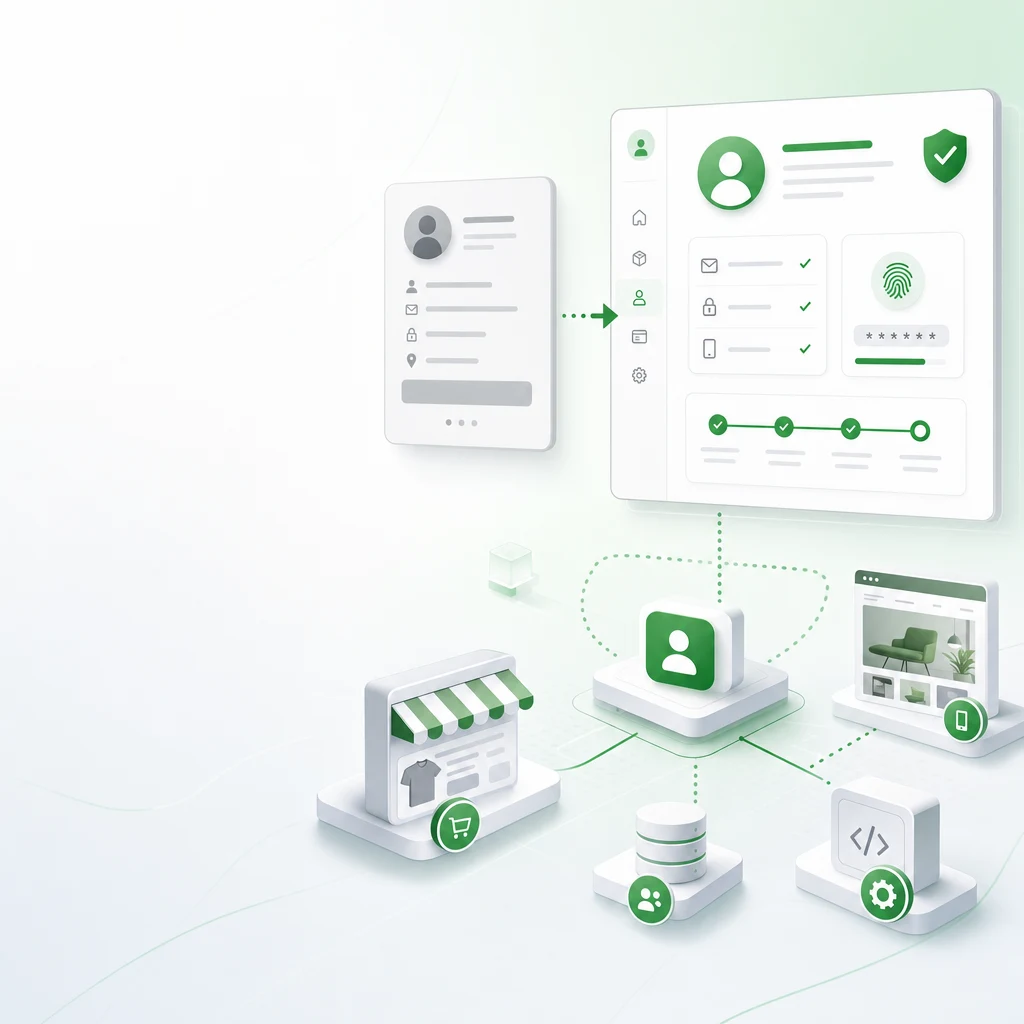
This isn't a minor API tweak. It's a fundamental shift in how Shopify handles customer identity, authentication, and account management. The new system replaces passwords entirely with one-time verification codes, adds native self-serve returns and B2B profiles, and creates a unified account experience that Shopify can build on for the next decade.
Here's what's actually changing, who gets hit hardest, and the exact migration playbook — whether you're a merchant, theme developer, or building headless on the Storefront API.
Why Shopify Killed Legacy Customer Accounts
The old system had a simple problem: passwords are terrible for e-commerce.
Baymard Institute's checkout research consistently shows that password-related friction causes 18% of cart abandonments. Customers forget passwords, abandon reset flows, and create duplicate accounts. Support teams field the same "I can't log in" tickets hundreds of times per month.
Shopify's new customer accounts eliminate this entirely. Customers enter their email, receive a six-digit verification code, and they're in. No passwords to remember, no reset flows, no account lockouts. It's the same pattern used by Shopify's own Shop app — and it works.
But the real story isn't the login UX. It's what Shopify built behind it.
What the New System Adds Natively
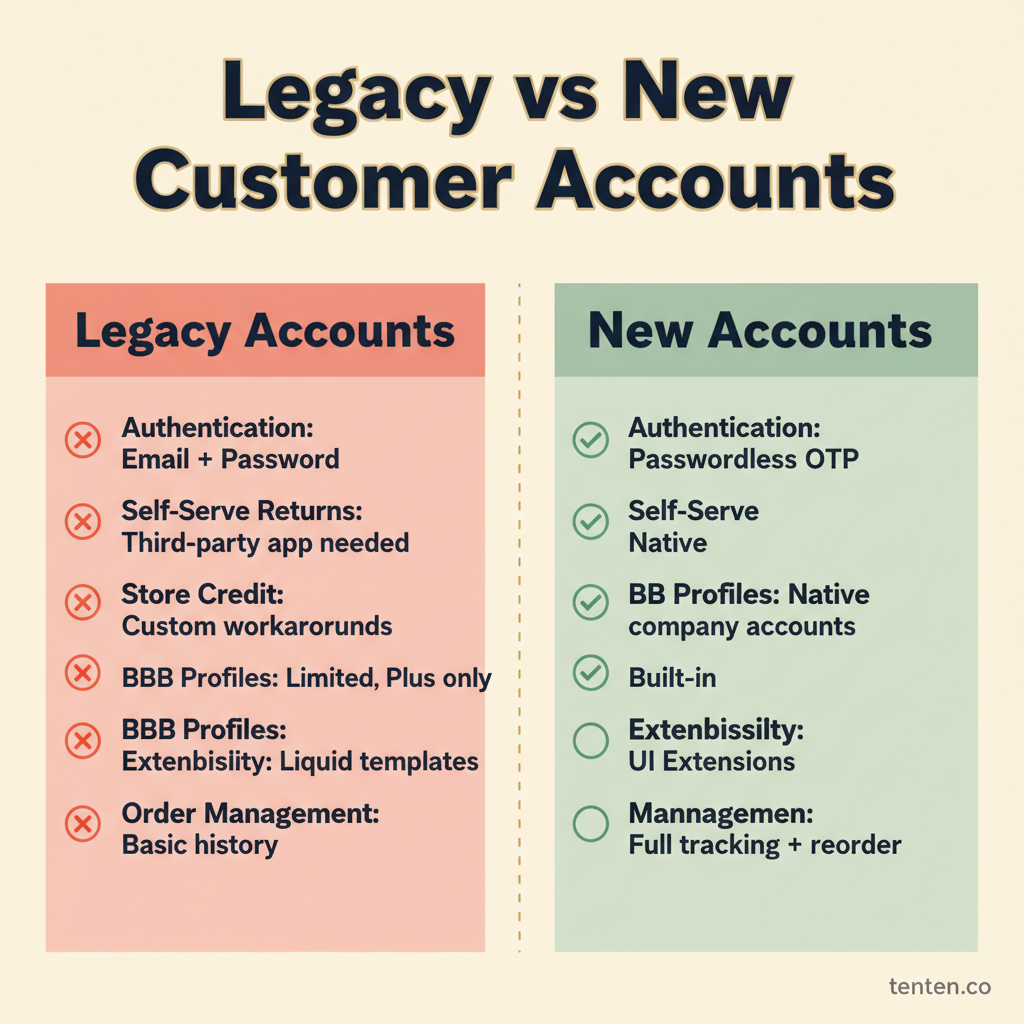
The new customer accounts aren't just a login redesign — they're a full platform expansion. Features that previously required third-party apps or custom Liquid hacks are now built in:
| Feature | Legacy Accounts | New Customer Accounts |
|---|---|---|
| Authentication | Email + password | Passwordless (email verification code) |
| Self-serve returns | Requires third-party app | Native — customers initiate returns from their account |
| Store credit | Custom metafield workarounds | Native store credit balance and history |
| B2B company profiles | Shopify Plus only, limited | Native company accounts with role management |
| Order management | Basic order history | Full order tracking, reorder, and status updates |
| Extensibility | Full-page Liquid templates | Customer Account UI Extensions (app blocks) |
| Multipass SSO | Available | Available (with updated integration) |
For merchants running loyalty programs, wishlists, or custom account pages through apps, the new extension model is more structured. Instead of apps injecting themselves into full-page Liquid templates, they now use defined extension points within the customer account experience.
The Timeline: Key Dates You Can't Ignore
| Date | What Happens |
|---|---|
| February 19, 2026 | Legacy customer accounts deprecated. No longer available to new stores or stores not currently using them. |
| Later in 2026 (TBA) | Full sunset — legacy customer accounts stop working entirely. Shopify will announce the exact date. |
| 30 days post-upgrade | Revert window. After upgrading, you can switch back within 30 days if something breaks. |
Don't wait for the sunset announcement. The migration involves theme changes, app updates, and customer communication — none of which benefit from being rushed.
Migration Playbook for Merchants
Step 1: Flip the Switch
Go to Settings → Customer accounts in your Shopify admin and upgrade to new customer accounts. Shopify provides a 30-day revert window, so you're not locked in immediately.
Step 2: Test the Customer Experience
The login flow changes significantly. Customers who've been entering passwords for years will now see a "we'll email you a code" screen instead. This is a UX change that needs proactive communication.
Send a brief email to existing customers explaining the change. Add a banner or notification to your site during the transition. The stores that handle this well see zero support ticket spikes. The stores that don't communicate see a 2-3x increase in "I can't access my account" tickets for the first two weeks.
Step 3: Audit Your Apps
This is where most merchants get tripped up. Any app that hooks into legacy customer accounts needs to support the new system. Common categories affected:
- Loyalty programs — check if your loyalty provider supports Customer Account UI Extensions
- Wishlists — many wishlist apps relied on legacy account templates
- Custom account pages — apps that built custom "My Account" experiences need migration
- Subscription management — customer-facing subscription portals may need updates
Contact your app developers now. Don't assume they've already shipped support — some haven't.
Step 4: Update Your Theme
If your theme contains legacy customer account Liquid templates, those files become dead code after migration. The key files to check:
templates/customers/login.liquidtemplates/customers/register.liquidtemplates/customers/account.liquidtemplates/customers/order.liquidtemplates/customers/activate_account.liquidtemplates/customers/reset_password.liquid
Here's the critical detail most guides miss: upgrading to a theme that doesn't contain these files automatically moves your store to new customer accounts. If you're planning a theme update or migration, be aware that the theme change itself can trigger the account system switch.
What Developers Need to Know
Theme Developers
Remove legacy customer account Liquid templates and replace them with the shopify-account web component where applicable. Any theme submitted to the Shopify Theme Store should already be compatible — Shopify has been enforcing this for new submissions.
The practical impact: theme developers maintaining custom themes for existing clients need to audit every client theme. A theme update that removes these files will automatically trigger the migration for the store.
App Developers
Migrate from legacy customer account integrations to Customer Account UI Extensions. The extension model gives you defined insertion points rather than full-page template control. Over 800 apps have already made the switch according to Shopify's changelog.
If you're building account-related functionality, the extension points include: order status pages, account navigation, profile sections, and order action menus. This is more constrained than the old Liquid approach, but it's also more stable — your app won't break when the merchant changes themes.
Headless and Custom Storefronts
This is the most technical migration path. If you're building on the Storefront API, you need to move from customer-scoped mutations to the new Customer Account API.
The new API uses OAuth 2.0 with customer-scoped access tokens. Key implementation details:
| Aspect | Details |
|---|---|
| Auth protocol | OAuth 2.0 authorization code flow |
| Client types | Public, web, mobile, and confidential |
| API format | GraphQL |
| Token scope | Customer-specific access tokens |
| HTTPS requirement | Mandatory for all callback URLs |
| Localhost support | Not supported — use ngrok or similar tunneling service |
Setup requires: enabling customer accounts in Shopify admin, installing the Headless or Hydrogen sales channel, configuring OAuth credentials, and implementing the authorization code flow. Plan for 2-4 weeks of development time depending on the complexity of your existing customer account implementation.
Pitfalls That Catch Teams Off Guard
Existing automations won't auto-migrate. If you've built Shopify Flow automations or custom workflows tied to legacy customer account events, those break. You'll need to rebuild them against the new system's event model. Audit your automations before flipping the switch.
The passwordless UX confuses some customer segments. Younger shoppers get it immediately. But if your customer base skews older or less tech-savvy, expect friction. One merchant we work with added a simple "How to log in to your new account" page with screenshots and reduced confusion-related tickets by 80%.
Multipass SSO needs updating. If you're using Shopify Multipass for SSO integration with an external identity provider, the integration still works — but the flow changes. Test your Multipass implementation thoroughly before going live.
Third-party checkout customizations may conflict. Apps that modify the checkout experience based on customer login state may behave differently with the new account system. Test your full purchase flow end-to-end.
The Bottom Line
Shopify deprecated legacy customer accounts because the old system was holding back the platform. The new system is more secure (no passwords to breach), lower-maintenance (no password reset support), and more capable (native returns, store credit, B2B).
The migration isn't optional — it's happening in 2026 whether you're ready or not. The stores that migrate now get to test thoroughly, communicate with customers, and fix integration issues on their own timeline. The stores that wait until the sunset announcement will be scrambling.
If your store runs complex integrations, custom Shopify development, or headless architecture, start the migration planning now. The 30-day revert window gives you a safety net — use it.
Need help migrating your Shopify store's customer accounts? Talk to our Shopify Plus team — we've handled account system migrations for stores processing millions in monthly revenue.
Frequently Asked Questions
What happens to existing customer data when I migrate from legacy to new customer accounts?
All existing customer data — order history, addresses, saved information — transfers automatically. Customers keep their accounts; only the login method changes from password-based to passwordless verification codes. No data is lost in the migration.
Can I keep using legacy customer accounts after the sunset date?
No. Once Shopify fully sunsets legacy customer accounts (date TBA, later in 2026), they will stop working entirely. Stores still running legacy accounts at that point will be forced to migrate. It's better to migrate now while you have the 30-day revert safety net.
Will the passwordless login affect my store's conversion rate?
Most merchants see neutral to positive conversion impact. Passwordless login removes the "forgot password" friction point that causes 18% of cart abandonments (Baymard Institute). Some stores report a brief adjustment period where existing customers need guidance, but long-term metrics typically improve.
How long does the migration take for a typical Shopify store?
For a standard Shopify store with a few apps, the technical migration takes 1-2 hours. For Shopify Plus stores with custom integrations, headless setups, or extensive app ecosystems, plan for 2-4 weeks including testing. The 30-day revert window gives you time to catch issues.
Do I need to update my Shopify theme for the new customer accounts?
If your theme contains legacy customer account Liquid files (like customers/login.liquid), those become dead code. You don't strictly need to remove them, but upgrading to a theme without these files automatically triggers the migration. Check with your theme developer about compatibility.
What about B2B stores using Shopify Plus — does this affect wholesale customer accounts?
Yes, and it's actually an upgrade. The new customer accounts include native B2B company profiles with role management, which previously required workarounds or limited Shopify Plus features. B2B stores benefit significantly from the migration.
Are there any apps that aren't compatible with the new customer accounts yet?
Some apps haven't migrated to Customer Account UI Extensions yet. Before upgrading, check each customer-facing app in your stack. Shopify reports 800+ apps have already migrated, but if your specific app hasn't, contact the developer or look for alternatives that support the new system.