The A/B Testing Limitation Nobody Talks About
You're running an A/B test on your Shopify product page. Version A has a green "Add to Cart" button. Version B has an orange button. Green wins by 2%.
Good. You ship green.
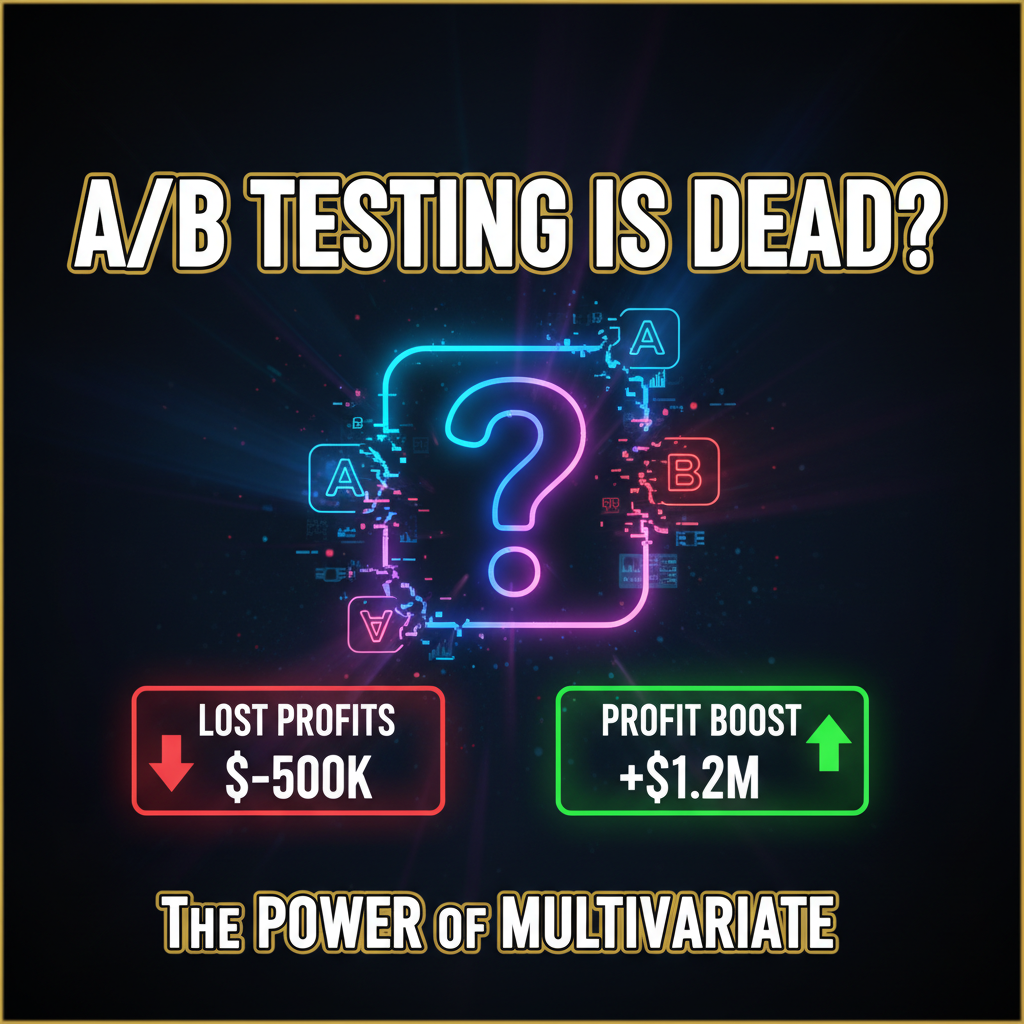
But what if the real winner was the combination of a green button plus larger product images plus a customer review highlight? A/B testing would never find this because it tests one variable at a time. You'd need to run four separate A/B tests sequentially (4-8 weeks of experimentation) to find the optimal combination.
Multivariate testing (MVT) solves this by testing multiple variables simultaneously. Instead of "green vs orange button," you test "green/orange button PLUS large/small images PLUS with/without reviews." One test reveals all interaction effects in 2-3 weeks instead of 8 weeks.
A/B vs Multivariate: When to Use Each
A/B Testing: One variable, two versions. Simple. Low sample size required.
Use A/B testing for: - High-stakes decisions (copy, pricing, major UX changes) - When you want to isolate one variable's effect - When traffic is limited (<10K visitors/week) - Landing pages with single conversion goal
Multivariate Testing: Multiple variables, multiple versions. Complex. Requires higher traffic.
Use multivariate testing for: - Product pages with multiple interactive elements - Checkout flows with several fields and buttons - Collection pages where you're optimizing layout, filters, and sorting - When you have >20K visitors/week and want to move fast
The key difference: MVT requires statistical power. A/B tests are done when you reach significance (usually 100-200 conversions per variation). MVT needs 500+ conversions per variation to reliably detect interactions. So if your store gets <10K visitors/week, you can't run effective MVT.
How Multivariate Testing Works
Multivariate testing uses a fractional factorial design. Instead of testing all 2^n possible combinations (which would be impossible—2 buttons × 2 image sizes × 2 review layouts = 8 versions, and adding more variables explodes the math), you test a smart subset.
Example: Shopify Product Page MVT
Variables: 1. Product Image Size: Large vs Small 2. "Add to Cart" Button Color: Green vs Orange 3. Customer Reviews Section: Collapsed vs Expanded 4. Product Description Length: Short (2 sentences) vs Long (4 paragraphs)
Instead of testing all 2^4 = 16 combinations, a fractional factorial design tests just 8. This is statistically valid because design theory lets you isolate the effects of each variable even without testing all combinations.
The 8 combinations:
| Version | Image | Button | Reviews | Description |
|---|---|---|---|---|
| 1 | Large | Green | Collapsed | Short |
| 2 | Large | Green | Expanded | Long |
| 3 | Large | Orange | Collapsed | Long |
| 4 | Large | Orange | Expanded | Short |
| 5 | Small | Green | Collapsed | Long |
| 6 | Small | Green | Expanded | Short |
| 7 | Small | Orange | Collapsed | Short |
| 8 | Small | Orange | Expanded | Long |
Each user is randomly assigned to one version. After sufficient traffic (500+ conversions per version), you analyze which combinations won and look for patterns.
Tools for Multivariate Testing on Shopify
Most MVT tools are not Shopify-native. You'll need either custom code or a third-party tool.
Option 1: Unbounce or Optimizely (Full-Featured)
Pros: - Visual editor (no coding required) - Built-in statistical analysis - Supports complex multivariate designs
Cons: - Expensive ($500-2,000+/month) - Overkill for smaller stores - Limited Shopify native integration
Option 2: Google Optimize (Free, But Deprecated)
Google Optimize is free but is being deprecated by Google (sunset planned for 2024-2025). If you already use it, migrate off now.
Option 3: Custom MVT via JavaScript
For Shopify stores willing to code, custom JavaScript MVT is free and gives you complete control.
Here's a minimal implementation:
// Store in Shopify theme.liquid
<script>
  // MVT Configuration
  const MVT_TEST = {
    id: 'product-page-mvt-2026',
    variants: [
      {
        name: 'v1',
        imageSize: 'large',
        buttonColor: 'green',
        reviewsState: 'collapsed',
        descriptionLength: 'short'
      },
      {
        name: 'v2',
        imageSize: 'large',
        buttonColor: 'green',
        reviewsState: 'expanded',
        descriptionLength: 'long'
      },
      // ... 6 more variants
    ]
  };

  // Assign user to variant (consistent per session)
  function assignVariant() {
    let variant = sessionStorage.getItem('mvt_variant');
    if (!variant) {
      const randomIndex = Math.floor(Math.random() * MVT_TEST.variants.length);
      variant = MVT_TEST.variants[randomIndex].name;
      sessionStorage.setItem('mvt_variant', variant);
    }
    return variant;
  }

  // Apply variant styling/layout
  function applyVariant(variantName) {
    const variant = MVT_TEST.variants.find(v => v.name === variantName);

    // Apply image size
    const productImage = document.querySelector('.product-image');
    if (variant.imageSize === 'large') {
      productImage.classList.add('large-image');
    } else {
      productImage.classList.add('small-image');
    }

    // Apply button color
    const addToCartBtn = document.querySelector('[name="add"]');
    addToCartBtn.style.backgroundColor = variant.buttonColor;

    // Apply reviews state
    const reviewsSection = document.querySelector('.reviews');
    if (variant.reviewsState === 'collapsed') {
      reviewsSection.style.display = 'none';
    }

    // Apply description length
    const description = document.querySelector('.product-description');
    if (variant.descriptionLength === 'short') {
      description.innerHTML = description.innerHTML.split('.')[0] + '.';
    }

    // Log variant for analytics
    gtag('config', 'GA_MEASUREMENT_ID', {
      'custom_variant': variantName
    });
  }

  // Initialize on page load
  window.addEventListener('load', () => {
    const variant = assignVariant();
    applyVariant(variant);
  });
</script>
This assigns each visitor to a variant, applies styling, and logs to Google Analytics for analysis.
Interpreting MVT Results: Finding Interactions
After your MVT runs for 2-3 weeks with 500+ conversions per variant, analyze results in Google Analytics or your MVT tool.
Look for three patterns:
Pattern 1: Main Effects (Clear Winners)
One variable dominates. Example: Large images always win, regardless of button color or reviews state. This is straightforward—ship large images, then run a follow-up test on the next variable.
Pattern 2: Interaction Effects (The Real Insight)
Two or more variables interact. Example: - Green button + expanded reviews = 3.2% conversion - Green button + collapsed reviews = 2.1% conversion - Orange button + expanded reviews = 2.0% conversion - Orange button + collapsed reviews = 2.8% conversion
Here, "expanded reviews" helps green buttons but hurts orange buttons. This is an interaction. The winning combination is green + expanded reviews.
Traditional A/B testing would test button color and reviews separately, finding that neither statistically outperforms (because effects cancel). MVT reveals that they work together.
Pattern 3: No Clear Winner
All variants perform similarly. This usually means: - You haven't changed anything meaningful (test design was weak) - Sample size is too small (traffic needs to be higher) - Variables genuinely don't matter (rare)
MVT on Shopify Checkout
The Shopify checkout is one of the highest-impact places to run MVT. Even tiny improvements to checkout UX lift conversion by 1-3%.
Common multivariate checkout tests:
Test 1: Shipping Cost Display
Variables: - Show shipping cost upfront (before checkout) - Surprise shipping cost at checkout - "Free shipping over $100" banner
Result: Showing shipping upfront reduces cart abandonment by 8-12%. This is a clear winner—no need to test further.
Test 2: Guest Checkout Friction
Variables: - Require account creation - Guest checkout only - Hybrid (suggest account but allow guest)
Result: Guest checkout-only wins. Account creation friction causes 15% abandonment. However, for repeat purchase rates, accounts are better long-term. The winning combination: Guest checkout + post-purchase email asking to create account.
Test 3: Payment Method Visibility
Variables: - Show all payment methods (10+ options) - Show top 3 payment methods - Dynamic payment methods (based on customer location/device)
Result: Dynamic payment methods win—customers see only relevant options, reducing cognitive load. CVV fraud concerns drop because payment UI feels tailored.
Sample Size and Duration: How Long to Run Your Test?
Underpowered tests (too few conversions) produce false positives. Oversized tests (running too long) waste opportunity cost.
Here's how to calculate required sample size for MVT:
Sample per variant = (base conversion rate × 2.8) / (desired lift)^2
Example: - Base conversion rate: 2% - Desired lift to detect: 0.5% (relative 25% improvement) - Sample required per variant: (0.02 × 2.8) / (0.005)^2 = 2,240 conversions/variant
For an 8-variant MVT with 2,240 conversions per variant, you need 17,920 total conversions. If your product page gets 50 conversions/day, the test runs 360 days (nearly a year). That's too long.
Practical approach: If you need >8 weeks to reach significance, your traffic is too low for MVT. Run A/B tests instead.
MVT Pitfalls on Shopify
Pitfall 1: Testing Too Many Variables
Every variable doubles sample size requirements. Start with 3-4 variables, not 10. More variables = exponentially longer tests.
Pitfall 2: Testing Variables That Don't Matter
Before running MVT, validate that each variable matters. Use heatmaps, session recordings, and user research to identify high-impact changes. Don't test "button shadow: on/off"—test "button size" or "CTA copy."
Pitfall 3: Ignoring Segment Differences
Sometimes a variable works for mobile but not desktop, or for new customers but not returning customers. Always segment your analysis by device, traffic source, and user type.
Pitfall 4: Running MVT Too Infrequently
Many stores run MVT once every 6 months. Better approach: Run continuous MVT on your highest-traffic page. Every 2-3 weeks, test a new variable combination. Compounding 0.5% improvements add up to 10-15% lift annually.
Pitfall 5: Not Logging Variants Correctly
If you don't log which variant each user saw, you can't analyze results. Always implement variant tracking in Google Analytics or your data warehouse.
When MVT Reveals Diminishing Returns
At some point, additional testing yields smaller improvements. A 0.5% lift when your conversion rate is 5% (new customers) might not justify the engineering time to implement.
Track this with a simple metric:
ROI of test = (Expected lift in revenue) / (Engineering time + opportunity cost)
If expected revenue lift is $2K and engineering time is 10 hours × $150/hour = $1,500, ROI is only 1.3x. Not worth it.
But if expected lift is $15K and engineering time is the same, ROI is 10x. Worth it.
Ready to Accelerate Your Optimization Roadmap?
Multivariate testing is the fastest way to move from 2% to 4% conversion rate. While your competitors run sequential A/B tests, you're testing combinations and detecting interaction effects.
Our team at Tenten has run MVT programs for Shopify Plus merchants in e-commerce, SaaS, and subscription-based businesses. We'll design your test matrix, set up tracking, and interpret results so you get actionable insights, not statistical noise.
Let's build your MVT roadmap or explore more conversion optimization strategies on our platform.
Editorial Note Multivariate testing requires discipline and statistical rigor. Many implementations fail because of poor test design or underpowered sample sizes. Start with clear hypotheses and realistic timelines. Good MVT is faster than bad sequential testing.
Frequently Asked Questions
Is multivariate testing harder than A/B testing?
Statistically, yes. You need higher traffic and longer test duration. But conceptually, it's the same—assign users to variants randomly and measure results.
Can I run MVT on Shopify without custom code?
Yes, but it's limited. Most Shopify themes don't natively support MVT. You'll either need a third-party tool (Unbounce, Optimizely) or hire a developer for custom implementation.
How many variables can I test simultaneously?
Practically, 3-5 variables is the sweet spot. Beyond that, sample size requirements explode and test duration becomes unrealistic.
What's the difference between fractional factorial and full factorial design?
Full factorial tests all 2^n combinations. Fractional factorial tests a subset while maintaining statistical validity. Always use fractional factorial for MVT—it's orders of magnitude more efficient.
Should I run A/B tests or multivariate tests?
A/B test if traffic is <20K visitors/week, you need results quickly, or you're testing a single high-impact change. MVT if you have >20K visitors/week and want to test multiple related variables simultaneously.
How do I know if my MVT results are statistically significant?
Use an online calculator (VWO's calculator, Google Optimize's built-in stats) and look for p-value < 0.05. If your tool doesn't report p-values, the results aren't reliable.