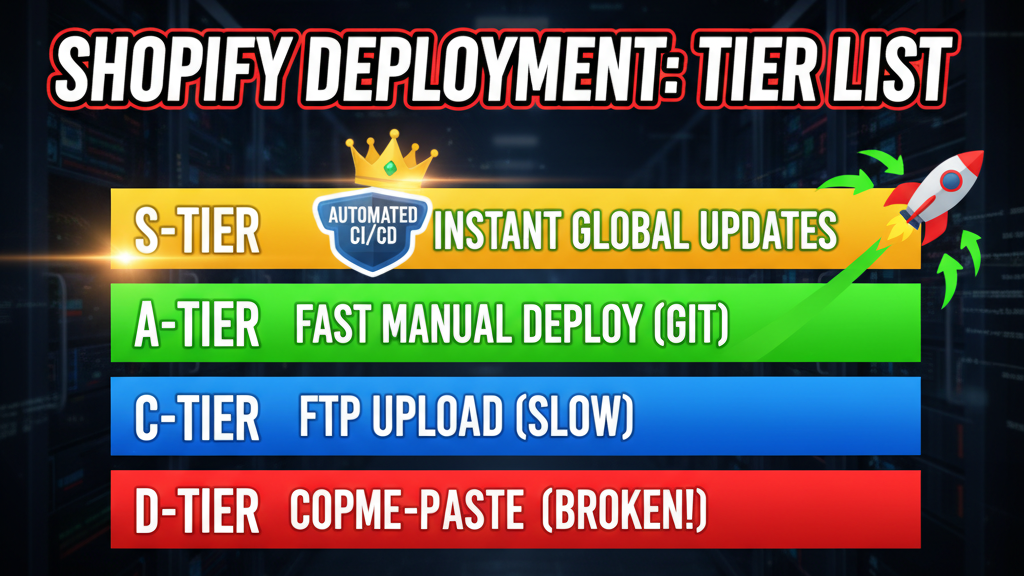
The Cost of Manual Shopify Deployments
A Shopify theme push takes 45 minutes manually. Manual QA adds 1-2 hours. You make a small change (CSS, a template variable), and it breaks the checkout flow. Production is down for 20 minutes. Emergency rollback. Support team fielding angry customers.
This friction becomes the velocity ceiling. You ship once per week instead of once per day. Features sit in development branches for weeks. Technical debt compounds because "it's too risky to refactor."
CI/CD (Continuous Integration / Continuous Deployment) fixes this. Every code commit triggers automated tests. If tests pass, code deploys to staging automatically. If staging QA passes, code pushes to production.
The result: shipping 10x per week, zero manual deployments, and breaking in production becomes rare (you catch issues pre-deployment).
The CI/CD Pipeline Architecture for Shopify
Here's the architecture that works:
Developer commits to GitHub
  ↓
GitHub Actions triggers
  ↓
[1] Lint (Stylelint, ESlint, Theme Linter)
  ↓
[2] Unit Tests (Jest, Mocha)
  ↓
[3] E2E Tests (Playwright, Cypress)
  ↓
[4] Build (bundled assets, minified CSS/JS)
  ↓
[5] Deploy to Staging (Shopify dev theme)
  ↓
[6] Visual Regression Tests (Percy, Chromatic)
  ↓
[7] Deploy to Production (with approval gate)
  ↓
[8] Smoke Tests (check homepage, checkout loads)
  ↓
Complete
Each stage has exit criteria. If linting fails, the pipeline stops. If unit tests fail, no deployment. This prevents bad code from reaching production.
Step 1: Linting (Catch Issues Before Review)
Linting enforces code style and catches common mistakes before humans review.
For Themes (Liquid, CSS, JS):
# .github/workflows/lint.yml
name: Lint

on: [push, pull_request]

jobs:
  lint:
    runs-on: ubuntu-latest
    steps:
      - uses: actions/checkout@v3

      - name: Install dependencies
        run: npm install eslint stylelint theme-linter

      - name: Lint Liquid templates
        run: npx @theme-linter/cli --fix-errors

      - name: Lint CSS
        run: npx stylelint 'assets/**/*.css'

      - name: Lint JavaScript
        run: npx eslint 'assets/**/*.js'

      - name: Fail if errors remain
        run: npm run lint
For Apps (Node.js, Python, Ruby):
# .github/workflows/lint.yml (Node app)
- name: Lint JavaScript
  run: npx eslint src/**/*.js --max-warnings 0

- name: Type check (if using TypeScript)
  run: npx tsc --noEmit
Tools by language:
- JavaScript: ESLint (style) + Prettier (formatting)
- Liquid: Theme Linter (Shopify's official linter)
- CSS: Stylelint
- TypeScript: tsc --noEmit
- Python: flake8, black
- Ruby: RuboCop
Step 2: Unit Tests (Test Components, Isolate Bugs)
Unit tests validate individual functions without running the full app. They're fast (< 1 minute for 100+ tests) and catch logic errors early.
Example: Test a discount calculation function
// src/utils/discount.test.js
import { applyDiscount } from './discount';

describe('applyDiscount', () => {
  test('applies percentage discount correctly', () => {
    const result = applyDiscount(100, 10); // $100 - 10% = $90
    expect(result).toBe(90);
  });

  test('handles tiered discounts', () => {
    // Customer tier: Premium gets 15% off
    const result = applyDiscount(100, 15, 'premium');
    expect(result).toBe(85);
  });

  test('prevents negative prices', () => {
    const result = applyDiscount(10, 50); // Can't discount below zero
    expect(result).toBe(0);
  });
});
GitHub Actions workflow for unit tests:
- name: Run unit tests
  run: npm test -- --coverage

- name: Fail if coverage drops below 80%
  run: |
    COVERAGE=$(npm test -- --coverage | grep 'Statements' | awk '{print $3}')
    if [ ${COVERAGE%.*} -lt 80 ]; then
      echo "Coverage is ${COVERAGE}, minimum 80% required"
      exit 1
    fi
Target: 80%+ code coverage. If a function isn't tested, it will break in production.
Step 3: End-to-End Tests (Test Full Workflows)
E2E tests simulate real user behavior. They're slower (10-20 minutes for full suite) but catch integration bugs.
Example: Test checkout flow on Shopify theme
// e2e/checkout.spec.js (Playwright)
import { test, expect } from '@playwright/test';

test('Checkout flow works end-to-end', async ({ page }) => {
  // 1. Navigate to store
  await page.goto('https://staging.mystore.com');

  // 2. Add product to cart
  await page.click('[data-add-to-cart]');
  await expect(page.locator('[data-cart-count]')).toContainText('1');

  // 3. Open cart
  await page.click('[data-cart-icon]');

  // 4. Proceed to checkout
  await page.click('a:has-text("Checkout")');
  await expect(page).toHaveURL(/.*checkout/);

  // 5. Fill customer info
  await page.fill('[name="email"]', '[email protected]');
  await page.fill('[name="firstName"]', 'Test');
  await page.fill('[name="lastName"]', 'User');

  // 6. Validate payment form is accessible
  await expect(page.locator('[data-payment-methods]')).toBeVisible();

  // 7. Submit (don't actually charge in staging)
  // ... (test payment form is present, not processing)
});

test('Mobile checkout is responsive', async ({ page }) => {
  await page.setViewportSize({ width: 375, height: 667 }); // iPhone size
  await page.goto('https://staging.mystore.com/checkout');

  // Verify buttons, inputs are mobile-friendly
  const button = page.locator('[data-checkout-button]');
  const size = await button.boundingBox();

  // Button should be at least 48px tall (mobile UX standard)
  expect(size.height).toBeGreaterThanOrEqual(48);
});
GitHub Actions workflow for E2E tests:
- name: Run E2E tests against staging
  run: npx playwright test --headed=false
  env:
    STAGING_URL: https://staging.mystore.com

- name: Upload test results
  if: always()
  uses: actions/upload-artifact@v3
  with:
    name: playwright-report
    path: playwright-report/
Step 4: Build (Compile, Minify, Optimize)
Build step bundles assets (CSS, JS images) and prepares them for deployment.
- name: Build theme assets
  run: |
    npm run build
    # Creates dist/ folder with minified CSS, JS, bundled images

- name: Build app (if Node.js)
  run: npm run build && npm run dist
Output should be smaller than source:
- Original: 150 KB CSS + 300 KB JS = 450 KB
- After build: 45 KB CSS (minified) + 80 KB JS (bundled) = 125 KB
- Result: 3x smaller, faster page loads
Step 5: Deploy to Staging (Preview Before Production)
Deploy to a staging theme on Shopify for QA before production push.
- name: Deploy to Shopify staging
  run: npx @shopify/cli theme push --development-theme
  env:
    SHOPIFY_APP_API_KEY: ${{ secrets.SHOPIFY_APP_KEY }}
    SHOPIFY_APP_API_SECRET: ${{ secrets.SHOPIFY_APP_SECRET }}
    SHOPIFY_SHOP_URL: mystore.myshopify.com
    SHOPIFY_THEME_ID: ${{ secrets.STAGING_THEME_ID }}
Staging theme is a separate, identical copy of production. Developers/QA can test here before production push.
Step 6: Visual Regression Tests (Catch Design Breaks)
Visual regression tests take screenshots of the staging store and compare them to baseline images. If CSS changes break layout, you catch it automatically.
- name: Run visual regression tests
  run: npx percy exec -- npx playwright test
  env:
    PERCY_TOKEN: ${{ secrets.PERCY_TOKEN }}
    PERCY_PROJECT: my-shopify-theme
Percy (or Chromatic) compares screenshots pixel-by-pixel. If a CSS change unintentionally shifts buttons or breaks responsive layout, the test fails.
Step 7: Deploy to Production (with Approval Gate)
If all tests pass, deployment waits for manual approval. A developer reviews the changes and approves.
- name: Deploy to production (requires approval)
  uses: trstringer/manual-approval@v1
  with:
    secret: ${{ secrets.GITHUB_TOKEN }}
    approvers: team-tech-leads

- name: Deploy to production theme
  run: npx @shopify/cli theme push --production
  env:
    SHOPIFY_SHOP_URL: mystore.myshopify.com
    SHOPIFY_THEME_ID: ${{ secrets.PRODUCTION_THEME_ID }}
Approval gate adds 5-10 minutes of human review before code goes live. This catches things tests can't (business logic, product requirements).
Step 8: Smoke Tests (Verify Production Stability)
After production deploy, run quick smoke tests to verify critical paths work.
- name: Run smoke tests against production
  run: npx playwright test smoke.spec.js
  env:
    PRODUCTION_URL: https://mystore.com

- name: Alert if smoke tests fail
  if: failure()
  run: |
    curl -X POST ${{ secrets.SLACK_WEBHOOK }} \
      -d '{"text": "Production smoke tests failed. Initiating rollback."}'
Smoke tests check:
- Homepage loads and responds in < 3s
- Product pages load
- Cart add-to-cart button works
- Checkout is accessible
If smoke tests fail, you know there's a critical issue. Trigger rollback immediately.
Rollback Strategy (When Things Go Wrong)
Even with best testing, bugs slip through. Rollback should be one-click.
# .github/workflows/rollback.yml
name: Rollback Production

on: workflow_dispatch

jobs:
  rollback:
    runs-on: ubuntu-latest
    steps:
      - name: Rollback to previous theme version
        run: |
          npx @shopify/cli theme push \
            --theme-id=${{ secrets.PRODUCTION_THEME_ID }} \
            --source=./dist-previous-version

      - name: Verify rollback succeeded
        run: npx playwright test smoke.spec.js
        env:
          PRODUCTION_URL: https://mystore.com
Rollback to previous version takes 2-3 minutes. From "we broke production" to "we're back to working" is under 5 minutes.
CI/CD Configuration for Shopify Apps
Apps (custom private apps, public apps) follow similar CI/CD but with different deployment targets.
Testing strategy for Shopify Apps:
| Test Type | What to Test | Tools | Run Time |
|---|---|---|---|
| Unit Tests | Business logic (price calculations, tier logic) | Jest, Mocha | < 1 min |
| API Tests | Shopify API calls, webhooks, GraphQL queries | Supertest, Nock (mocking) | 5-10 min |
| Integration Tests | Database interactions, external service calls | Jest with test database | 10-15 min |
| E2E Tests | Full app flow (auth → data fetch → render) | Playwright, Cypress | 15-20 min |
GitHub Actions for Shopify App:
name: Test & Deploy Shopify App

on: [push]

jobs:
  test:
    runs-on: ubuntu-latest
    services:
      postgres:
        image: postgres:14
        env:
          POSTGRES_PASSWORD: postgres

    steps:
      - uses: actions/checkout@v3

      - name: Install dependencies
        run: npm install

      - name: Run unit tests
        run: npm test -- --coverage

      - name: Run API integration tests
        run: npm test:integration
        env:
          DATABASE_URL: postgres://postgres:postgres@localhost:5432/test

      - name: Deploy to Shopify dev
        if: github.ref == 'refs/heads/main'
        run: npm run deploy
        env:
          SHOPIFY_APP_KEY: ${{ secrets.SHOPIFY_APP_KEY }}
          SHOPIFY_APP_SECRET: ${{ secrets.SHOPIFY_APP_SECRET }}
          SHOPIFY_API_SCOPES: write_products,read_orders
Common CI/CD Mistakes
Mistake 1: Tests Are Too Slow
If your full CI/CD pipeline takes 45 minutes, developers will bypass it ("I'll test locally and push directly").
Solution:
- Run fast tests first (lint → unit tests)
- Run slow tests in parallel (E2E on multiple browsers at once)
- Target total time: < 15 minutes for full suite
- Move slow tests to nightly (full regression suite)
Mistake 2: No Staging Environment
You build and test locally, then deploy straight to production. Bugs slip through (different database, different configs, different traffic).
Solution:
- Staging theme that mirrors production
- Deploy to staging first, run full QA, then promote to production
- Staging and production should be identical (same theme, same apps, same settings)
Mistake 3: Insufficient Test Coverage
Tests pass. Code deploys. Production breaks in a scenario tests didn't cover.
Solution:
- Aim for 80%+ code coverage (you'll never hit 100%, but 80% catches most bugs)
- Focus on critical paths (checkout, payment, inventory) first
- Review test coverage in every PR (require coverage increase or stay flat)
Mistake 4: Approval Gate Is Annoying
Approval gate takes 2 hours because the approver is in meetings. Developers push directly to bypass.
Solution:
- Keep approval gate lightweight (5-minute manual review, not full QA)
- Designate multiple approvers (rotation, so someone is available)
- Auto-deploy if no changes to critical files (theme.json, checkout, payment files)
Article FAQ
Q: How long does it take to set up CI/CD for a Shopify store?
For an existing theme: 1-2 weeks. You're writing tests, setting up GitHub Actions, configuring Shopify theme API credentials. For a new theme: build CI/CD from the start (adds 1-2 days to initial setup). Starting fresh is actually faster.
Q: What if I don't have tests yet? Can I still set up CI/CD?
Yes, start minimal: linting only. Lint every PR, deploy to staging, manual QA. Then add unit tests incrementally. Don't let "perfect tests" block CI/CD—iterate.
Q: How do I test Shopify-specific features (metafields, custom collections)?
Use Shopify's GraphQL API in tests. Mock the API (Nock library) to avoid hitting production. Test your transformation logic, not Shopify's API (Shopify is tested by Shopify).
Q: Should I automate production deployments or always require approval?
Approval gate is recommended (one human reviews before prod push). But if you have high confidence (80%+ test coverage, comprehensive E2E tests), auto-deploy main branch. Start conservative, evolve toward full automation.
Q: What if deploying to production fails?
Rollback. Have a rollback script ready (redeploy previous theme version). Practice rollbacks in staging first so you're not panicking in production. Rollback should take < 5 minutes.
Key Takeaways
- Linting catches style issues before review. Automate it; don't waste human time on spacing.
- Unit tests are the foundation. Aim for 80%+ coverage on business logic. E2E tests catch integration bugs.
- Staging is your safety net. Deploy to staging first, QA there, then promote to production.
- Approval gate prevents disasters. One human review before production deployment catches things tests can't.
- Smoke tests verify production is alive. After every production deploy, run critical-path tests. If they fail, rollback immediately.
Call to Action
CI/CD is the difference between shipping weekly and shipping daily. It's the foundation of reliable e-commerce at scale.
Contact Tenten to build your CI/CD pipeline. We'll set up automated testing, staging environments, and production deployments that let you ship with confidence.
Author Perspective
The best CI/CD pipelines are invisible. Developers commit, tests run, code deploys. No manual steps, no surprises. That's the goal. Start simple (lint + staging), and iterate toward full automation.