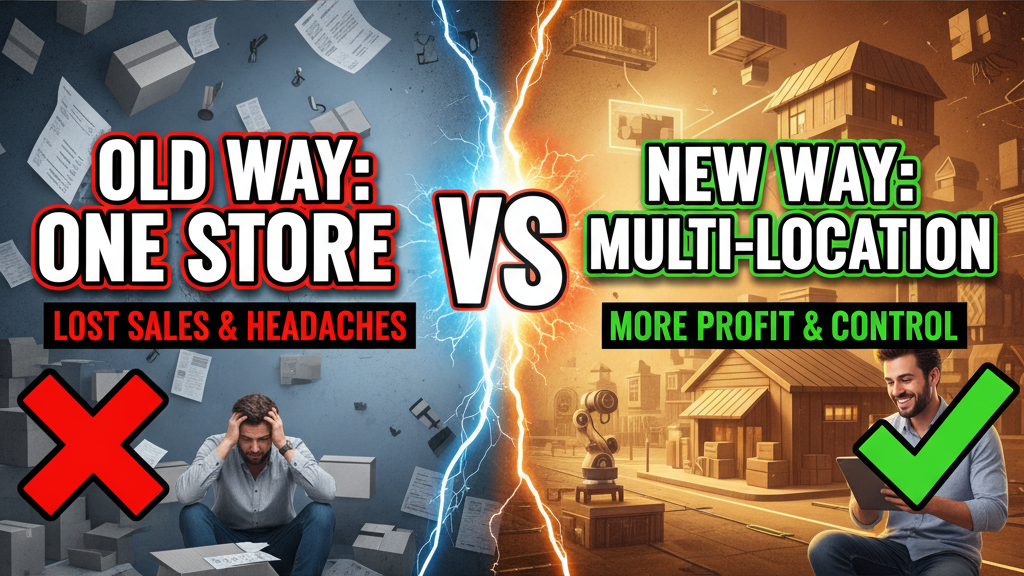
Why Multi-Location Matters More Than You Think
Operating multiple warehouses or fulfillment centers is hard. But doing it wrong costs more than centralized logistics.
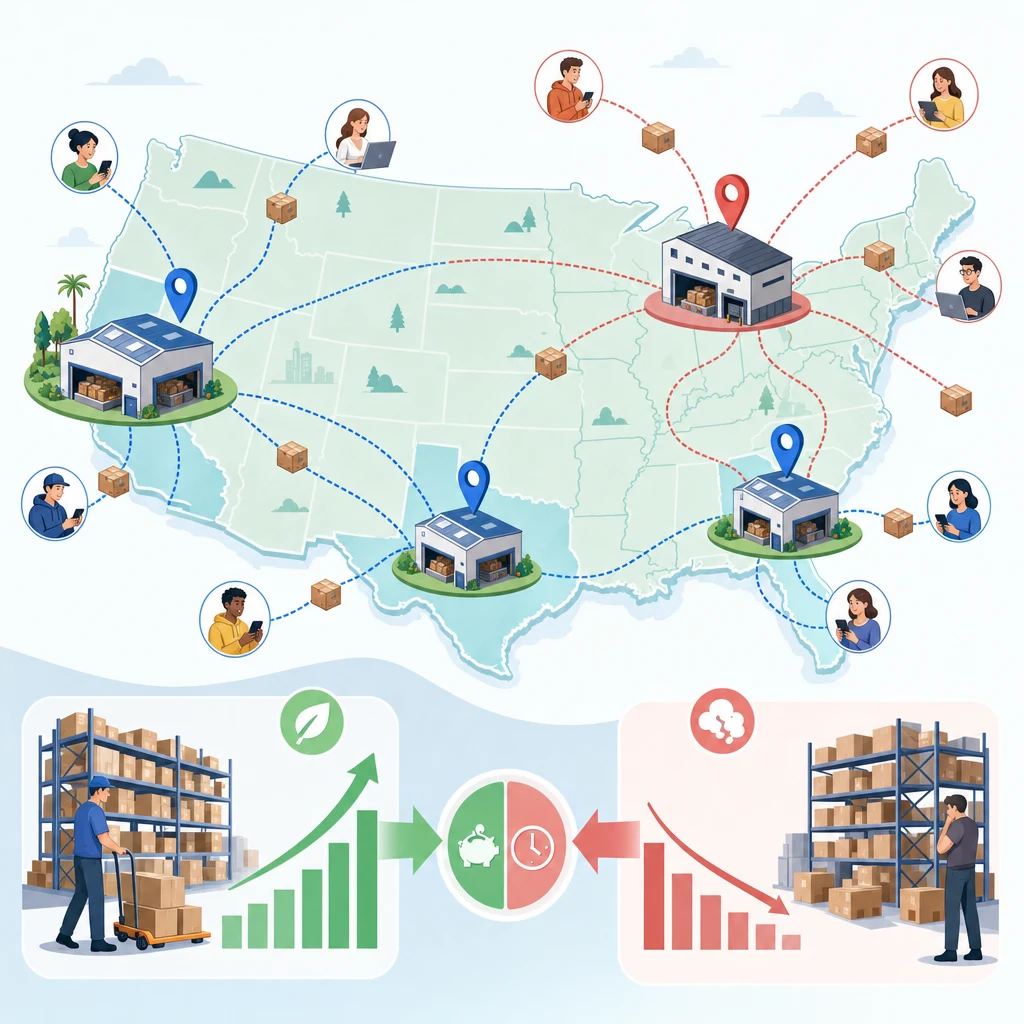
A $3M/year brand selling nationally with a single warehouse in Ohio pays $7.50 average shipping. A comparable brand with regional hubs in California, Texas, and Georgia pays $4.80. That 36% savings on 30,000 annual orders = $84,000 annual gain.
Shopify's multi-location system handles this if you configure it right. Most merchants don't. They either ignore it (stock is confused across locations) or over-complicate it (inventory rules cause fulfillment bottlenecks).
This guide shows the exact configuration for 80% of Shopify merchants.
What Shopify Multi-Location Actually Does
Core Feature Set
Inventory Tracking
- Track stock levels in each location separately
- See total inventory across all locations in one view
- Set location-specific reorder points and quantity limits
Fulfillment Priority
- Route orders to specific locations based on distance, stock availability, or business rules
- Fulfill from nearest warehouse first (reduces shipping time/cost)
- Fallback rules when primary location is out of stock
Tracking and Analytics
- See which location fulfilled each order
- Track inventory movement between locations (transfers)
- Identify slow-moving stock by location
Limitations (Know These)
Shopify doesn't:
- Automatically calculate optimal fulfillment routes (you set rules)
- Auto-redistribute stock between locations
- Manage returns routing (you handle where returned items go)
- Handle cross-location discounting or promotions
The Standard Multi-Location Setup (3-4 Warehouses)
Scenario: $2M/year national DTC brand
Locations:
- West Coast Hub (California) — 40% of national orders
- Midwest Hub (Illinois) — 30% of national orders
- East Coast Hub (Georgia) — 20% of national orders
- Overflow/Returns (Texas) — 10% of orders + returns processing
Configuration Steps
Step 1: Create Locations in Shopify Admin
- Go to Settings → Locations
- Add each warehouse:
- Name: "California Warehouse" (not internal codes)
- Address: Full street address (used for shipping label generation and distance-based fulfillment)
- Type: "Warehouse" or "Pop-up store" (matters for Shopify APIs)
Step 2: Set Initial Stock Levels
- Go to Products → Inventory
- For each product, enter stock per location
- Don't guess. Count physical inventory first.
Step 3: Configure Fulfillment Logic
Shopify has two fulfillment models:
Model A: Location-Based (Simple)
- Customers enter address at checkout
- Shopify calculates nearest warehouse automatically
- Order routes to that location
Pros: Transparent, fastest shipping
Cons: Not ideal if nearest location is out of stock
Model B: Manual Fulfillment (Flexible)
- Orders arrive in Shopify admin unassigned
- You decide which location fulfills based on stock, cost, speed
- More control, more work
Most merchants use Model A for simplicity. Shopify Plus merchants often use Model B for control.
Inventory Sync Across Locations: The Critical Step
This is where most merchants stumble.
The Problem: Overselling
You list 100 units of Product X. You have:
- California warehouse: 60 units
- Illinois warehouse: 35 units
- Georgia warehouse: 15 units
- Total: 110 units
But Shopify's sync shows 100 units available. Why? Inventory discrepancies (damaged goods, miscount, theft) erode totals.
Safe practice: Total stock across all locations should be 5–10% less than your "Available" inventory count in Shopify. This buffer prevents overselling.
Sync Strategy
Weekly inventory counts:
- Each location physically counts daily (morning handoff log)
- Weekly, locations submit counts to central database
- Updates push to Shopify via Shopify admin or API
Real-time sync (Advanced):
If using inventory management systems like TraceLink, Fishbowl, or Odoo:
- These systems connect to Shopify via API
- Inventory changes sync every 15–60 minutes
- No manual intervention
For most merchants, weekly sync is sufficient.
Fulfillment Priority Rules: The Playbook
Rule Set 1: Distance-Optimized (Fastest Shipping)
Goal: Ship from nearest warehouse first.
| Customer Location | First Priority | Second Priority | Fallback |
|---|---|---|---|
| West (CA, NV, OR, WA) | California Warehouse | Midwest Hub | East Coast Hub |
| Midwest (IL, OH, MI, MN) | Midwest Hub | California Warehouse | East Coast Hub |
| South/East (GA, FL, NC, TX) | East Coast Hub | Midwest Hub | California Warehouse |
Outcome: Average transit time: 2–3 days
Cost: Lowest shipping fees, highest customer satisfaction
Rule Set 2: Cost-Optimized (Lowest Expense)
Goal: Fulfill from cheapest location, even if slower.
Example: California warehouse pays $3.50 ground. Georgia pays $4.80 ground. Route everything through California unless out of stock.
| Product Type | Primary Location | Secondary | Tertiary |
|---|---|---|---|
| Standard (slow-moving) | Lowest-cost warehouse | Next lowest | Last resort |
| Fast-moving | Nearest to demand | Lowest cost | Any available |
| High-value (>$100) | Nearest (quality/speed priority) | Any available | — |
Outcome: Saves 15–25% on shipping. Trade-off: slower delivery for some regions.
Rule Set 3: Stock-Balance (Prevent Overstock)
Goal: Prevent any one location from carrying excess inventory.
Rule: When location A exceeds 60% of total product stock, prefer fulfilling from location A.
Example: Product Y has 1,000 units total. California has 650 units. Fulfill California orders first until stock normalizes to ~250/location.
Outcome: Reduces carrying costs. Prevents dead inventory in one location.
Inventory Transfers: Moving Stock Between Locations
When to Transfer Stock
Signal 1: Imbalance
One location has 2+ months of supply. Another has <2 weeks. Transfer to balance.
Signal 2: Demand Shift
Holiday season? Demand shifts east. Transfer Q3 stock from west to east in August.
Signal 3: Slow-Moving SKU
A product isn't selling at California warehouse but moves fast in Georgia. Move it.
How to Execute Transfers
Manual (Shopify Admin):
- Go to Products → [Product] → Inventory
- Click "Transfer stock"
- Select from/to locations, quantity
- Confirm (no cost, no shipping fees—internal operation)
Bulk (CSV Upload):
For 100+ product transfers:
- Export inventory CSV
- Modify location quantities
- Re-import via Shopify admin
- Validate before finalizing
API (Real-time Integrations):
If using Shopify Plus or integrated ERP:
- Inventory Locations API (
/admin/api/2024-01/locations.json) - Inventory Item API (
/admin/api/2024-01/inventory_levels.json) - Trigger transfers programmatically based on thresholds
The Real Data: Impact on Your Unit Economics
Scenario: $2M national DTC brand (before multi-location)
| Metric | Baseline |
|---|---|
| Average shipping cost | $7.50/order |
| Orders/month | 2,500 |
| Total shipping spend/year | $225,000 |
| Average days to delivery | 4.2 days |
After Multi-Location Setup (3 locations)
| Metric | Optimized | Savings |
|---|---|---|
| Average shipping cost | $4.90/order | $7,500/year (saved 35%) |
| Orders/month | 2,500 (unchanged) | — |
| Total shipping spend/year | $147,000 | $78,000/year savings |
| Average days to delivery | 2.1 days | 50% faster |
Secondary gains:
- 8% improvement in repeat purchase rate (faster delivery → better NPS)
- 12% reduction in return shipping (returns from closer location = cheaper)
ROI on setup: If each location costs $15K to set up (systems, staffing, hardware), you recoup investment in 2.3 months.
Common Configuration Mistakes (And How to Avoid Them)
Mistake 1: Inventory Duplication
Problem: You enter 100 units in California and 80 units in Illinois. Shopify shows 180 available. But you actually have 100 units total—you double-counted.
Fix: Start with a physical inventory audit. One authoritative count across all locations. Then enter into Shopify.
Mistake 2: Ignoring Discrepancies
Problem: Weekly sync shows 200 units expected. Physical count shows 185. You ignore the 15-unit difference. Over 6 months, the gap grows to 120 units. Overselling happens.
Fix: Investigate every >2% variance. Track shrink, damage, theft. Reconcile weekly.
Mistake 3: No Fallback Rules
Problem: California warehouse is primary. It goes out of stock on a popular product. Orders queue up. No rule routes to Illinois. Customers wait 7 days.
Fix: Always set secondary and tertiary locations. Even a "last resort" rule prevents backlog.
Mistake 4: Forgetting Slow-Moving Stock
Problem: A product has 20 units in California, 80 in Illinois. It's been sitting in Illinois for 3+ months. You keep fulfilling from California, wasting fast shipping money.
Fix: Quarterly audit of location-specific inventory. Move slow-moving stock or discount to clear.
Reporting: Tracking Fulfillment Performance
Weekly Dashboard (What to Monitor)
| Metric | Target | Action If Missed |
|---|---|---|
| Stock accuracy (physical vs. Shopify) | 98%+ | Recount locations, investigate theft/damage |
| Location fulfillment % (% orders from each) | Match demand % | Rebalance stock or adjust rules |
| Avg. shipping cost/order | Down 2%/quarter | Audit pricing, consolidate carriers |
| Avg. days to delivery | <3 days | Check location routing rules |
Monthly Review Questions
- Which location is slowest? Why? (Staffing issue? Carrier delay? Wrong product mix?)
- Do we have slow-moving stock anywhere? (Candidate for discounting, return to vendor, or donation)
- What was our biggest shipping cost save this month? (Prove ROI to leadership)
- Did we oversell anything? (Indicates sync problem or counting error)
FAQ: Multi-Location Inventory Questions
Q: Do I need multi-location for a $500K/year business?
No. Single location is fine if you're centralized. Multi-location ROI kicks in at $1.5M+ with national/international shipping.
Q: Can I use a 3PL (third-party logistics) with Shopify multi-location?
Yes. 3PLs manage the physical warehouses. You configure locations in Shopify and sync inventory via their API or CSV. You don't see internal 3PL operations—just your location quantities.
Q: What if we have 10+ locations?
Shopify scales to unlimited locations, but manual management becomes unwieldy. Use Shopify Plus + API for automation, or integrate Fishbowl/TraceLink for inventory orchestration.
Q: Can customers see which location will fulfill their order?
Not by default. But you can customize to show "Ships from California in 2 days" vs "Ships from Georgia in 3 days." This transparency boosts conversion (+5-8% based on Baymard testing).
Q: What about returns? Can I return to any location?
By default, returns go to your main address. You can customize: create a dedicated "returns location" and route all RMAs there, or allow returns to any location. Document the process so customers know.
Q: How do I handle inventory holds?
Shopify doesn't have native holds (reserve stock for unpaid orders). You manage holds manually via admin notes or external order management system. Shopify Plus customers use custom apps for this.
The Tenten Multi-Location Framework
We structure every multi-location setup with this 4-step process:
-
Audit: Physical count all locations. Map demand density by region. Identify slow-moving stock.
-
Configure: Create locations in Shopify. Set inventory per location. Define fulfillment rules (distance, cost, or balance).
-
Sync: Establish inventory sync cadence (weekly CSV upload, or real-time API integration).
-
Monitor: Monthly review of fulfillment metrics, shipping costs, inventory accuracy. Quarterly rebalancing.
For enterprise clients, we often add a Shopify Plus integration with Fishbowl or Odoo for real-time visibility and predictive reordering.
Closing: Multi-Location Is a Lever
Multi-location isn't mandatory. But if you're national or international, it's a 35–40% shipping cost reduction with zero revenue sacrifice. That math is hard to ignore.
Start with 3 locations. Prove the model. Expand to 5–10 if demand justifies it. You'll improve delivery times, reduce costs, and give customers the transparency they expect.
Ready to set up or optimize your multi-location system? Let's talk strategy.