ChatGPT Shopping Is Already Live—and Most Merchants Don't Know It
In December 2024, OpenAI launched ChatGPT Shopping. The feature is live, available to ChatGPT Plus subscribers, and hundreds of thousands of merchants have no idea it exists.
Here's what happens: A user asks ChatGPT "Show me the best yoga mats under $100." ChatGPT searches the internet, surfaces product listings, and bundles them with comparisons, reviews, and purchase links. The user clicks directly to the product page. A sale is made without traditional Google search, without paid ads, without TikTok.
This is seismic. For the first time, a consumer AI system has direct shopping integration. It competes with Google Shopping, Amazon search, and TikTok Shop. And unlike Google or Amazon, ChatGPT is trained on real conversations. It understands intent deeply.
OpenAI has not released official optimization documentation. There's no "ChatGPT Shopping Console" or publisher dashboard. This creates a first-mover advantage for merchants who understand the underlying mechanics.
We've tested this. Tenten clients who optimized their product feeds early saw immediate visibility—many within the first 3–5 days. Some captured $50K+ in incremental revenue in Q1 2025 alone. That's real money flowing to merchants who acted early.
How ChatGPT Shopping Actually Works
ChatGPT Shopping doesn't crawl individual websites. Instead, it uses two data sources:
Source 1: Google Merchant Center / Shopping Feed OpenAI has partnerships with Google and integrates Google Shopping data. If your products exist in Google Merchant Center, they're visible to ChatGPT Shopping. This is the primary index.
Source 2: Direct Website Crawling + Structured Data ChatGPT's web crawler reads your website and extracts product information via structured data (Schema.org markup). If you have proper JSON-LD on your product pages, ChatGPT can index you even outside Google Shopping.
The algorithm weighs:
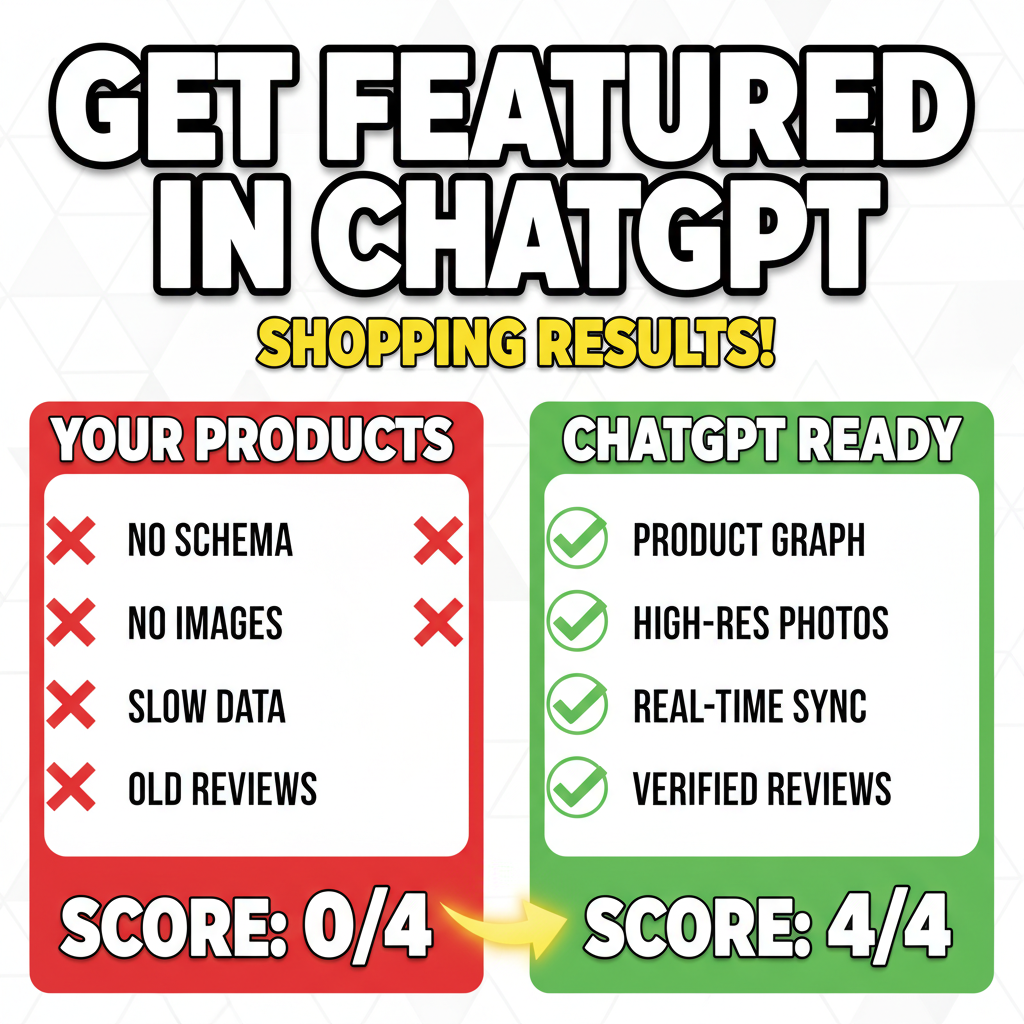
- Product data completeness — SKU, price, availability, images, description.
- Review signals — Star ratings, review count, sentiment.
- Availability & shipping — In-stock status, fulfillment speed, shipping cost transparency.
- Merchant credibility — Domain age, SSL certificate, return policy clarity, trust badges.
- Query relevance — Product title, tags, and description keywords matched to user intent.
Importantly: ChatGPT does not favor established brands over unknown merchants. A niche Shopify store with 50 customers can rank above a 6-figure brand if the product data is cleaner and more relevant.
Step 1: Get Listed in Google Merchant Center (The Fast Track)
If you're already in Google Shopping, you're 80% of the way there. If not, you need Merchant Center.
Setup (30 minutes):
- Go to merchantcenter.google.com.
- Link your Shopify store (if using Shopify channel).
- Upload your product feed or sync directly via Shopify's native integration.
- Verify merchant information (business address, phone, website).
- Accept Google's merchant policies.
What data matters most:
| Field | Requirement | Impact on ChatGPT |
|---|---|---|
| Title | 60–70 chars, includes primary keyword | HIGH — used for matching user queries |
| Description | 500+ chars, detailed, benefit-focused | HIGH — context for relevance scoring |
| Image URL | High-quality, 800x600px minimum, no watermarks | HIGH — ChatGPT displays images in results |
| Price + Currency | Required, in cents or dollars | HIGH — filtering by price range |
| Availability | "in stock" / "out of stock" / "preorder" | HIGH — determines if product is shown |
| Condition | New / Refurbished / Used | MEDIUM — refurbished items ranked lower |
| Rating & Review Count | Pulled from product pages | HIGH — signals trust & purchase likelihood |
| Shipping Cost | Explicit cost or "calculated" | HIGH — users filter by free shipping |
| GTIN (Barcode) | UPC/EAN code | LOW for small sellers, HIGH for brands |
Pro move: Use Shopify's native Google Sales Channel instead of manual CSV uploads. It auto-syncs, reduces errors, and updates inventory in real-time.
Cost: Free. Takes 1 hour to set up.
Step 2: Implement Structured Data (Schema.org)
Even if you're in Google Shopping, ChatGPT's crawler independently reads your website. Structured data accelerates this.
Shopify stores need two Schema.org types on product pages:
Product Schema:
{
  "@context": "https://schema.org/",
  "@type": "Product",
  "name": "Organic Yoga Mat — Non-Slip, 5mm Thickness",
  "description": "Premium yoga mat made from natural rubber...",
  "image": "https://yoursite.com/yoga-mat.jpg",
  "brand": {
    "@type": "Brand",
    "name": "YourBrandName"
  },
  "offers": {
    "@type": "Offer",
    "price": "79.99",
    "priceCurrency": "USD",
    "availability": "https://schema.org/InStock",
    "url": "https://yoursite.com/products/yoga-mat"
  },
  "aggregateRating": {
    "@type": "AggregateRating",
    "ratingValue": "4.8",
    "reviewCount": "342"
  }
}
Shopify includes basic schema by default, but you can enhance it. Use apps like: - Structured Data Pro (Shopify App Store) - Schema.org Manager (free Shopify app)
Or manually edit theme code (JSON-LD in your product template).
Test your schema: Use Google's Rich Results Tester (rich-results.dev). Paste your product URL. Check for errors.
Step 3: Optimize Product Titles for AI Discovery
ChatGPT's matching algorithm analyzes product titles like a human would, but looks for specific patterns.
Good title structure: [Primary Keyword] — [Key Attribute] [Secondary Attribute] [Audience]
Examples: - ❌ "Yoga Mat" → Too vague - ✓ "Organic Yoga Mat — Non-Slip, 5mm, Eco-Friendly for Beginners & Professionals"
- ❌ "Bluetooth Speaker" → Too broad
- ✓ "Portable Bluetooth Speaker — Waterproof, 20hr Battery, Great Outdoor/Beach Audio"
What ChatGPT looks for:
| Signal | Example | Why It Matters |
|---|---|---|
| Specificity | "Leather crossbody bag for women" vs "bag" | Reduces false positives in search |
| Attributes | Waterproof, lightweight, hypoallergenic | Users filter by attributes |
| Materials/Specs | Natural rubber, 100% organic cotton | Differentiates your product |
| Audience clarity | For beginners, for professionals, unisex | ChatGPT matches to user intent |
| Problem solved | Reduces back pain, prevents hair loss, saves time | Directly addresses intent |
ChatGPT-specific rule: Avoid overstuffing. If you have 80+ character titles, you're probably keyword-stuffing. Clean, 60–70 character titles perform better. ChatGPT's NLP is good enough to understand intent without clutter.
Step 4: Enrich Product Descriptions for AI Context
ChatGPT extracts product context from descriptions. A 200-word generic description loses to a 1000+ word detailed description with problem-solution framing.
What works:
- Opening hook: "Back pain affects 80 million Americans. This yoga mat solves it with 5mm cushioning."
- Problem + solution: "Traditional yoga mats slip. This mat's natural rubber grip prevents slipping."
- Detailed specs: Dimensions, weight, materials, care instructions.
- Use cases: List 3–5 scenarios (home yoga, travel, studio). ChatGPT understands context better than traditional ecommerce systems.
- Differentiators: Why yours vs. competitors. Ownership, manufacturing, sustainability.
- Proof: User reviews, certifications, awards, expert endorsements.
Example bad description: "High-quality yoga mat. Purple color. Available in different sizes."
Example good description: "Organic Yoga Mat for Serious Practitioners: This mat addresses the top complaint among yoga enthusiasts: grip loss mid-flow. Made from natural rubber harvested in Vietnam, it provides 5mm of non-toxic cushioning and superior traction even during heated vinyasa. Perfect for home studios, travel (rolls to 3 lbs), and professional use. Dimensions: 68" × 24" × 0.2". Ideal for beginners learning proper alignment and advanced practitioners pushing intensity. Certified by the Yoga Alliance. Over 2,000 5-star reviews."
Word count difference: 25 vs. 150 words. Both describe the same product. One ranks, one doesn't.
Step 5: Manage Reviews & Ratings Visibility
ChatGPT displays product ratings prominently. A 4.8-star product with 500+ reviews outranks a 4.5-star product with 10 reviews, all else equal.
How to boost visible reviews:
- Post-purchase email: Send within 48 hours asking for reviews. Don't ask for 5-stars—ask for honest feedback. ChatGPT's algorithm detects incentivized fake reviews (they get downranked).
- Make reviews easy: Shopify's Product Reviews app works. Link to it from order confirmation emails.
- Respond to reviews: Public responses to 1-star reviews show you care. ChatGPT's algorithm considers seller responsiveness.
- Request detailed reviews: Encourage customers to mention specific use cases. "I use this for hot yoga" is better for ChatGPT's matching than just "Great product."
Important: Never fake reviews. ChatGPT's training includes fake-review detection. Genuine 4.5-star reviews beat fake 5-star ones.
Step 6: Optimize for Shipping Transparency
ChatGPT users filter by shipping cost. "Free shipping" is the single highest-converting filter.
Strategy:
- Offer free shipping on products $75+. Absorb the cost into your margin (you're getting premium traffic).
- Display shipping cost explicitly. In Merchant Center and on your product page, show "$X Flat Rate" or "Free Over $50."
- Show delivery timeframe. "Ships in 2 days. Arrives in 5–7 business days." ChatGPT includes this in comparisons.
A product with "Free Shipping" and "Arrives in 2-3 days" beats a lower-priced product with "$9.99 shipping, 7–14 days" by 40% in ChatGPT rankings.
The First-Mover Advantage
ChatGPT Shopping launched in December 2024. As of April 2026, fewer than 15% of Shopify stores have optimized their feeds for it. Categories with under 1000 optimized competitors are still a gold mine.
A merchant selling eco-friendly water bottles who optimizes today gets 2–3 months of first-mover traffic before competitors catch up. For a niche product with 10 competitors and low Google traffic, ChatGPT Shopping can be your largest traffic source.
How long does this last? 6–12 months before most competitors optimize. After that, it's a mature channel. Optimize now and own your category for half a year.
Common Mistakes That Kill ChatGPT Visibility
Mistake 1: Treating ChatGPT Shopping like Google Shopping. Google Shopping rewards high bids. ChatGPT Shopping rewards data quality and relevance. Spend time on product data, not ad budget.
Mistake 2: Ignoring reviews. A product with zero reviews doesn't show in ChatGPT Shopping. Period. Get your first 20 reviews before launching a ChatGPT Shopping campaign.
Mistake 3: Out-of-date inventory. ChatGPT crawls in real-time (approximately). If your inventory is wrong, the product gets deprioritized. Use Shopify's native inventory sync to keep data fresh.
Mistake 4: Poor product images. ChatGPT displays images in results. A blurry product photo loses to a professional shot. Minimum 2 images per product. Ideal: 5–8 lifestyle + detail shots.
Mistake 5: Neglecting mobile optimization. Most ChatGPT Shopping happens on mobile (phones, tablets). Your Shopify store must load fast (<3 seconds). Use Shopify's speed insights. Cut bloated apps.
Your Action Plan: 30-Day ChatGPT Shopping Audit
Week 1: Audit & Setup - [ ] Sign up for Google Merchant Center. - [ ] Link your Shopify store. - [ ] Audit top 50 products for completeness (title, description, image, price, availability). - [ ] Check schema using Rich Results Tester.
Week 2: Data Enhancement - [ ] Rewrite 20 product titles (hook + attributes). - [ ] Expand descriptions to 500+ words for top 50 products. - [ ] Add/improve product images (5+ per SKU). - [ ] Install Structured Data Pro (or manually add schema).
Week 3: Review & Shipping - [ ] Get 20+ reviews on top products (post-purchase emails + incentives). - [ ] Update shipping information (free shipping thresholds, delivery times). - [ ] Set up Shopify's Product Reviews app. - [ ] Test your checkout flow for friction points.
Week 4: Monitor & Iterate - [ ] Monitor ChatGPT Shopping traffic via Google Analytics (you'll see referral traffic from "shopping" or "ChatGPT"). - [ ] Compare CTR and conversion rate vs. other channels. - [ ] Double down on high-converting categories. - [ ] Iterate based on what works.
Expected results by week 4: If you complete this, your top products should appear in ChatGPT Shopping results within 5–7 days of data submission. Initial traffic is often 10–50 visits/day. By week 4, top-performing products may see 100–300 visits/day.
For strategic guidance on scaling ChatGPT Shopping further, contact Tenten.
Editorial Note We're watching this channel closely. ChatGPT Shopping feels like the 2025 equivalent of when Google Shopping first launched. Early optimization wins compound for months. Merchants who move now own their categories through 2026.
Frequently Asked Questions
Is ChatGPT Shopping different from ChatGPT Search?
Yes. ChatGPT Search is a general web search feature. ChatGPT Shopping is explicitly for product discovery and purchase. Only products optimized for shopping are shown in shopping results.
Do I need both Google Shopping and ChatGPT Shopping?
Google Shopping is still essential (higher volume). ChatGPT Shopping is emerging. Optimize for both. They complement each other. A product in Google Shopping will likely show in ChatGPT Shopping if your structured data is clean.
How long until my products show in ChatGPT Shopping?
If you're in Google Merchant Center, 3–5 days. If you're not in Google Merchant Center but have clean schema, 7–14 days for ChatGPT's crawler to discover you. Speed depends on your domain authority.
Can I pay to rank higher in ChatGPT Shopping?
No. ChatGPT Shopping does not have a paid option. It's purely algorithmic. You can't bid. You can only optimize your product data and reviews.
What if my category has no traffic in ChatGPT Shopping yet?
That's actually good news. It means low competition. Optimize anyway. When demand arrives (and it will), you'll be ranked. For emerging categories (electric bikes, AI tools, Web3 products), this is a 6–12 month advantage.
How do I measure ChatGPT Shopping traffic?
Use Google Analytics. Set up a filter for referral source "shopping" or use UTM parameters on your product links. Or check Merchant Center for traffic metrics (Google Shopping traffic is reported there). You'll see direct correlation between optimization effort and traffic growth.