Your Store Is Under Constant Attack—Here's What Actually Matters
Shopify merchants face relentless attack vectors. Credential stuffing. Malware injection. Third-party app exploits. Payment data exfiltration. According to IBM's 2024 Cost of a Data Breach report, retailers experience the highest breach costs—averaging $4.77M per incident. That's money, reputation, and customer trust evaporating in days.
The problem: most security advice is either paranoid theater (encrypt everything six times) or useless boilerplate (use a password manager). Real security is about understanding your attack surface, fixing the critical vulnerabilities that actually matter, and auditing the third parties you depend on.
This guide focuses on the checkpoints that matter most—the ones that reduce your breach probability from "very likely" to "acceptable." We'll skip the security theater and focus on operational security that e-commerce actually requires.
Why Shopify Store Security Actually Matters for Your Bottom Line
Breaches aren't hypothetical. They're expensive. A 2024 Verizon DBIR analysis of retail breaches showed that detection time is everything. Data theft detected within 3 days averages $1.8M in recovery costs. Discovered after 30 days? $6.2M.
Here's what you lose: - Direct costs: forensics, notification, legal compliance - Operational costs: downtime, customer service escalation, refund liability - Regulatory penalties: GDPR (€20M or 4% revenue, whichever is higher), CCPA fines escalate to $7,500 per intentional violation - Intangible costs: churn (58% of customers abandon brands after breaches), reputation damage, stock price impact (for public companies)
The second counter-intuitive insight: your security posture is only as strong as your weakest third-party dependency. A breach at your email platform, payment processor, or inventory sync tool can compromise you even if your own Shopify setup is locked down. This is why third-party auditing isn't optional—it's critical path risk management.
The Core Attack Vectors: Where Breaches Actually Start
Shopify itself is hardened. The infrastructure is solid. Your breach risk comes from five specific categories:
| Attack Vector | Likelihood | Cost if Breached | Time to Exploit |
|---|---|---|---|
| Admin account compromise (weak password, phishing) | Very High | High | Minutes |
| Third-party app vulnerability (sketchy OAuth permissions) | High | Very High | Hours to days |
| Unencrypted data transmission (HTTP leaks) | Medium | Very High | Minutes |
| Unvetted payment integrations (custom checkout) | Medium | Critical | Seconds |
| Customer data exfiltration (overpermissioned APIs) | Medium | Very High | Hours |
The top vulnerability? Weak admin credentials. 47% of retail data breaches involve credential compromise (Verizon DBIR 2024). Your admin password is the skeleton key to everything—inventory, orders, customer data, payment settings, API access.
1. Secure Your Admin Account (Non-Negotiable)
Two-Factor Authentication (2FA) — Mandatory
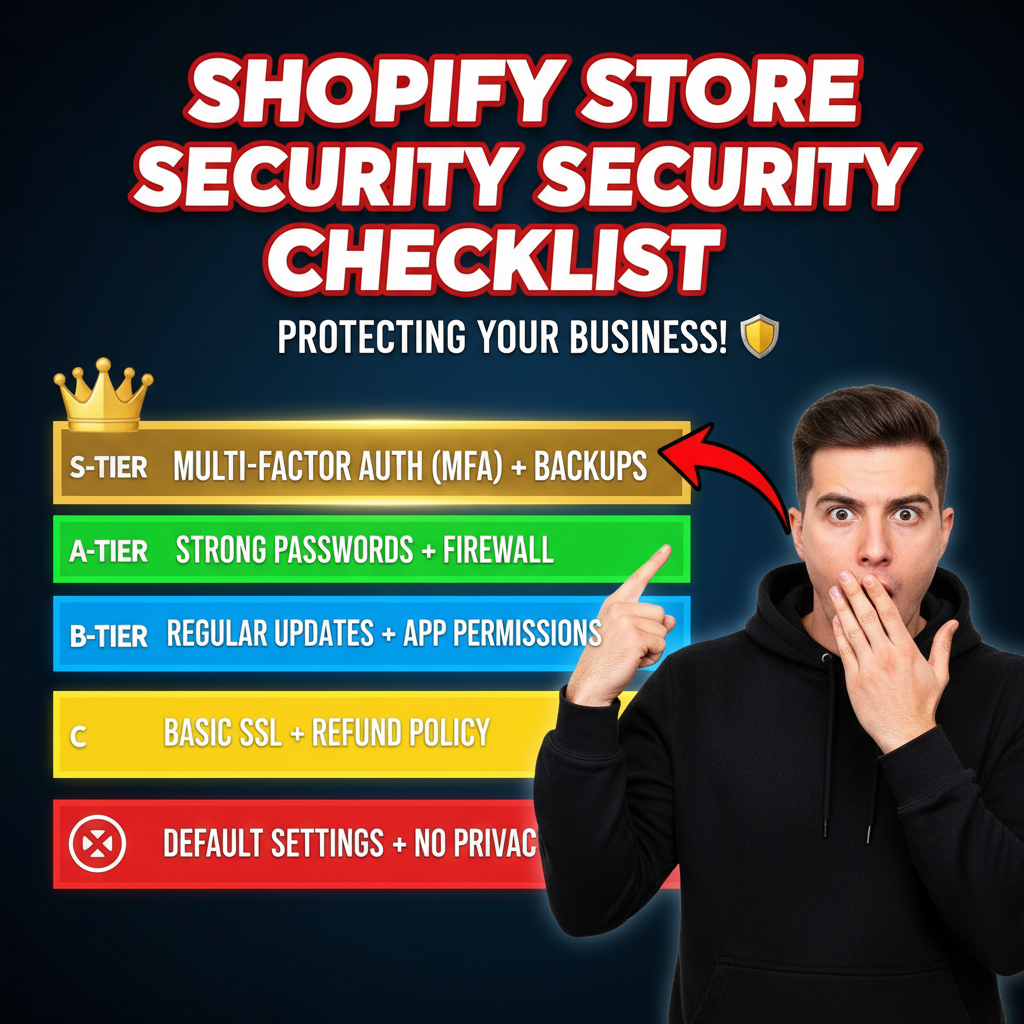
Activate two-factor authentication on every admin account. This reduces credential-compromise risk by 99.9% (Microsoft 2019 study).
How: 1. Settings → Apps and channels → Two-factor authentication 2. Select authenticator app (Google Authenticator, Authy, 1Password) over SMS (SMS is vulnerable to SIM swaps) 3. Save backup codes in your password manager immediately
Why it matters: Even if someone steals your password via phishing or data breach, they can't access your admin without the second factor.
Non-negotiable detail: Use an authenticator app, not SMS. SMS is vulnerable to SIM swap attacks (attacker convinces your mobile carrier to port your number). Authenticator apps generate time-based codes that can't be intercepted.
Password Management — Use a Real Password Manager
Create a unique, 20+ character password. Use a password manager (1Password, Bitwarden, LastPass). Store the master password somewhere secure (encrypted note, physical safe, not a sticky note).
Why it matters: Password reuse is the second-largest breach vector after weak credentials. If one service is compromised, attackers try your password on other accounts.
Admin User Roles — Principle of Least Privilege
Create separate admin accounts for different functions. Don't give everyone full access.
| Role | Permissions | Why |
|---|---|---|
| Store Owner | All permissions | Only you (or trusted co-founder) |
| Fulfillment Manager | View orders, edit fulfillment | Can't change payment settings |
| Marketing Manager | View analytics, create discounts | Can't access customer payment methods |
| Developer | API access, theme editing | No access to customer data without explicit grant |
Why it matters: If a marketing manager's account is compromised, they have limited scope. They can't drain your bank account or access customer payment data.
Remove Former Staff Immediately
Staff turnover is a massive blind spot. When someone leaves your company, you have 4 hours to remove their admin access before they can: - Steal customer data - Delete orders or inventory - Redirect payments to personal accounts - Lock you out entirely
Checklist: 1. Export all admin user access logs weekly 2. Disable access within 1 hour of departure 3. Change all admin passwords you shared with that person
2. Secure Payment Processing (Your Liabilities Are Massive)
Payment processing is where your liability is highest. A single breach can expose thousands of customer payment methods—and you're liable for losses, fines, and notification costs.
Use Hosted Payment Forms — Never Store Raw Card Data
Shopify Payments is PCI DSS Level 1 compliant. But if you use a custom checkout, you're responsible for PCI compliance—which costs $50K+ annually and requires quarterly audits.
The rule: Never store raw card data (card numbers, CVV, expiration). Use: - Shopify Payments (tokenized, Shopify-managed) - Stripe (with Shopify integration, tokenized) - Square (Shopify integration, PCI compliant)
Custom payment forms? You're liable for every breach. Don't do it unless you're already PCI DSS certified.
Enable SSL/TLS Everywhere
All customer data in transit must be encrypted. Shopify provides free SSL certificates. Ensure HTTPS is enforced site-wide.
Verification: 1. Check your store's lock icon (browser address bar) 2. Test your domain at sslshopper.com 3. Confirm your certificate includes subdomains (*.yourdomain.com)
Why it matters: Without SSL, attackers on the same WiFi network can intercept customer payment data, passwords, and personal information in real time.
Audit Third-Party Payment Apps
If you use apps like Affirm, Klarna, Sezzle, or PayPal, audit their OAuth permissions.
- Settings → Apps and channels
- Click each payment app
- Review "Permissions requested" — do they need access to customer data? Inventory? Webhooks?
Red flag: An app requests access to customer data when it only needs to process payments. Remove it.
3. Third-Party App Security (Your Biggest Risk)
This is where breach risk compounds. You've locked down your admin account, but then you install a sketchy review app that's collecting customer emails. Now you have two vulnerabilities: Shopify's security (yours) + the app developer's security (theirs).
The App Audit Framework
Before installing any app:
| Question | Action |
|---|---|
| Is the app published by Shopify or a major vendor? | Prioritize official apps (Shopify Inbox, Discounts, Subscriptions) |
| How many reviews does it have? | Apps with <500 reviews or <4.0 stars = higher risk |
| What data does it request? | Go to Settings → Apps and channels → Click the app → Review permissions |
| Does it have redundant functionality? | Don't install 5 review apps; pick one |
| What's the developer's track record? | Search "[app name] security issue" or "[developer name] breach" |
Specific red flags: - App requests "write access to customer data" but only needs to send emails - No privacy policy linked in the app description - Developer hasn't updated the app in 6+ months - Less than 100 total installs (higher risk of abandonment/vulnerabilities)
Uninstall Unused Apps Immediately
Every installed app is an attack vector. Uninstall: - Apps you tested but didn't activate - Apps with <500 reviews or <4.0 stars - Apps with privacy policies you don't understand - Apps your previous marketing manager installed and nobody knows why
Action: Review your apps quarterly. Set a calendar reminder.
API Access — Revoke Overpermissioned Tokens
If you've integrated third-party systems (inventory sync, email marketing, accounting), you've issued API credentials.
- Settings → Apps and channels → Develop apps
- Review each integration's permissions
- Revoke permissions the integration no longer needs
Example: You integrated Klaviyo for email marketing in 2022. Does Klaviyo still need write access to your customer data? Probably not. Change the token to read-only, or revoke it entirely.
4. Customer Data Protection (GDPR, CCPA, PIPEDA)
Your store collects sensitive customer data: names, emails, addresses, purchase history, payment methods. You're legally liable for protecting it.
Enable SSL/TLS Certificate (Non-Negotiable)
Covered above, but bears repeating: all customer data must be encrypted in transit.
Limit Data Collection to Essentials Only
GDPR Article 5(1)(c): data minimization principle. Collect only what you need.
Audit your forms: - Checkout: name, email, address, phone (required). Birthday? Not essential—remove it. - Newsletter signup: email only. Don't ask for postal code unless you're doing location-based marketing. - Post-purchase survey: ask about product quality, not marital status.
Why it matters: Less data = fewer things to breach. Fewer things to breach = lower liability.
Create a Data Retention Policy
How long do you keep customer data? GDPR requires you to delete data when it's no longer needed.
Example policy: - Customer data: delete 12 months after last purchase - Email unsubscribers: delete immediately (stop processing immediately, delete within 30 days) - Support tickets: delete 2 years after resolution - Analytics: aggregate and anonymize after 90 days
Action: Write your policy. Add it to your Privacy Policy. Implement it in Shopify (use apps like Bulk Order Edit or GDPR by Shopix for bulk deletion).
Privacy Policy & Consent Management
You need: 1. Privacy Policy (what data you collect, why, how long you keep it) 2. Consent management (explicit opt-in for email, not pre-checked boxes) 3. Cookie disclosure (Shopify's free app does this)
Tools: - Shopify's free Privacy Policy generator (Settings → Legal) - Consent app: Attentive, RudderStack, or Shopify's native cookie consent
5. Detect and Respond to Breaches (Incident Response)
Even with perfect security, breaches happen. Your response time determines your recovery cost.
Monitor for Unauthorized Access
- Admin Activity Log: Settings → Notifications → Email notifications for new admin users, failed login attempts
- Unusual order patterns: Set up alerts for large orders, bulk refunds, changes to shipping addresses
- Payment failure spikes: A sudden spike in failed payments could indicate fraud
Create an Incident Response Plan
What do you do if you discover a breach? Write it down.
Incident Response Checklist: 1. Immediately disable admin access for all accounts except yourself 2. Change all admin passwords 3. Check Settings → Security → Recent activity for unauthorized access 4. Document everything with timestamps 5. Notify Shopify Support ([email protected]) 6. If payment data was exposed, notify your payment processor immediately 7. Within 72 hours (GDPR), notify affected customers 8. Consult a lawyer — you may have regulatory reporting obligations
Backup Your Store Data Regularly
Shopify backs up your data, but you should keep additional backups (in case of ransomware).
Quarterly backup process: 1. Export all orders: Orders → Export 2. Export all products: Products → Export 3. Export all customers: Customers → Export 4. Store backups offline (encrypted external drive, not in cloud)
Ready to Secure Your Shopify Store?
Security isn't a one-time project. It's ongoing. Audit your admin setup today, review your apps next week, and schedule quarterly security checks. Your customers' data depends on it. And your bottom line depends on not losing $4.77M to a breach.
Need help auditing your store's security posture or implementing a third-party risk management framework? Reach out to Tenten. We help Shopify merchants identify vulnerabilities, audit third-party integrations, and build security infrastructure that scales.
Editorial Note
We've helped dozens of DTC brands recover from breaches. The pattern is always the same: the breach wasn't from Shopify's infrastructure failing—it was from a weak admin password, a sketchy app with too many permissions, or unencrypted payment forms. The good news is that 95% of breaches are preventable with basic operational security. This checklist is your roadmap.
Frequently Asked Questions
What's the most critical security vulnerability in Shopify stores?
Weak admin passwords and lack of two-factor authentication. 47% of retail breaches involve credential compromise. Enable 2FA immediately—it reduces breach risk by 99.9%.
Do I need to worry about Shopify itself being hacked?
No. Shopify is PCI DSS Level 1 certified and SOC 2 Type II audited. The infrastructure is secure. Your breach risk comes from your own admin credentials, third-party apps, and custom payment integrations.
How often should I audit my apps for security?
Quarterly minimum. Uninstall apps you're not actively using, review permissions for each app, and check the developer's track record. Apps with <500 reviews or <4.0 stars have higher risk.
Is SSL/TLS certificate really necessary if I use Shopify Payments?
Yes. SSL encrypts data in transit (between customer browser and your store). Shopify Payments tokenizes data at rest. You need both. Verify your certificate at sslshopper.com.
What's the difference between my liability and Shopify's liability if customer data is breached?
If you use Shopify Payments and follow security best practices, Shopify assumes most liability. If you use custom payment forms or integrations, you're liable. Custom payment processing requires PCI DSS Level 1 certification—which costs $50K+ annually.