Why Enterprise Shopify Security Isn't Just PCI Compliance
A Shopify Plus store processing $50M annual revenue handles 10,000+ orders daily. Each order contains: credit card tokens, shipping addresses, customer email, purchase history. One breach = 50,000+ customers exposed.
But here's the hard truth: PCI compliance is table stakes, not security. PCI DSS 4.0 requires encryption and firewalls. But it doesn't require API rate limiting, zero-trust access, or data residency control.
Enterprise Shopify security isn't just "be PCI compliant." It's building defense-in-depth across three layers: payment security, data security, and infrastructure security.
This guide covers all three.
Layer 1: Payment Security & PCI Compliance
What PCI DSS requires:
| Requirement | What It Means | Shopify's Role | Your Role |
|---|---|---|---|
| Secure network (firewalls, encryption) | No unencrypted payment data in transit | Shopify handles | Monitor |
| Unique user access controls | Only authorized staff access systems | You implement | Shopify enforces |
| Regular security testing & monitoring | Pen tests, vulnerability scans, monitoring | Shared | You must commission |
| Strong authentication | Multi-factor auth for admin access | Shopify's infrastructure | You configure |
| Encrypted cardholder data | Encrypted storage at rest | Shopify tokenizes | You never store raw PAN |
| Access controls per cardholder data | Principle of least privilege | You implement | Audit required |
| Physical security | Lock data centers | Shopify handles | Monitor |
| Accountability logging | Full audit trails | Shopify logs | You must review |
Shopify handles PCI Level 1 compliance. Merchant (you) handle Shopify account + integration security.
Critical: Never store raw card numbers (PAN = Primary Account Number). Always use Shopify Payment tokens or Vault API. Raw PAN = automatic PCI audit + potential liability.
The process: 1. Customer enters card data 2. Shopify tokenizes it (turns "4111-1111-1111-1111" into "token_abc123") 3. You use the token for charges/refunds 4. Card data never touches your systems
Layer 2: Data Security & Compliance Frameworks
Beyond PCI, enterprise merchants need:
GDPR (General Data Protection Regulation) - Applies to: Any EU customer data - Shopify's responsibility: Data processor agreement (in place) - Your responsibility: Data deletion requests, consent logging - Cost: $0 (Shopify handles infrastructure) - Implementation: 2 weeks (consent forms, deletion workflows)
CCPA (California Consumer Privacy Act) - Applies to: California customers, >$25M annual revenue - Shopify's responsibility: Data disclosure, deletion assistance - Your responsibility: Privacy policy, opt-out mechanism, audit trail - Cost: $0 (Shopify handles infrastructure) - Implementation: 3–4 weeks (legal review, form updates)
HIPAA (Health Insurance Portability & Accountability Act) - Applies to: Healthcare merchants only - Shopify's responsibility: Business Associate Agreement (BAA), encryption, access controls - Your responsibility: Audit, staff training, breach notification - Cost: HIPAA-compliant Shopify plan + BAA ($5K–$10K setup) - Implementation: 2–3 months (legal + technical)
SOC 2 Type II (System & Organization Controls) - What: Audit of security, availability, processing integrity, confidentiality, privacy - Shopify's responsibility: Publishes annual SOC 2 report (3rd party audited) - Your responsibility: Align practices with SOC 2 controls, commission own audit at $15K–$30K - Timeline: 6 months (you need baseline + 6 months of evidence) - ROI: Enterprise contracts require this; $50K+ revenue impact
| Compliance Framework | Effort (months) | Cost | Priority |
|---|---|---|---|
| PCI DSS 4.0 | 1–2 | $5K (annual pen test) | CRITICAL |
| GDPR | 1–2 | $0 (Shopify covers) | CRITICAL |
| CCPA | 1–2 | $0–$2K (legal review) | HIGH |
| SOC 2 Type II | 6 | $20K–$30K | HIGH |
| HIPAA | 2–3 | $10K–$20K | If applicable |
Layer 3: API Security & Access Control
Most breaches aren't payment data—they're API access. A compromised Shopify API access token = full access to all store data.
Attack vectors: 1. Leaked API keys in GitHub, environment files, customer support requests 2. Weak API scopes (token has "write_all_data" when it only needs "read_products") 3. No rate limiting (bot hammers your API, causes DDoS) 4. No webhook signature verification (fake webhook injects bad data) 5. Session hijacking (attacker steals session cookie from staff member)
Defense strategy:
| Threat | Defense | Implementation |
|---|---|---|
| Leaked API keys | Rotate keys monthly, use secrets manager | GitHub Actions + HashiCorp Vault (1 week) |
| Overpowered tokens | Use minimal scopes per token | Create separate tokens for different apps (2 hours) |
| API abuse | Rate limiting, IP whitelisting | Implement rate limiter on your backend (1 week) |
| Fake webhooks | Verify webhook signatures | Check HMAC signature on every webhook (2 hours) |
| Session hijacking | Multi-factor auth, IP restrictions | Enable 2FA for all staff; restrict access by IP (4 hours) |
Best practices:
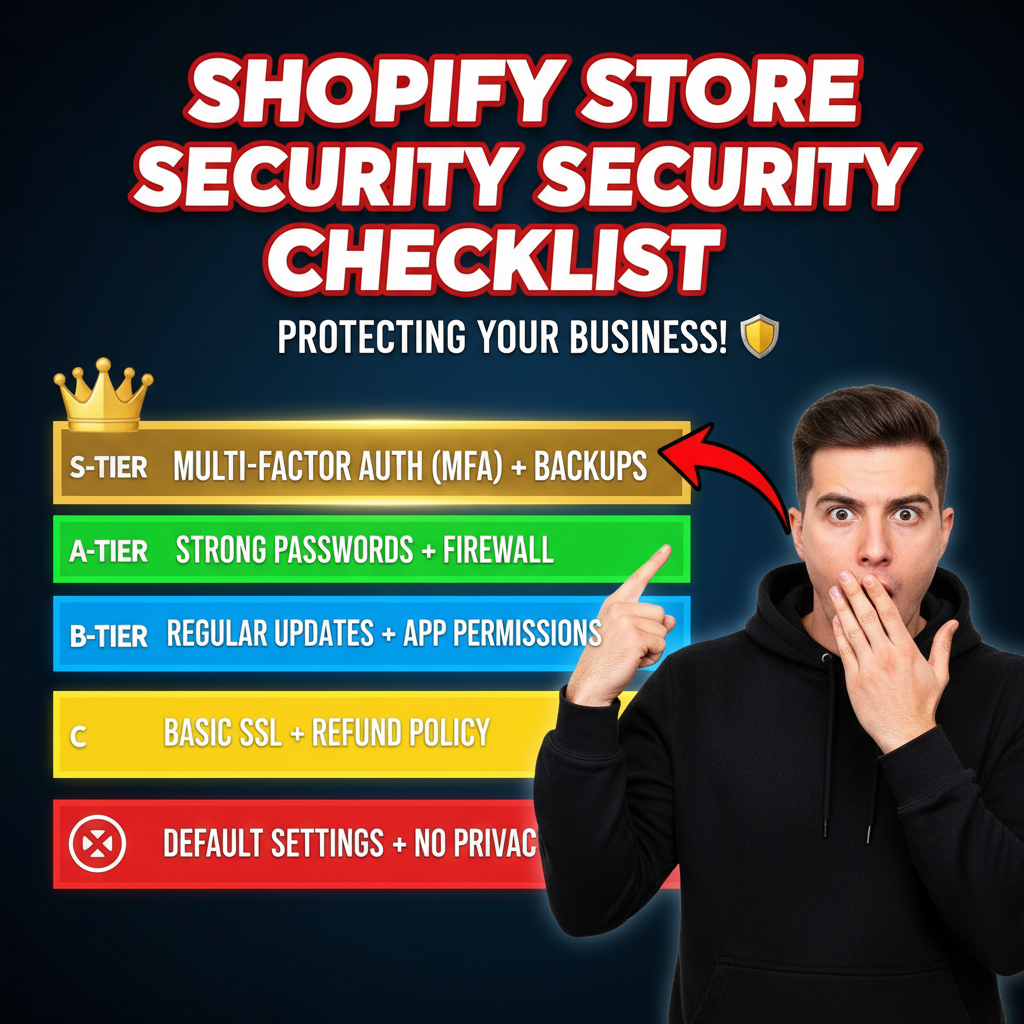
- Rotate credentials every 90 days:
- Old token:
shppa_... - New token: Generate fresh, delete old
-
No downtime if automated (CI/CD)
-
Create separate tokens by function:
Token 1: Products read-only (for catalog syncs) Token 2: Orders read-only (for fulfillment integrations) Token 3: Inventory write (for warehouse sync) Token 4: Admin only (for staff access) -
Whitelist IP addresses for critical tokens: Only your fulfillment provider's IP can use the inventory token. Blocks most attacker attempts.
-
Verify webhook signatures:
Every webhook includes HMAC signature. Verify: HMAC(secret_key, webhook_body) == signature If signature doesn't match, reject webhook. -
Use Shopify's staff OAuth for third-party apps: Instead of giving apps your admin token, use OAuth. App gets limited access for specific scopes only.
Admin Access Security
Your Shopify admin (shopify.mystore.com/admin) is the most valuable account. One compromise = full access to: - All customer data (PII, emails, addresses) - All orders and payment history - All product data - All settings and apps - Ability to refund money
Hardening your admin access:
| Control | Implementation | Time |
|---|---|---|
| Multi-factor auth (2FA) | Required for all staff | 1 hour |
| Role-based access control | Give staff only necessary permissions | 2 hours |
| IP whitelisting | Only allow access from office IP | 1 hour |
| Session timeout | 30-minute inactivity logout | 30 minutes (Shopify setting) |
| Audit logs | Review login activity monthly | 15 minutes (monthly) |
| Staff activity logging | Track who changed what | Monitor (Shopify Timeline) |
Real breach: A designer's laptop was stolen. Attacker logged into Shopify admin with saved password. Accessed customer database. $500K in exposed PII.
Prevention: Staff should never save passwords. Use password manager (1Password, LastPass) + 2FA. Enforce on day 1.
Data Residency & Encryption
Where is your data stored? - Shopify: Servers in 3 regions (US, EU, APAC) - Your data: Stored in all regions for redundancy - Encryption: AES-256 at rest, TLS 1.3 in transit
GDPR requirement: EU customer data must not be stored outside EU. Shopify allows EU data residency (data stored in EU servers only).
Cost: EU data residency add-on = $1K–$5K setup + $500/month hosting premium.
Do you need it? - If >50% customers are EU: Yes - If <10% customers are EU: No (not cost-effective) - If EU market is strategic: Probably yes (demonstrates compliance)
Third-Party App Security
Your Shopify store will have 10–50 third-party apps installed (email marketing, inventory management, analytics, etc.). Each app is a risk.
App vetting checklist:
| Check | Why It Matters | How |
|---|---|---|
| App reviews (4.5+ stars minimum) | Quality proxy; issues would be flagged | Shopify App Store rating |
| Publish date (launched >1 year ago) | Newer apps have unpatched vulnerabilities | Check App Store history |
| Developer credibility | Established developer = maintained app | Check developer's other apps |
| Permissions required (minimal) | Overpowered app = larger breach surface | Review scopes in "Install App" dialog |
| Privacy policy | Does app sell your data? | Click "Privacy Policy" link |
| Support response time | Can they help if breach occurs? | Contact support; check response speed |
Install practice: 1. Only install apps you actively use 2. Review permissions (does email app really need "write_orders"?) 3. Remove unused apps (they're still a risk) 4. Document which staff can install/manage apps (minimize sprawl)
| App Type | Risk Level | Best Practice |
|---|---|---|
| Email marketing (Klaviyo, Omnisend) | Low | Standard (requires customer data) |
| Analytics (Littledata, GA4) | Low | Standard |
| Inventory management (Stocky, ShipStation) | Medium | Only if your provider |
| Fulfillment (ShipStation, 3PLs) | Medium | Whitelist their IPs, limited scopes |
| Custom apps (your own development) | Medium–High | Audit regularly, rotate credentials |
| AI/ML (price optimization, recommendations) | Medium | Review data privacy policy carefully |
Security Incident Response Plan
You need a plan for: "Our Shopify store was hacked. What do we do?"
Response steps (in order):
- Detect (0–2 hours)
- Customer complaints, unusual charges, audit log spike
-
Action: Freeze admin accounts, check recent logins
-
Contain (2–4 hours)
- Force password reset for all staff
- Revoke all API tokens
- Disable all third-party integrations
-
Action: Shopify Support + your CTO
-
Investigate (4–24 hours)
- Review admin audit logs (who accessed what, when?)
- Check API token usage (abnormal requests?)
- Examine database for unauthorized changes
-
Action: Hire incident response firm ($10K–$50K)
-
Notify (24 hours)
- Affected customers (required by law if PII exposed)
- Authorities (required in most states if payment data exposed)
- Your insurance (cyber liability policy)
-
Action: Legal team + PR team
-
Remediate (days 2–7)
- Patch vulnerable APIs
- Update passwords
- Restore clean backups
-
Action: Developers + DevOps
-
Document (days 7–30)
- Write incident report
- Implement preventive measures
- Update security policy
- Action: Security lead
Cost of response: $50K–$500K depending on breach size and legal complexity.
Cost of prevention: $20K–$50K per year (compliance, monitoring, testing).
The math: Prevention is 10x cheaper than response.
Monitoring & Continuous Security
Set up ongoing monitoring:
| Monitoring Type | What | Tool | Effort |
|---|---|---|---|
| Admin login activity | Who logged in, from where, when | Shopify admin logs (free) | 15 min/week |
| API token usage | Unusual requests, rate limit spikes | Shopify API logs + custom dashboards | 1 hour/week |
| App permissions | Which apps have what access | Shopify admin > Apps & channels | 15 min/month |
| Vulnerability scanning | Third-party app exploits | OWASP ZAP, Snyk (paid) | Continuous |
| Penetration testing | Manual security audit | Annual engagement with firm | 1–2 weeks/year |
Budget: $10K–$20K/year for monitoring + annual pen test.
Compliance Roadmap (12-Month Plan)
| Month | Task | Owner | Cost |
|---|---|---|---|
| Month 1 | Enable 2FA, audit staff access | Security lead | $0 |
| Month 2 | Document compliance framework (GDPR, CCPA) | Legal + Ops | $2K (legal review) |
| Month 3 | Rotate all API credentials | DevOps | $0 |
| Month 4 | Commission SOC 2 audit | Finance | $25K |
| Month 5–6 | Implement SOC 2 controls | Engineering | $30K (dev time) |
| Month 7 | Security awareness training for staff | HR + Security | $3K |
| Month 8 | Penetration test | Security vendor | $10K |
| Month 9 | Incident response plan draft | Security lead | $5K (legal review) |
| Month 10–12 | SOC 2 audit period (collect evidence) | All teams | $0 (process) |
| Month 12 | SOC 2 report published | Auditor | $20K |
Total year-1 cost: ~$95K–$110K
Ongoing cost (year 2+): $20K–$30K/year (annual pen test, SOC 2 maintenance, monitoring)
The Tenten Perspective
Enterprise security isn't glamorous. It's monthly credential rotations, API token audits, and staff 2FA enforcement. But it's the difference between "we had a breach and nobody knew" and "we detected and contained it in 2 hours."
Every enterprise brand we've secured follows the same pattern: 40% of security work is foundational (2FA, access control, monitoring), 40% is compliance frameworks (PCI, SOC 2, GDPR), and 20% is incident response planning.
Start with the 40% foundation. The ROI is immediate (you catch most threats). Then layer in compliance. The payoff is contracts and customer trust.
Frequently Asked Questions
Do I need to be PCI compliant if I use Shopify Payments?
You're PCI compliant by default (Shopify handles the heavy lifting). But you still need basic controls: staff 2FA, API token rotation, access logging. Think of Shopify as your foundation; you add the walls.
How often should I rotate API tokens?
Every 90 days minimum. Monthly is better if your team is large. Automate it with CI/CD so you don't have to remember.
Is SOC 2 worth it?
Only if you're selling B2B or targeting enterprise customers. For DTC brands, PCI + GDPR compliance is sufficient.
What should I do if I find a security vulnerability?
Don't announce it. Report it to Shopify Security ([email protected]). They have a responsible disclosure program and will patch it within 30 days.
Do I need cyber liability insurance?
Yes, if you're processing >$10M annual revenue. Cost: $5K–$15K/year. Covers incident response, legal, and customer notification costs.
How do I know if I've been breached?
Monitor for: unusual admin logins, spike in API usage, customer complaints, rate limit errors. Shopify will also notify you if they detect suspicious activity.