Why Retargeting Is Your Highest-ROI Channel (And How Most Merchants Screw It Up)
A visitor lands on your store. Browses your product collection. Clicks on a item. Leaves without buying.
Retargeting gets them back. Facebook shows them the exact product they browsed. Google reminds them it exists. Email asks if they have questions. Some return and convert.
The math is simple: 2–3% of browsers retargeted convert. 1–2% of cold traffic convert. Retargeting is 2–3x more efficient.
But most merchants treat retargeting as "put pixel on site and hope." They install the Facebook pixel, turn on "general" remarketing, and call it done. They see 8% ROAS and move on.
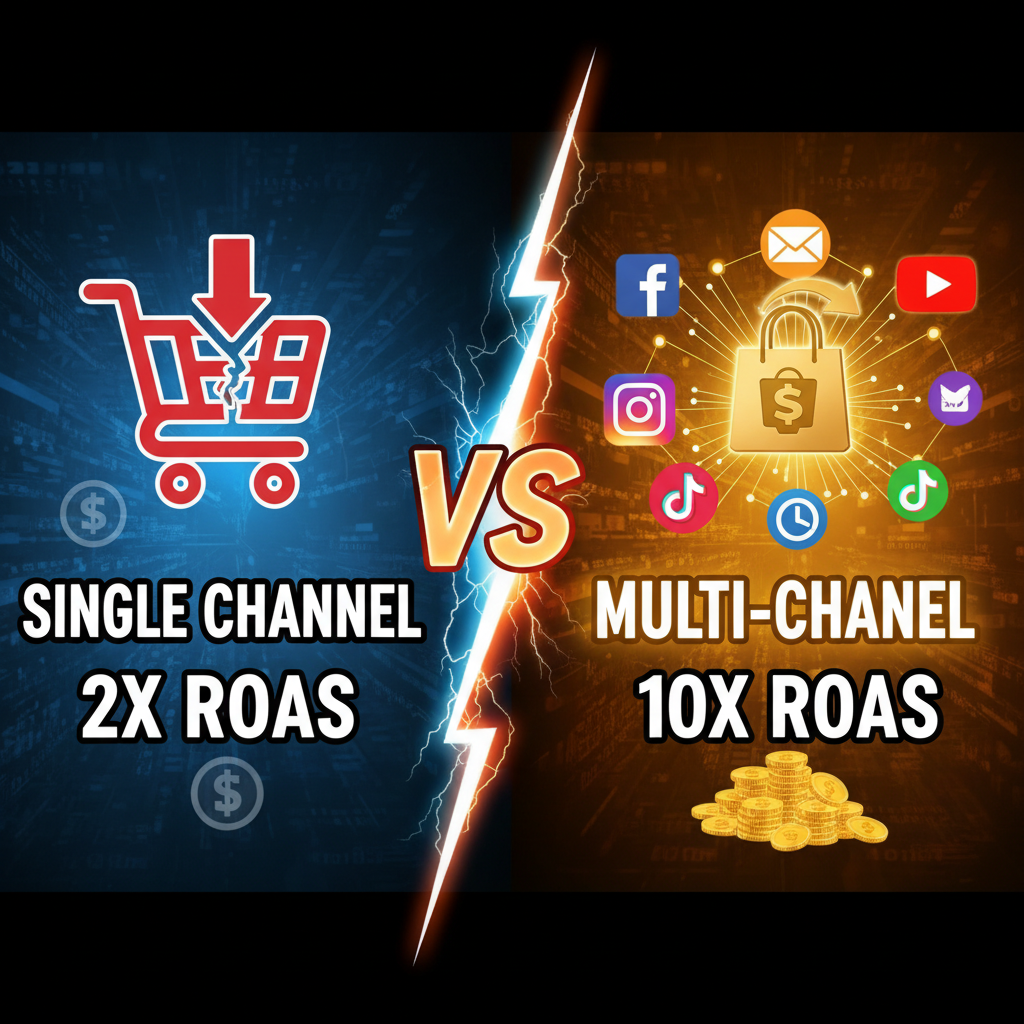
The actual potential is 25–50% ROAS with a multi-channel stack. The difference is sequencing, segmentation, and message match.
The Core Mechanism: How Retargeting Works on Shopify
Step 1: Pixel Placement (The Foundation)
Facebook Pixel
- Go to Settings → Apps and channels → Facebook → Configuration
- Add your Facebook pixel ID
- Shopify auto-installs the pixel on all pages
- Verify in browser (Facebook Pixel Helper Chrome extension)
Google Remarketing Tag
- Link Google Ads account to Shopify
- Go to Settings → Apps and channels → Google → Configuration
- Check "Google Ads" and "Remarketing"
- Verify tracking (Google Tag Assistant)
Email Integration
- Sync customer data to email provider (Klaviyo, Klaviyo Flows, Privy, or Attentive)
- Use Shopify's built-in email tools (limited) or third-party apps
- Segment based on behavior (abandoned cart, browsed but didn't buy, one-time buyer)
Step 2: Audience Segmentation (The Targeting Strategy)
Segment A: Abandoned Cart (48-hour window)
- Customers who added items but didn't check out
- Conversion rate: 8–15% (highest ROI segment)
- Message: "You left something behind"
Segment B: Product Browsers (7-day window)
- Customers who viewed products but didn't add to cart
- Conversion rate: 2–5%
- Message: "You liked this. Here's a reason to buy."
Segment C: Site Visitors (14-day window)
- Customers who visited but didn't browse
- Conversion rate: 0.5–1.5%
- Message: "Explore our bestsellers"
Segment D: One-Time Buyers (30-90 day window)
- Customers who bought once, haven't bought again
- Conversion rate: 5–12% (if offer is right)
- Message: "10% off your next order"
Setting Up Segmentation on Shopify
Facebook Custom Audiences (via Shopify)
- Go to Sales channels → Facebook
- Audiences tab → Create audience
- Choose trigger: "Added product to cart" OR "Visited product page" OR "Completed purchase"
- Set window (1–180 days)
- Shopify auto-syncs qualifying customers
Google Remarketing Lists (via Shopify)
- Link Google Ads account
- Go to Google Ads → Audience Manager
- Import "Shopify customer list" (Shopify auto-creates this)
- Add remarketing lists:
- Cart Abandoners (1–30 days)
- Product Viewers (7–30 days)
- Website Visitors (1–180 days)
- Customer List (previous purchasers)
Email Segmentation (via Klaviyo or equivalent)
- Create workflows:
- "Abandoned Cart" → email trigger when cart > $X for 2+ hours
- "Browse Without Add" → email trigger when product page visited but no add-to-cart
- "Post-Purchase Reactivation" → email trigger 30/60/90 days after last purchase
The Multi-Channel Retargeting Stack
Channel 1: Email (Highest ROAS)
Abandoned Cart Email Sequence
| Timing | Message | Expected CTR |
|---|---|---|
| 2 hours post-cart | "Your cart expires in 24 hours" + show items + 10% OFF | 8–12% |
| 24 hours post-abandon | "Last chance: [Item name] is low in stock" | 2–4% |
| 48 hours post-abandon | Final attempt + free shipping offer | 1–2% |
Real Data (Tenten Client, $800K/year):
- Baseline cart abandonment: 68%
- Email sequence deployed
- Cart recovery: 18% (recover $144K/year from abandoned carts)
- ROI: 2,800% (email cost: $50/month platform)
Pro Tip: Don't use generic "You left items" subject lines. Be specific: "You left the [Product Name] for [Discount]" drives 3x higher open rate.
Channel 2: Facebook Retargeting Ads
Audience Structure
| Audience | Budget/Day | Ad Duration | Expected ROAS |
|---|---|---|---|
| Cart Abandoners | $5–15 | 7 days | 8–15x |
| Product Viewers | $3–8 | 14 days | 3–6x |
| Website Visitors | $2–5 | 30 days | 1–3x |
| Past Customers | $2–5 | 30 days | 2–4x |
Creative Strategy
- Cart Abandoners: Dynamic product ads (auto-shows items they abandoned) + discount offer
- Product Viewers: Video carousel (show 3 complementary products) + testimonial
- Website Visitors: Brand awareness + value proposition ("Free shipping over $50")
- Past Customers: Loyalty angle ("Members get 15% off") + new product showcase
Real Example (Tenten Client, $1.2M/year fitness brand):
- Facebook retargeting budget: $800/month
- Audience: Cart abandoners (2,500/month) + product viewers (8,000/month)
- Conversions/month: 320 (avg order value: $65)
- Monthly revenue from retargeting: $20,800
- ROAS: 26x
Channel 3: Google Retargeting Ads
Search Remarketing (Highest Intent)
When retargeting audiences search for terms related to your category on Google, your ad appears at top.
- Budget: $2–5/day per audience
- Expected ROAS: 5–12x
- Best for: High-AOV products, returning visitors
Display Remarketing (Scale)
Banner ads appear on Google partner websites (news, blogs, YouTube).
- Budget: $3–10/day per audience
- Expected ROAS: 1–3x
- Best for: Building recall, top-of-funnel
Shopping Remarketing (Dynamic)
When retargeting audiences search, your product feed ads appear showing items they viewed.
- Budget: $5–15/day
- Expected ROAS: 8–20x
- Best for: Large product catalog, high abandonment
Sequencing: The Multi-Touch Attribution Model
The magic happens when channels work together.
Day 1: Product Browse
Trigger: Customer visits product page, doesn't add to cart.
Actions:
- Facebook: Add to "Product Viewers" audience
- Email: Trigger "Browse without add" workflow (delay 6 hours, avoid immediate feel)
Message Tone: Helpful, not pushy. "Questions about [Product]? We're here to help."
Day 2–3: Re-engagement
Trigger: Depends on day-1 action.
If email opened:
- Facebook: Show video testimonial of that product
- Email: Send again with "See what others say" angle
If email ignored:
- Google: Search retargeting (show ad if they search related terms)
- Facebook: Discount offer to push conversion
Day 4–7: Urgency + Offer
Trigger: Still no conversion.
Actions:
- Email: "Last chance" + time-bound offer (48-hour discount)
- Facebook: Highest-intent creative (scarcity, urgency, testimonial)
- Google: Shopping ads (product + price + offer)
Day 8–14: Softening
Trigger: Still no conversion, retargeting past 7 days.
Actions:
- Reduce frequency (cap Facebook at 2 impressions/day to avoid burnout)
- Email: Shift to value, not discount. "Why our customers love [Product]"
- Google: Brand-building (awareness) instead of direct conversion
Day 15–30: Segment Shift
Trigger: Moving to lower-intent audiences (site visitors vs. product viewers).
Actions:
- Reduce spend 50%
- Shift message to general brand (not product-specific)
- Email: Quarterly newsletter (not weekly)
Segmentation Deep Dive: Who Gets Which Message?
Segment: Abandoned Cart (Highest Conversion Potential)
Why they convert: Already decided to buy. Removing friction = sale.
Channels:
- Email (primary): 2 + 24 + 48-hour sequence
- Facebook (secondary): Dynamic product ads + 20% discount
- Google (minimal): Don't over-target; email is enough
Offer Strategy: Minimal. Discount 10–15%. Free shipping may be more effective than discount for luxury brands.
Expected Conversion: 15–25%
Segment: Product Viewers (Medium Potential)
Why they browse but don't add: Price concern, missing info, comparison shopping, distraction.
Channels:
- Email (primary): Educational, not pushy. Answer objections.
- Facebook (primary): Video testimonials, detailed product carousel
- Google (secondary): Shopping ads with price
Offer Strategy: Moderate. 15–20% discount OR value-add (bundle, gift, free sample).
Expected Conversion: 3–7%
Segment: Past Customers (Reactivation)
Why they haven't returned: Forgot about you, found alternative, price-sensitive.
Channels:
- Email (primary): Loyalty rewards, new arrivals, exclusive access
- Facebook (secondary): VIP messaging, membership benefits
- SMS (if available): Time-sensitive flash sale, new launch
Offer Strategy: Loyalty incentive (not discount). "Members get 20% off, free shipping, early access."
Expected Conversion: 5–12%
Compliance & Best Practices
Frequency Capping
Too many impressions = brand fatigue + ad fatigue.
| Audience | Frequency Cap | Duration |
|---|---|---|
| Cart Abandoners | 3 ads/day | 7 days |
| Product Viewers | 2 ads/day | 14 days |
| Site Visitors | 1 ad/day | 30 days |
Privacy & Consent
- GDPR: Obtain explicit consent before tracking. Provide opt-out.
- CCPA: Clearly disclose pixel tracking. Provide privacy policy link.
- iOS 14.5+: Apple privacy changes limit Facebook/Google pixel data. Use first-party email instead.
Best Practice: Email is more reliable than pixel tracking. Build your email list aggressively.
Creative Fatigue
Rotate creatives every 10–14 days. Same audience, different message.
- Week 1: Discount/urgency angle
- Week 2: Social proof/testimonial angle
- Week 3: Benefit/outcome angle
- Week 4: Value/education angle
Measurement & Optimization
KPIs to Track
| Metric | Target | Action If Low |
|---|---|---|
| Email unsubscribe rate | <0.5% | Reduce frequency, improve subject lines |
| Facebook ROAS | >6x | Tighten audience, improve creative, adjust offer |
| Google ROAS | >5x | Increase bid on cart abandoners, decrease on site visitors |
| Overall retargeting revenue % | >15% of ecommerce revenue | Expand budgets, add channels |
Monthly Optimization Checklist
- [ ] Email: Test subject lines (control vs. variant). Keep winners.
- [ ] Facebook: Rotate 20% of creatives. Keep top 2 performers.
- [ ] Google: Increase bids on high-ROI keywords. Decrease on low-ROI.
- [ ] Segmentation: Review audience sizes. Are abandoned carts growing (good signal) or shrinking (check cart UX)?
- [ ] Offer: If ROAS declining, test new discount level (higher/lower).
- [ ] Frequency: If CTR dropping, lower frequency cap.
FAQ: Retargeting on Shopify
Q: Do I need all three channels (email, Facebook, Google)?
No. Start with email (highest ROI, no pixel dependency). Add Facebook if budget allows. Google is optional but scales well once proven.
Q: How much budget should I allocate to retargeting?
2–5% of total marketing budget. If you spend $10K/month on ads, allocate $200–$500 to retargeting. It will become 10–15% of revenue quickly.
Q: What if I have a small audience (500 visitors/month)?
Focus on email alone. Facebook/Google need 1,000+ people/month minimum to get statistical significance. Email works at any scale.
Q: Can I retarget international customers?
Yes, but compliance is stricter in EU/UK (GDPR) and Canada (PIPEDA). Use Shopify's consent tools. Get explicit opt-in.
Q: How long should I retarget someone?
- Cart abandoners: 7 days max
- Product viewers: 14 days
- Site visitors: 30 days
- Past customers: 90 days (quarterly reactivation)
Q: What's the difference between retargeting and remarketing?
None. Terms are interchangeable. "Remarketing" is Google's terminology. "Retargeting" is Facebook's. Same concept.
Q: How do I measure true ROI if I'm running multiple channels?
Use UTM parameters in links (utm_source=email_abandoned, utm_source=facebook_product_viewer). Track conversions by source in Google Analytics or Shopify analytics.
The Tenten Retargeting Playbook
We structure every retargeting campaign in 4 phases:
Phase 1 (Weeks 1–2): Foundation
- Install pixels (Facebook, Google)
- Create 3 audiences (cart, products, site visitors)
- Set up email automation (Klaviyo)
- $200/week budget test
Phase 2 (Weeks 3–6): Scaling
- Expand to Facebook dynamic ads + Google Shopping
- A/B test offers (discount vs. free shipping vs. loyalty)
- Optimize frequency based on CTR
- $500/week budget
Phase 3 (Weeks 7–12): Optimization
- Segment past customers into reactivation
- Implement SMS retargeting (if applicable)
- Rotate creatives every 2 weeks
- $1,000–$2,000/week budget
Phase 4 (Months 4+): Maturity
- Measure ROAS by segment
- Allocate budget to highest-ROI channels
- Reduce manual optimization (automate via rules)
- Stabilize 15–25% of revenue from retargeting
Most merchants move from "no retargeting" to "15% of revenue" in 90 days.
Closing: Retargeting Is Predictable
Cold traffic is random. Retargeting is predictable.
Deploy email first. Add Facebook when budget allows. Scale to Google when you've proven the model. You'll recover 15–25% of abandoning visitors and compress your customer acquisition timeline.
The visitors are already interested. You're not creating demand. You're capturing it.
Ready to build your retargeting stack? Let's start with your email automation.