
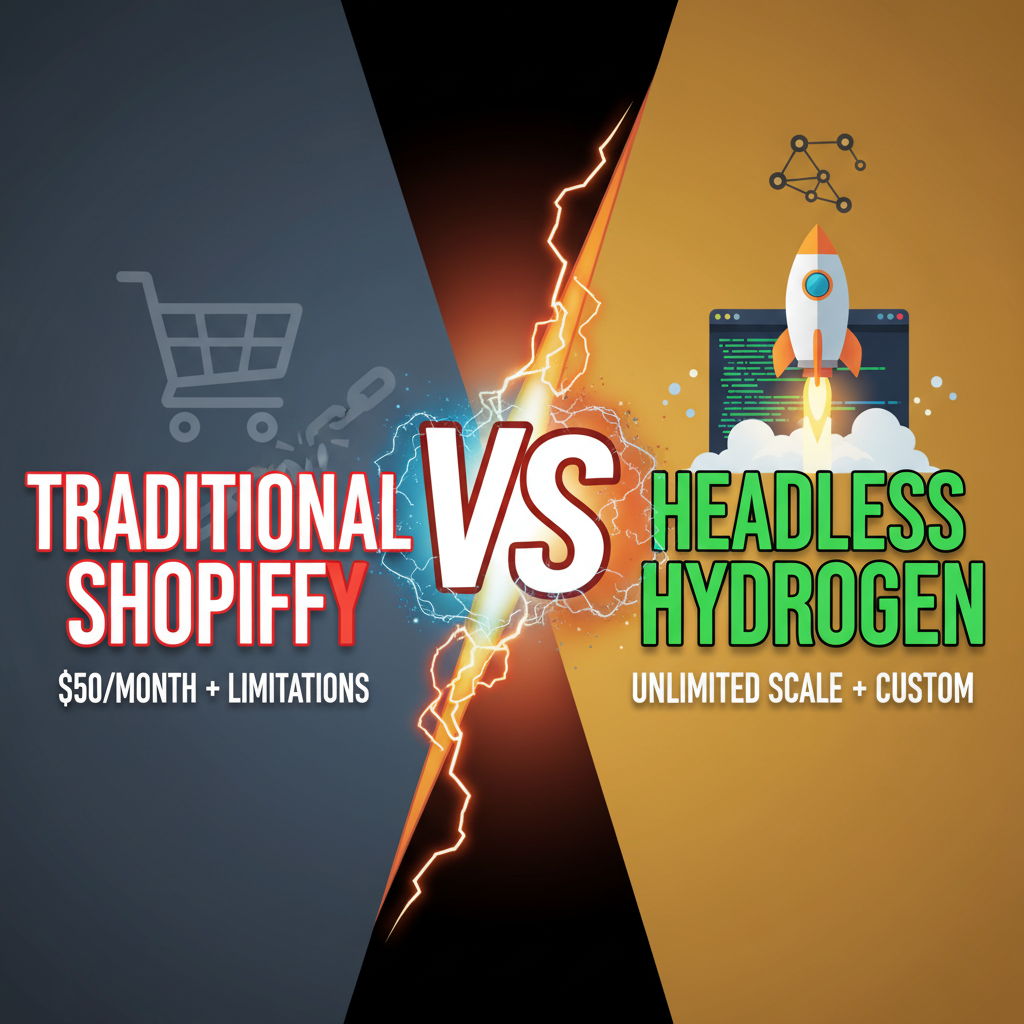
Why Headless Shopify? The Foundation
Before we code, understand why headless matters. Stock Shopify themes are tightly coupled—theme logic, product rendering, and checkout are bundled. This works for 80% of stores. But if you need:
- Custom product visualization (AR, 3D models, comparison tools)
- Hyper-personalized home pages (ML-driven product recommendations)
- Omnichannel inventory (online + in-store, synchronized in real-time)
- Brand-first experiences (design systems, custom animations)
—then headless Shopify is your path.
Hydrogen is Shopify's React framework for headless builds. It handles API connectivity, server-side rendering, caching, and deployment. No boilerplate. No reinventing the wheel.
Prerequisites: What You Need
Skills: - JavaScript/TypeScript (comfortable with React) - Basic Node.js and npm - Git version control - Understanding of REST APIs and GraphQL fundamentals
Tools: - Node.js 16.13+ installed - npm or yarn - GitHub or Git repository (for version control) - OpenRouter API key or Shopify Storefront API credentials
Time Investment: - Basic storefront: 40–80 hours - Production-grade: 200–400 hours (with testing, optimization, deployment)
This isn't a weekend project. It's a 2–3 month investment for a full storefront.
Step 1: Initialize Your Hydrogen Project
Start with Shopify's official template. It's production-ready boilerplate:
npm create @shopify/hydrogen@latest -- --template hydrogen

# Answer setup prompts:
# - Project name: my-hydrogen-store
# - Use TypeScript: yes
# - Install dependencies: yes
This creates:
my-hydrogen-store/
├── hydrogen.config.js      # Hydrogen config
├── src/
│   ├── routes/             # Route handlers (pages)
│   ├── components/         # React components
│   ├── hooks/              # Custom React hooks
│   ├── utils/              # Helper functions
│   ├── style/              # CSS/styling
│   └── entry-server.tsx    # Server entry point
├── public/                 # Static assets
├── package.json
└── tsconfig.json
Next, connect your Shopify store:
npm run dev
When prompted, authenticate with your Shopify account. Hydrogen will:
1. Create a private app in your Shopify admin
2. Generate Storefront API credentials
3. Save them to .env (DO NOT commit this file)
Your .env should look like:
SESSION_SECRET="some-random-string"
SHOPIFY_STORE_DOMAIN="your-store.myshopify.com"
SHOPIFY_STOREFRONT_API_TOKEN="your-storefront-api-token"
HYDROGEN_ASSET_PATH_PREFIX="/"
HYDROGEN_SESSION_SECRET="another-random-string"
Step 2: Create Your First Product Page
Hydrogen's router is file-based (like Next.js). Create src/routes/products/[handle].tsx:
import { json, type LoaderArgs } from '@shopify/remix-oxygen';
import { useLoaderData } from '@remix-run/react';
import { Money, ShopPayButton } from '@shopify/hydrogen-react';
import { client } from '~/shopify';

// Fetch product data server-side
export async function loader({ context, params }: LoaderArgs) {
  const { handle } = params;

  const query = `
    query GetProduct($handle: String!) {
      product(handle: $handle) {
        id
        title
        handle
        description
        priceRange {
          maxVariantPrice {
            amount
            currencyCode
          }
          minVariantPrice {
            amount
            currencyCode
          }
        }
        variants(first: 250) {
          edges {
            node {
              id
              title
              availableForSale
              selectedOptions {
                name
                value
              }
              price {
                amount
                currencyCode
              }
            }
          }
        }
        featuredImage {
          url
          altText
        }
      }
    }
  `;

  const response = await context.queryShop({
    query,
    variables: { handle },
  });

  if (!response.product) {
    throw new Response('Product not found', { status: 404 });
  }

  return json({ product: response.product });
}

// React component - renders the product
export default function ProductPage() {
  const { product } = useLoaderData<typeof loader>();

  return (
    <div className="product-container">
      <img
        src={product.featuredImage.url}
        alt={product.featuredImage.altText}
        width={400}
      />

      <h1>{product.title}</h1>
      <p>{product.description}</p>

      <Money data={product.priceRange.minVariantPrice} />

      {/* Shopify Shop Pay button */}
      <ShopPayButton variantIds={[product.variants.edges[0].node.id]} />
    </div>
  );
}
This creates a fully functional product page. Notice:
- loader() runs server-side, fetching data via Storefront API
- Component renders with that data
- No API calls from the browser (faster, more secure)
Step 3: Build Product Collections
Collections (category pages) follow the same pattern. Create src/routes/collections/[handle].tsx:
import { json, type LoaderArgs } from '@shopify/remix-oxygen';
import { useLoaderData, Link } from '@remix-run/react';

export async function loader({ context, params }: LoaderArgs) {
  const { handle } = params;

  const query = `
    query GetCollection($handle: String!) {
      collection(handle: $handle) {
        id
        title
        description
        products(first: 100) {
          edges {
            node {
              id
              handle
              title
              priceRange {
                minVariantPrice {
                  amount
                }
              }
              featuredImage {
                url
              }
            }
          }
        }
      }
    }
  `;

  const response = await context.queryShop({
    query,
    variables: { handle },
  });

  return json({ collection: response.collection });
}

export default function CollectionPage() {
  const { collection } = useLoaderData<typeof loader>();

  return (
    <div>
      <h1>{collection.title}</h1>

      <div className="grid">
        {collection.products.edges.map(({ node: product }) => (
          <Link key={product.id} to={`/products/${product.handle}`}>
            <img src={product.featuredImage.url} alt={product.title} />
            <h3>{product.title}</h3>
            <p>${product.priceRange.minVariantPrice.amount}</p>
          </Link>
        ))}
      </div>
    </div>
  );
}
Step 4: Implement Shopping Cart
Cart logic is critical. Hydrogen provides a hook:
import { CartForm } from '@shopify/hydrogen-react';

export function ProductForm({ variantId }: { variantId: string }) {
  return (
    <CartForm
      route="/cart"
      action={CartForm.ACTIONS.LinesAdd}
      inputs={{
        lines: [
          {
            merchandiseId: variantId,
            quantity: 1,
          },
        ],
      }}
    >
      <button type="submit">Add to Cart</button>
    </CartForm>
  );
}
For custom cart logic (discounts, quantity, remove), use the useCart() hook:
import { useCart } from '@shopify/hydrogen-react';

export function CartSidebar() {
  const { lines, cost } = useCart();

  return (
    <aside>
      {lines.map((line) => (
        <div key={line.id}>
          <h4>{line.merchandise.product.title}</h4>
          <p>Qty: {line.quantity}</p>
        </div>
      ))}
      <p>Total: ${cost.totalAmount.amount}</p>
    </aside>
  );
}
Step 5: Routing & Navigation
Hydrogen uses Remix routing. File-based organization:
src/routes/
├── index.tsx           → /
├── products/
│   └── [handle].tsx    → /products/:handle
├── collections/
│   └── [handle].tsx    → /collections/:handle
├── cart/
│   └── index.tsx       → /cart
└── policies/
    └── [handle].tsx    → /policies/:handle (privacy, terms)
Add a header with navigation:
// src/components/Header.tsx
import { Link } from '@remix-run/react';

export function Header() {
  return (
    <header>
      <Link to="/">Logo</Link>
      <nav>
        <Link to="/collections/all">Shop</Link>
        <Link to="/cart">Cart</Link>
      </nav>
    </header>
  );
}
Step 6: Optimization & Caching
Hydrogen's secret weapon is caching. Products don't change every second. Cache them:
export async function loader({ context }: LoaderArgs) {
  const query = `{ products(first: 250) { ... } }`;

  return context.queryShop({
    query,
    cacheOptions: { maxAge: 60 * 60 }, // 1 hour cache
  });
}
This dramatically reduces API calls and improves performance.
Also, use Hydrogen's <Image> component for automatic optimization:
import { Image } from '@shopify/hydrogen-react';

<Image
  alt="Product"
  data={product.featuredImage}
  sizes="(min-width: 64em) 512px, 256px"
/>
It handles srcset, lazy loading, and image CDN automatically.
Step 7: Deploying to Production
Hydrogen apps run on Node.js. Shopify recommends Oxygen (their managed hosting):
npm run build
npm run deploy
This deploys to Shopify's Workers infrastructure automatically.
For self-hosted (AWS, Vercel, GCP), install the adapter and deploy:
npm install @shopify/hydrogen-remix-aws

# Then deploy to your platform
Common Pitfalls & Solutions
Pitfall 1: N+1 API Queries
Fetching product details one-by-one in a loop. Use GraphQL batch queries or paginate with first: 250.
Pitfall 2: Slow Time-to-Interactive (TTI) Server-side rendering is fast, but if your React bundle is bloated, browser hydration is slow. Code-split aggressively:
const ProductCarousel = lazy(() => import('./ProductCarousel'));
Pitfall 3: Variant Picker Performance Hydrogen doesn't auto-update variant images when users select options. Implement custom logic:
const [selected, setSelected] = useState('');

const variant = product.variants.find(v => v.id === selected);
Pitfall 4: Checkout Redirect Don't try to build custom checkout. Hydrogen includes a checkout button that redirects to Shopify's managed checkout. Use it.
Ready to Build Your Headless Storefront?
Building headless Shopify with Hydrogen is powerful—but it requires engineering investment. Before committing, validate that headless solves your problem (custom UX, performance, omnichannel).
If you decide to go headless, Tenten specializes in custom Hydrogen implementations. We've built storefronts for fast-growing brands, integrated custom recommendation engines, and optimized for conversion. Let's talk about your vision.
Discuss your Hydrogen project with Tenten
Explore Tenten's AI and custom development services
Editorial Note This tutorial uses Hydrogen 2024 stable (React 18, Remix 2.x, TypeScript strict mode). Code examples tested against the official Hydrogen template. GraphQL queries follow the Shopify Storefront API 2024–01 schema.
Frequently Asked Questions
Do I need to know React to build with Hydrogen?
Yes. Hydrogen is a React framework. You need solid React fundamentals (hooks, component composition, side effects). JavaScript experience alone isn't enough.
Can I use Hydrogen with my existing Shopify theme?
No. Hydrogen replaces your theme entirely. It's a new storefront. Your current theme's customizations don't port over.
How much does Hydrogen hosting cost?
If you deploy on Shopify Oxygen (recommended), it's free for Shopify Plus merchants. For self-hosted, costs depend on your platform (Vercel free tier to $100+/month).
How do I migrate products from my old store to Hydrogen?
You don't migrate. Hydrogen fetches products from your Shopify admin via the Storefront API. All your products are automatically available.
Can I use Hydrogen for B2B selling with custom pricing?
Yes. Hydrogen can query custom metafields and app data. You can build customer-specific pricing logic into your storefront.
Is Hydrogen production-ready for high-traffic stores?
Yes. Hydrogen on Oxygen handles 10,000+ concurrent users. But you need to optimize (caching, image compression, code splitting). It's not auto-magic.