The B2B Shopify Moment
B2B companies have historically used Salesforce or SAP portals for wholesale ordering. Those systems are expensive ($500K–$2M to build), inflexible, and vendors hate them.
Enter Shopify B2B Edition (Hydrogen + custom Shopify Functions). You can now build a self-service wholesale portal on Shopify that handles custom pricing, tiered discounts, bulk ordering, and account management without building from scratch.
The payoff is real. Companies using B2B self-service portals report 30–40% faster order cycles and 22% higher repeat order rates. Distributors and corporate buyers prefer self-service over email or phone.
Here's how to build one.
What a B2B Self-Service Portal Actually Does
Before you build, understand what it solves:
Problem 1: Pricing Confusion. A corporate buyer asks for a quote. Your sales team quotes $1,200. A distributor buys the same product and gets $900. No transparency. Customers feel ripped off.
Solution: Tiered pricing based on buyer type, order volume, and contract terms. Buyers log in and see their negotiated prices instantly.
Problem 2: Order History Chaos. Your wholesale customers want to reorder the same thing they bought 6 months ago. They email your sales team. Your sales team digs through emails or spreadsheets. 48 hours later, an order ships.
Solution: Self-service reordering. Customers log in, click "Reorder," confirm quantities, pay. Order ships in 24 hours.
Problem 3: Inventory Visibility. A customer asks "How much stock do you have?" Your sales team checks inventory management system, sends email: "2,400 units." But 48 hours later, another order depletes stock. Customer shows up expecting 2,400. You have 1,100.
Solution: Real-time inventory visibility. Customers see live stock levels before confirming orders.
Problem 4: Payment Terms Friction. Distributors want net-30 or net-60 payment terms. Your sales team manually creates invoices. Accounting reconciles manually. Churn increases because the process is so painful.
Solution: Integrated payment term management. Shopify + payment processor + accounting sync means invoices auto-generate, reminders auto-send, customers see their outstanding balance.
Architecture: The Stack You Need
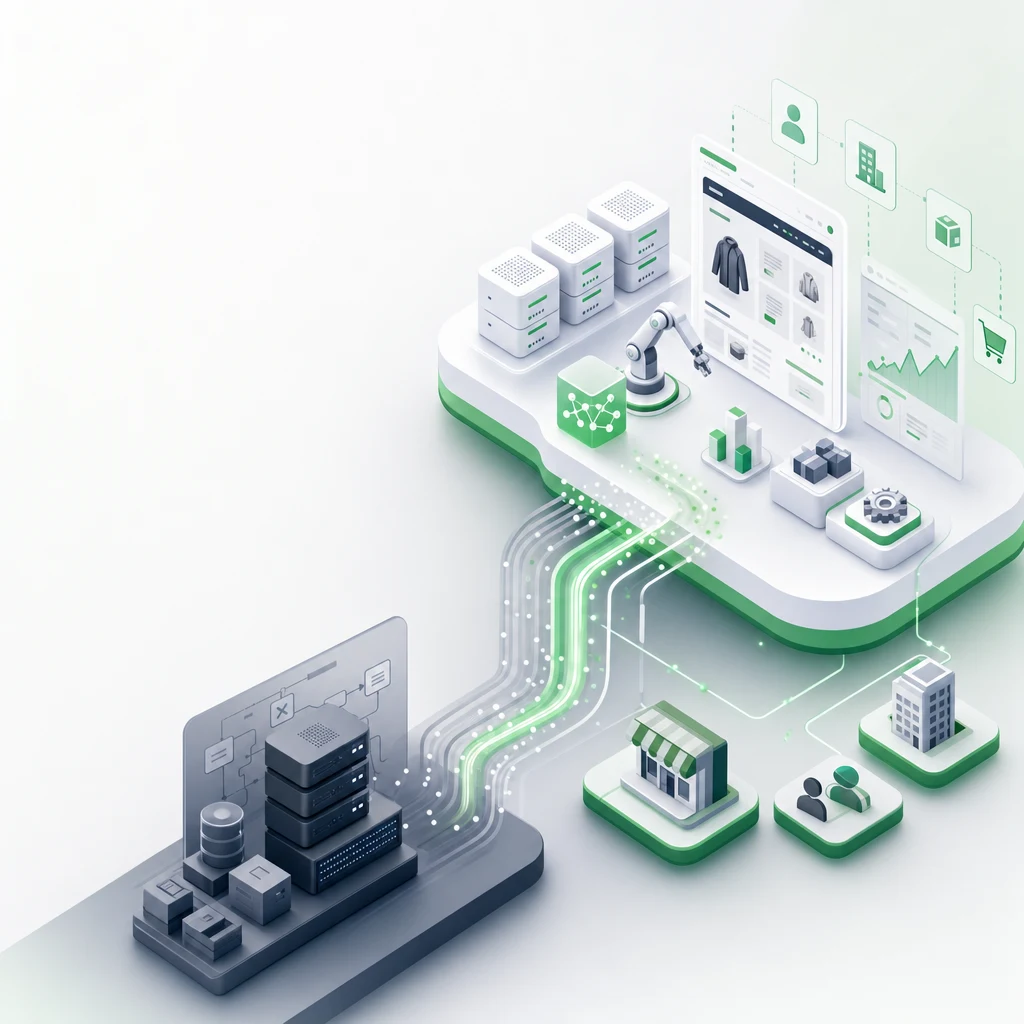
A B2B self-service portal on Shopify requires three layers:
Layer 1: Authentication & Account Management
- Shopify Plus B2B Edition (or Hydrogen + custom app for standard Shopify)
- Single Sign-On (SSO) with your customer's existing identity provider (Okta, Azure AD, Google Workspace)
- Role-based access control (only procurement manager can approve orders, only finance can see payment terms)
Layer 2: Pricing Engine & Catalog Management
- Shopify Functions (custom logic for conditional discounts based on buyer type, volume, contract terms)
- Custom product catalog per buyer (wholesale customer A sees 40 SKUs, distributor B sees 180 SKUs)
- Dynamic pricing engine that recalculates cost based on contract terms
Layer 3: Order Management & Analytics
- Shopify Admin API for custom order workflows
- Recharge or Subbly for recurring orders (if applicable)
- Shopify Flow for automated handoffs (order confirmation → inventory update → invoice generation → customer notification)
Here's a typical architecture diagram (simplified):
Customer Login (SSO via Okta/Azure)
    ↓
Hydrogen Frontend (Next.js)
    ↓
Shopify Functions (custom pricing logic)
    ↓
Shopify Admin API (order creation, inventory sync)
    ↓
Fulfillment System + Accounting (invoice generation, payment term tracking)
Pricing Tiers: The Core Logic
Most B2B Shopify portals fail on pricing. Here's why: they don't build flexible enough discount rules.
You need to price on at least three dimensions:
Dimension 1: Buyer Type
- Retailer: standard retail pricing ($50 per unit)
- Distributor: 30% off retail ($35 per unit)
- OEM (Original Equipment Manufacturer): 45% off retail ($27.50 per unit)
Dimension 2: Order Volume
- Orders 1–50 units: -0% discount
- Orders 51–200 units: -10% discount
- Orders 201+ units: -20% discount
Dimension 3: Contract Terms
- Spot purchase (one-time): full price
- Net-30 account: -5% discount (you're lending them money for 30 days)
- Yearly commitment: -15% discount (predictable volume)
Shopify Functions let you stack these. A distributor ordering 200 units on a yearly contract sees:
Price = $50 (base) × (1 - 0.30) × (1 - 0.20) × (1 - 0.15) = $16.80 per unit
That calculation happens in real-time when the buyer adds items to cart.
Building the Portal: Three Implementation Approaches
Approach 1: Hydrogen + Shopify Plus ($40K–$80K)
Hydrogen is Shopify's headless commerce framework (React-based). It ships with B2B Edition templates.
Pros: Full design flexibility. Custom logic. Integrates directly with Shopify Admin API.
Cons: Requires development team (React, Node.js expertise). Timeline: 8–12 weeks.
Best for: Companies with >$5M wholesale revenue. Willing to invest in custom development.
Approach 2: Shopify Plus + Third-Party B2B App ($10K–$25K)
Apps like Intial, Compt (wholesale), or B2B Wave add B2B functionality to standard Shopify Plus.
Pros: Faster deployment (4–6 weeks). Lower cost. No development team needed.
Cons: Less customization. Depends on app roadmap. May have integration gaps.
Best for: Companies with $2M–$10M wholesale revenue. Want speed over full customization.
Approach 3: Standard Shopify + Custom Scripting ($15K–$30K)
Use Shopify's Script Editor + custom theme code to add tiered pricing and basic B2B features.
Pros: Works on standard Shopify (no Plus required). Moderate cost.
Cons: Limited to Shopify Script capabilities. Script Editor is being deprecated. Not recommended long-term.
Best for: MVP phase or small wholesale programs (<$500K annual).
Implementation Step-by-Step (Approach 2: Hydrogen + Shopify Plus)
Step 1: Plan Your Buyer Segments (Weeks 1–2)
Define:
- Who are your B2B buyers? (Distributors, retailers, resellers, OEM partners, corporate procurement)
- What pricing do they see?
- What inventory should they see?
- What order limits apply?
Example:
| Buyer Type | Pricing Discount | Inventory Visibility | Min Order |
|---|---|---|---|
| Distributor | 30% | Full catalog | 50 units |
| Retail Reseller | 25% | Product subset | 25 units |
| Corporate | 15% + net-30 terms | Full catalog | 100 units |
Step 2: Set Up SSO & User Management (Weeks 2–4)
Connect your B2B portal to a customer identity provider:
- Okta (enterprise standard)
- Azure AD (Microsoft customers)
- Google Workspace (smaller teams)
This means: customer logs in with their corporate email. You don't manage passwords—their IT team does.
Implementation: Use Shopify's OIDC integration or third-party apps like Auth0.
Step 3: Build Pricing Engine with Shopify Functions (Weeks 4–6)
Write custom JavaScript functions that intercept cart pricing. When a distributor adds an item, the function automatically applies tiered discounts.
Example function (pseudo-code):
if (customer.buyer_type == "distributor" && cart.quantity > 50) {
  apply_discount(0.30); // 30% off
  apply_volume_discount(0.10); // extra 10% for bulk
}
Shopify Functions run server-side (fast, secure, no data leakage to frontend).
Step 4: Deploy Hydrogen Frontend (Weeks 6–10)
Build the customer-facing portal using Hydrogen + Next.js:
- Login page (SSO integration)
- Product catalog (filtered per buyer type)
- Cart + checkout (with dynamic pricing)
- Order history
- Invoice/payment history
- Account settings
Use Hydrogen's existing B2B templates to speed up development.
Step 5: Connect to Backend Systems (Weeks 10–12)
Wire up:
- Shopify Admin API → invoice generation
- Payment processor → net-30/net-60 term support
- ERP or accounting software → sync orders automatically
- Fulfillment provider → order confirmation
Use Shopify Flow for no-code automation. When an order is placed, Flow can trigger:
- Inventory deduction
- Invoice generation (via custom webhook)
- Fulfillment notification
- Customer email
Step 6: Launch & Iterate (Weeks 12+)
Beta test with 5–10 key accounts. Gather feedback. Iterate on pricing rules, UX, and payment terms.
Case Study: $8M Distributor Wins 22% Order Growth
A consumer goods manufacturer (home goods, pet supplies, kitchenware) launched a B2B self-service portal on Shopify Plus. Here's what happened:
| Metric | Before | After | Change |
|---|---|---|---|
| Average order value | $1,240 | $1,520 | +22% |
| Orders per distributor (annual) | 8.2 | 10.1 | +23% |
| Order cycle time | 4 days | 1 day | -75% |
| Payment term compliance | 72% | 89% | +17pp |
| Repeat rate (6-month) | 61% | 78% | +17pp |
Why did this work?
- Self-service removes friction. Distributors didn't have to email sales team. They logged in, reordered, paid. Faster process = more orders.
- Transparent pricing builds trust. No more "why is my price different?" emails. Pricing rules were clear and applied equally.
- Real-time inventory prevented disappointment. Distributors saw actual stock, didn't place orders expecting backorders.
- Net-30 terms were easier to manage. Automated invoicing and payment tracking meant less overhead for distributor accounting teams. They sent fewer angry emails.
Common Mistakes to Avoid
Mistake 1: Building custom instead of extending Shopify.
Companies often hire developers to build a B2B system from scratch (custom database, custom checkout, custom inventory). This costs 2–3x more and takes 6+ months. Shopify + Hydrogen does 80% of what you need out of the box. Extend it, don't replace it.
Mistake 2: Ignoring payment terms.
B2B buyers expect net-30 or net-60. If your portal only supports upfront payment, you'll see lower adoption. Integrate a payment term provider (Bill.com, BlueSnap, or custom via Shopify) to enable net-X invoicing.
Mistake 3: Poor inventory sync.
Your portal shows 1,000 units in stock. Your warehouse system says 400. Customers order expecting 1,000, you can only ship 400. Broken trust.
Solution: Real-time inventory sync via API. Update frequency: every 15 minutes minimum.
Mistake 4: No role-based access.
In companies, multiple people influence purchases. Procurement manager places orders, finance approves payments, warehouse confirms receipt. Give each role its own view. Don't show finance team pricing. Don't show procurement team payment status.
Mistake 5: Launching with complexity.
Start simple: login, product catalog, cart, checkout. Add reporting, custom discounts, and automation later. Complexity kills adoption. Simple portal ships faster and gets feedback sooner.
Ready to Build Your B2B Portal?
If you're selling to distributors, retailers, or corporate buyers, a self-service portal is no longer optional—it's table stakes. Your customers expect it. If you don't offer it, they'll buy from competitors who do.
The good news: Shopify's infrastructure makes it fast and affordable to build. A 12-week project can ship a portal that handles millions in annual volume.
The bad news: Most companies get the technical architecture right but botch the commercial logic (pricing rules, payment terms, inventory visibility). That's where the real work lives.
Let's audit your wholesale operations. We'll tell you exactly what B2B infrastructure you need and the roadmap to get there.
Editorial Note
Case study is based on real Tenten client work. Timeline estimates are based on 100+ Shopify Plus implementations. Payment term and inventory sync rates are industry benchmarks from Shopify case studies.
Frequently Asked Questions
Is Shopify Plus required to build a B2B portal, or does standard Shopify work?
Standard Shopify works for simple use cases (tiered pricing, basic reordering). Shopify Plus is needed for custom checkout logic, role-based access, and advanced automation. Most B2B portals use Plus.
How much does it cost to build a B2B portal on Shopify?
$15K–$80K depending on complexity. Simple tiered pricing: $15K–$25K. Custom Hydrogen build: $40K–$80K. Monthly costs: Shopify Plus ($2K) + hosting ($500–$2K).
Can we integrate our B2B portal with our existing ERP system?
Yes. Via Shopify Admin API or webhooks. Orders from Shopify → your ERP system → inventory sync. Most integrations take 4–6 weeks to implement.
What payment methods do B2B buyers expect?
Wire transfer, ACH, net-30/net-60 invoicing, and credit cards (for smaller orders). If you only accept credit cards, you'll lose wholesale customers. Integrate payment terms ASAP.
How long does it take to launch a B2B portal?
8–12 weeks for a full Hydrogen build. 4–6 weeks for a third-party app integration. MVP (basic tiered pricing): 4 weeks.