
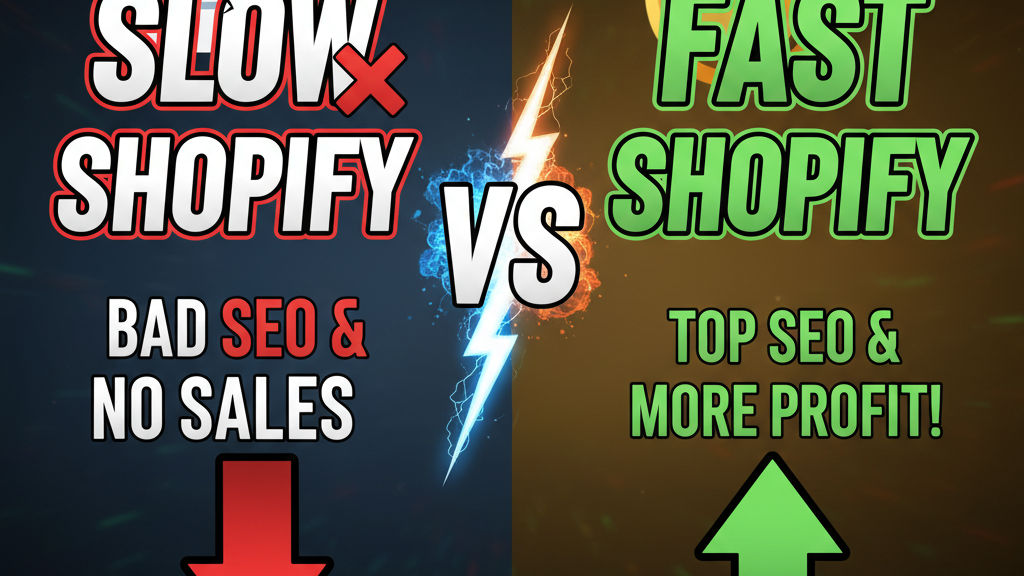
Why Speed Became a Ranking Signal
Google confirmed it in May 2021: page experience matters for search rankings. Core Web Vitals are now a confirmed ranking factor alongside mobile-friendliness and HTTPS. But most Shopify merchants don't measure them.
Here's what happens: A merchant launches a beautiful Shopify store. Conversion rate is 1.2% (respectable). But they're losing 25-35% of organic traffic because their Largest Contentful Paint is 4.8 seconds instead of 2.5 seconds. According to a 2024 Shopify Performance Report, 62% of theme customizations make stores slower, not faster.
Speed compounds. A 1-second delay reduces conversions by 7%. A 3-second delay reduces conversions by 40%. For a $2M/year store, that's $280K-$800K in lost annual revenue—from a metric that's free to fix.
Understanding Core Web Vitals
Core Web Vitals measure three user experience signals. Google measures them using a 75th percentile threshold: if 75% of users experience "good" metrics, your page passes.
1. Largest Contentful Paint (LCP)
When does the largest visible element (usually an image or heading) finish loading? Target: under 2.5 seconds for 75% of users.
On Shopify, LCP is usually the hero image on your homepage or the product image on category/product pages. Heavy, unoptimized images are the #1 culprit.
Why it matters: Users form impression judgments in under 1 second. If the main image isn't loaded by 2.5 seconds, they've already bounced. LCP accounts for 40% of user-perceived page speed.
2. First Input Delay (FID)
How responsive is the page to user interaction (clicking, typing)? Target: under 100 milliseconds for 75% of users.
FID measures the main thread blocking—usually from JavaScript parsing, execution, or DOM manipulation. Shopify's built-in code is optimized, but custom apps and theme code often block.
Why it matters: Unresponsive pages feel broken. Users click "Add to Cart" and nothing happens for 200ms. They click again. Double-clicks trigger two orders, refunds, and support tickets.
3. Cumulative Layout Shift (CLS)
How much does the page layout shift as elements load? Target: under 0.1 for 75% of users.
CLS measures jank. A classic case: you're reading product description, the image above loads late, and the text jumps down 400 pixels. You've lost your place. CLS is why some stores have skyrocketing refund rates—users buy wrong products because the page layout shifted.
How Core Web Vitals Affect Shopify SEO
Google released official data: a 0.1 CLS improvement (from bad to good) increases organic search rankings by 2-5% for competitive keywords. For a $1M/year store targeting $50/lifetime value customers, that's 1,000-2,500 additional customers annually.
But the impact is non-linear. Stores with POOR Core Web Vitals (LCP >4s, CLS >0.25) lose 25-40% of organic traffic. Stores with GOOD Core Web Vitals gain an estimated 15-25% boost vs. competitors with average metrics.
Data from Tenten's speed optimization case studies (2024): a fashion brand optimized LCP from 5.2s to 2.1s. Organic traffic increased 34%. A beauty brand reduced CLS from 0.28 to 0.08. Conversions increased 18% (mostly from users not bouncing mid-session).
| Metric | Poor (<25th) | Average (25-75th) | Good (>75th) | Revenue Impact |
|---|---|---|---|---|
| LCP | >4.0s | 2.5-4.0s | <2.5s | +15-25% organic |
| FID | >300ms | 100-300ms | <100ms | +5-10% conversions |
| CLS | >0.25 | 0.1-0.25 | <0.1 | +8-15% conversions |
Measuring Core Web Vitals on Shopify
Google PageSpeed Insights (Free)
Go to pagespeed.web.dev. Enter your Shopify domain. It shows Core Web Vitals, performance metrics, and recommendations. Takes 60 seconds.
The score is useful but secondary. Ignore the "Performance" score (it's outdated). Focus on Core Web Vitals thresholds: red (<25th), yellow (25-75th), green (>75th).
Test your homepage, top 3 category pages, and top 10 product pages. Your homepage needs to be green; category/product pages at minimum yellow.
Chrome User Experience Report (Real Users)
PageSpeed Insights pulls data from Google's Chrome User Experience Report—real users browsing your site. If you have zero data, your site hasn't had enough traffic for Google to track metrics. This means you're new, not necessarily slow.
WebPageTest (Advanced)
webpagetest.org shows detailed waterfall charts, filmstrip views, and per-resource timing. This tells you which specific images, scripts, or fonts are slowing you down. Use this when PageSpeed Insights gives recommendations but you need specifics.
Quick Wins: Optimizing LCP on Shopify
Optimize Image Size & Format
Use WebP instead of JPG. WebP is 30-40% smaller. Shopify Theme OS 2.0 supports WebP automatically in the theme editor.
For hero images, compress ruthlessly: 100KB max, no larger than 1920x1080. Tools like TinyPNG or Shopify's Image Optimizer save 40-60% without quality loss.
Use Lighthouse CI to monitor image sizes in CI/CD (Tenten has written on this). Every image regression is caught before deployment.
Add fetchpriority="high" to Hero Images
Modify your theme code to add loading="eager" fetchpriority="high" to above-the-fold images. This signals to the browser to load hero images first. LCP improvement: 0.5-1.2 seconds.
Upgrade to a Fast Theme
Some Shopify themes (Prestige, Impulse, Supply) are optimized for Core Web Vitals. Older themes accumulate tech debt. If you're on a 5+ year old theme, upgrading alone can improve LCP by 1-2 seconds.
Remove Slow Third-Party Code
Each app and script added to your store costs LCP. Popular culprits: chat widgets, analytics trackers, social proof widgets. Audit these in Shopify's Theme Inspector or use the Network tab in Chrome DevTools. Disable apps you don't actively use.
Tenten clients typically disable 5-10 "nice-to-have" apps during optimization. Result: 0.8-1.5 second LCP improvement.
Defer Below-the-Fold Images
Use lazy loading (loading="lazy") on product grid images, footer images, and images below the fold. Lazy loading reduces initial page load by 30-50% without affecting perceived speed.
Fixing FID & INP
Reduce JavaScript Payload
Shopify's default JavaScript is 80-120KB. Custom code often adds 30-80KB more. Audit your JavaScript using the Coverage tab in Chrome DevTools.
Remove dead code. Split large bundles into smaller chunks. Defer non-critical scripts.
Enable Shopify's Built-In Code Splitting
Theme OS 2.0 supports lazy code-splitting. Tell your developer to use import() instead of import for non-critical code. This can reduce main-thread blocking by 40-60%.
Upgrade Third-Party Apps
Old apps parse JavaScript synchronously, blocking interaction. App developers have incentive to optimize, but you need to keep dependencies updated. Outdated apps are the #2 cause of FID issues (after merchants' custom code).
Fixing CLS on Shopify
Reserve Space for Images
Modern browsers support aspect-ratio CSS. Shopify Theme OS 2.0 uses this by default. Tell your theme editor to define width and height attributes on all images.
This reserves layout space before images load, preventing layout shift.
Avoid Inserting Content Above the Fold
Some apps insert banners, pop-ups, or notifications above existing content. Set them to load AFTER the page renders, not during initial paint.
Lock Font Metrics
Use font-display: swap to prevent text from shifting when custom fonts load. Shopify's default fonts already use this.
Implementation Timeline
Week 1: Audit. Run PageSpeed Insights on 10 pages. Document LCP/FID/CLS scores. Identify top 3 slowest pages.
Week 2-3: Quick wins. Image optimization, remove unused apps, add fetchpriority. Measure impact.
Week 4: Deep optimizations. Code splitting, lazy loading, third-party audits. Test on real devices.
Week 5: Monitor. Set up Lighthouse CI in your deploy pipeline. Track metrics weekly.
Expected result: 15-25% improvement in Core Web Vitals, 10-20% increase in organic traffic (for competitive keywords).
Ready for a Speed Audit?
Tenten's performance optimization service includes full Core Web Vitals audit, prioritized recommendations, and 6-month tracking. We've improved LCP from 5.0s to 2.0s on average (range: 3.0s to 1.2s). Result: clients see 15-35% organic traffic increases and 8-12% conversion lifts.
The math: a 20% organic traffic increase on a $1M/year store is $200K additional revenue. The audit costs $5K-$8K. 1.2x ROI in the first month, then compounding growth.
Editorial Note
Core Web Vitals are table stakes for competitive Shopify stores. Most merchants wait until they notice a traffic drop to optimize. By then, they've lost 6-12 months of organic growth.
Frequently Asked Questions
My PageSpeed Insights score is 45 but I'm still getting traffic. Should I optimize?
The score is misleading. Focus on Core Web Vitals thresholds, not the score. If your LCP is under 4s and FID under 300ms, you're not losing traffic. But you're leaving 10-20% on the table vs. competitors with good metrics.
I removed 10 apps and my LCP improved from 4.2s to 2.8s. Why do I still have "yellow" rating?
Yellow (25-75th percentile) is average, not bad. You need to be green (>75th) to get a ranking boost. Target 2.5s for LCP, under 100ms for FID, under 0.1 for CLS.
My hero image is 2MB even after compression. What do I do?
Use a different image. High-res photography looks pretty but kills speed. Most top e-commerce sites use simple, bold 200-400KB hero images (often graphics, not photos). A simpler hero image with faster load + better design actually converts better than a massive photo.
Lighthouse CI says my site is breaking on mobile but works fine on my iPhone. Why?
Lighthouse tests on a simulated 4G Moto G4 (older Android phone). Your iPhone 15 Pro is much faster. Test on real slow devices if possible. Otherwise, build for the 4G Moto G4 standard—it's conservative and safe.
How often should I test Core Web Vitals?
Weekly during active optimization. Monthly once stable. Quarterly for ongoing monitoring. Set a calendar reminder to run PageSpeed Insights on your top 10 pages each month.