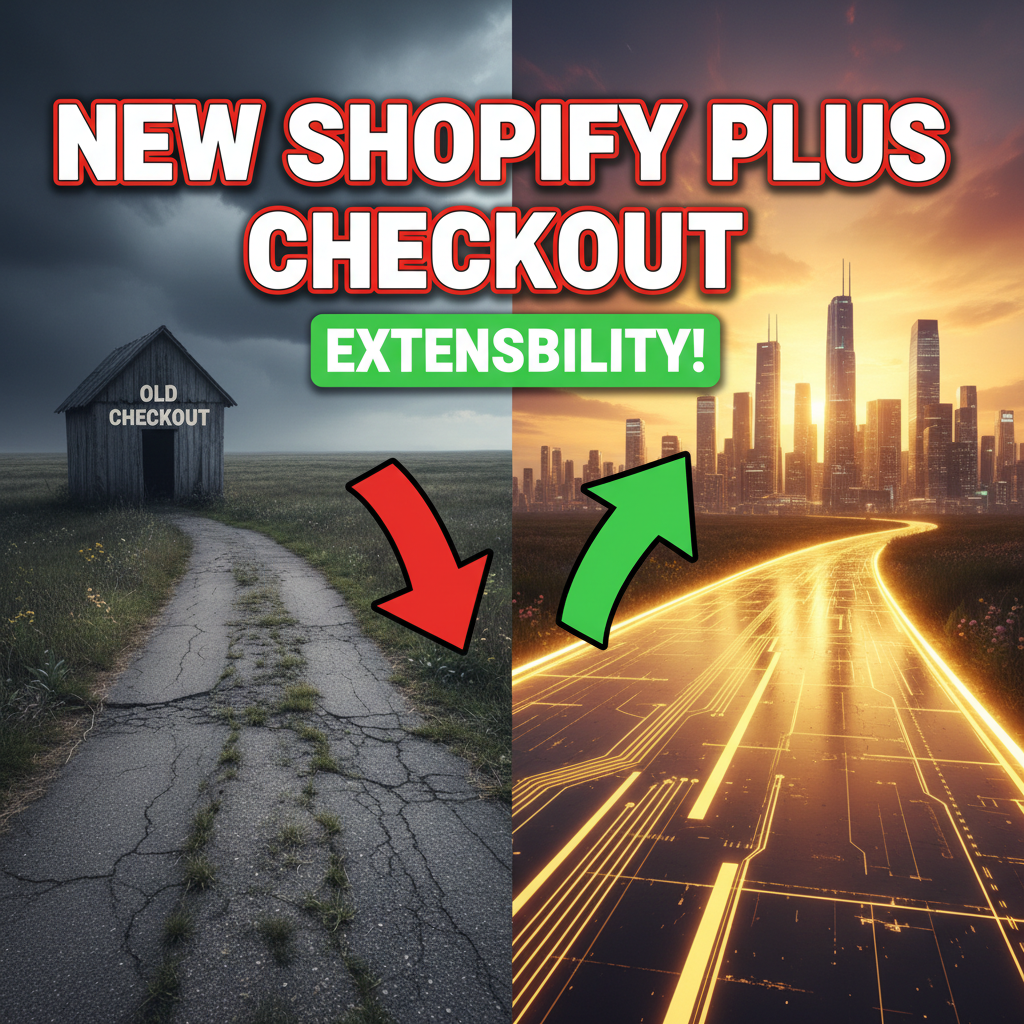
Why Checkout Extensibility Matters
Shopify's default checkout converts at 2–4% on average. Your store might be worse.
The bottleneck isn't feature parity anymore. It's checkout friction. Most stores lose 30–60% of cart abandoners at three specific moments:
- Shipping address entry (50% of abandons) — international address validation, postal code lookups
- Payment selection (30%) — customers want alternative payment methods, installment options, digital wallets
- Post-purchase (20%) — missing upsells, order bumps, loyalty signups
Shopify Plus Checkout Extensibility lets you intercept all three moments and customize the experience without building a custom checkout from scratch.
This is the most underutilized lever in Shopify Plus.

The Checkout Extensibility Landscape (2026)
Shopify has evolved checkout customization from "nearly impossible" (2023) to "extensible but constrained" (2025) to "deeply customizable" (2026).
Current toolset:
Checkout UI Extensions (the primary API): - Introduced Q4 2023 - Allows custom React components in checkout (post-purchase, payment, shipping validation) - Hosted on Shopify's infrastructure (you deploy via CLI) - Performance: <200ms add to checkout flow
Payment Apps (legacy, now deprecated): - Old system for custom payment methods - Being replaced by Payment UI Extensions (coming Q2 2026) - If you're on old payment apps, migrate now
Shipping Customization: - Shipping Rules API (control which methods appear) - Address Validation Extensions (custom address format handling) - Real-time rate calculation via webhooks
Post-Purchase Extensions: - Upsell modal after purchase confirmation - One-click order bumps - Survey and loyalty signups
The mental model: Think of your checkout as a series of "extension points" — each a moment where you can inject custom logic or UI.
Architecture: How Extensions Work
When a customer reaches checkout, this happens:
- Checkout loads → Shopify renders the native checkout UI
- Extensions evaluate → Your custom code runs in a sandboxed React environment
- Extensions render → Custom components appear inline
- Customer completes → Webhook fires with order data, your system responds (post-purchase upsell, etc.)
Key constraint: Extensions run in the browser (JavaScript), not server-side. This means: - Fast (no server roundtrip) - Stateless (no persistent data between sessions) - Limited to browser APIs (fetch, localStorage, Web Workers) - Cannot directly access Shopify backend (must use public APIs)
Example flow for address validation:
Customer enters address → Extension validates via Google Places API →
If invalid, shows error + suggestion → If valid, proceeds to payment
Example flow for post-purchase upsell:
Order placed → Webhook fires to your backend → Backend calculates recommended upsell →
Extension renders upsell modal with 2-click purchase →
Customer buys → Second order created, linked to original
Building a Checkout UI Extension
Prerequisites: - Shopify Plus account (required — standard Shopify cannot use this API) - Node.js 16+ and npm 8+ - Shopify CLI 3.45+ - Familiarity with React hooks - A test store (recommended; you can use your development store)
Step 1: Generate the extension scaffold
# Install Shopify CLI (if not already installed)
npm install -g @shopify/cli

# Create new app with checkout extension
shopify app create --type checkout-ui --name my-checkout-extension

# Navigate to the extension directory
cd my-checkout-extension/extensions/checkout-ui
This generates:
- Checkout.jsx — main React component
- shopify.app.toml — extension configuration
- package.json — dependencies
Step 2: Define where your extension renders
Edit Checkout.jsx:
import { useExtensionApi, useData } from '@shopify/checkout-ui-extensions';
import React from 'react';

export default function Extension() {
  const api = useExtensionApi();
  const { cart } = useData();

  return (
    <BlockStack>
      <Heading>Order Summary</Heading>
      <Text>{cart.lines.length} items</Text>
    </BlockStack>
  );
}
The useExtensionApi() hook exposes methods:
- cart.lines — array of line items
- delivery — shipping address and method
- payment — selected payment method
- ui.error() — show error message
- subscribe('*') — listen for checkout state changes
Step 3: Choose your extension point
Where does your extension render? Options:
| Extension Point | Location | Use Case |
|---|---|---|
purchase.checkout.payment-extension |
Payment section | Custom payment UI, installment offers |
purchase.checkout.shipping-address-extension |
After shipping address | Address validation, format customization |
purchase.checkout.post-purchase-extension |
After order confirmation | Upsells, surveys, loyalty signup |
purchase.checkout.reorder-extension |
Reorder form | Subscription setup, loyalty |
Most common: post-purchase-extension (40% of checkout customizations), followed by payment-extension (35%).
Step 4: Implement validation logic
Example: Custom address validation using Google Places API
import { useEffect, useState } from 'react';
import { useExtensionApi } from '@shopify/checkout-ui-extensions';

export default function AddressValidator() {
  const api = useExtensionApi();
  const [validated, setValidated] = useState(false);

  useEffect(() => {
    const unsubscribe = api.subscribe('delivery.address', (address) => {
      // Validate via Google Places API
      validateAddressWithGoogle(address)
        .then((isValid) => {
          setValidated(isValid);
          if (!isValid) {
            api.ui.error('Address format not recognized for this region');
          }
        });
    });

    return unsubscribe;
  }, [api]);

  return validated ? <Text>✓ Address validated</Text> : null;
}
Call validation API from your backend (don't expose API keys in client code):
// Your backend (Node.js example)
async function validateAddressWithGoogle(address) {
  const response = await fetch(
    'https://maps.googleapis.com/maps/api/place/autocomplete/json',
    {
      headers: { Authorization: `Bearer ${GOOGLE_API_KEY}` },
      body: JSON.stringify({ input: address.formatted })
    }
  );
  return response.ok;
}
Step 5: Deploy to Shopify
# Deploy the extension to Shopify
shopify app deploy

# This uploads to Shopify's hosting infrastructure
# Takes 2-3 minutes, then live on all test stores
Visit your test store checkout → extension appears in the configured extension point.
Post-Purchase Upsells (High-ROI Pattern)
Post-purchase extensions are underutilized. Research shows they increase average order value by 10–25%.
Architecture:
Order placed → Webhook to your server →
Recommend product based on order history + inventory →
Extension renders modal →
Customer clicks "Add to order" (one-click purchase) →
New line item added to original order OR second order created
Implementation:
// Checkout extension — post-purchase point
import { useEffect, useState } from 'react';
import { useExtensionApi, useData } from '@shopify/checkout-ui-extensions';

export default function PostPurchaseUpsell() {
  const api = useExtensionApi();
  const { order } = useData();
  const [upsellProduct, setUpsellProduct] = useState(null);

  useEffect(() => {
    // Call your backend to calculate upsell
    fetch('/api/recommend-upsell', {
      method: 'POST',
      body: JSON.stringify({ orderId: order.id })
    })
      .then(res => res.json())
      .then(data => setUpsellProduct(data.product));
  }, [order.id]);

  if (!upsellProduct) return null;

  return (
    <BlockStack>
      <Text weight="bold">{upsellProduct.title}</Text>
      <Text>{upsellProduct.description}</Text>
      <Button
        onPress={() => {
          fetch('/api/add-to-order', {
            method: 'POST',
            body: JSON.stringify({
              orderId: order.id,
              productId: upsellProduct.id
            })
          }).then(() => api.ui.close());
        }}
      >
        Add ${upsellProduct.price}
      </Button>
    </BlockStack>
  );
}
Backend logic (Node.js):
app.post('/api/recommend-upsell', async (req, res) => {
  const { orderId } = req.body;

  // Get order from Shopify Admin API
  const order = await shopify.graphql(`
    query {
      order(id: "gid://shopify/Order/${orderId}") {
        lineItems {
          product { id }
        }
      }
    }
  `);

  // Find complementary product (cross-sell logic)
  const productIds = order.lineItems.map(l => l.product.id);
  const recommendedProduct = await findComplementaryProduct(productIds);

  res.json({ product: recommendedProduct });
});
Key metrics to track: - Accept rate (% of customers who see + click upsell) - Conversion rate (% who complete upsell purchase) - Average upsell AOV (typical: $25–$75) - ROI (expect 3:1 to 5:1 return on development cost)
Payment Customization (Payment UI Extensions)
As of 2026, Shopify is rolling out Payment UI Extensions. This replaces the old Payment Apps API.
Use cases: - Show installment payment options (Klarna, Affirm integration) - Custom payment flow (cryptocurrency, Buy Now Pay Later) - Payment method gating (show only some methods to certain customers) - Real-time fee calculation
Example: Show Klarna installments
import { useExtensionApi } from '@shopify/checkout-ui-extensions';

export default function KlarnaInstallments() {
  const api = useExtensionApi();
  const { cart } = useData();
  const total = cart.cost.totalAmount.amount;

  return (
    <BlockStack>
      <Text weight="bold">Or pay in 4 with Klarna</Text>
      <Text>${(total / 4).toFixed(2)}/month</Text>
      <Button>Choose Klarna</Button>
    </BlockStack>
  );
}
Integration with Klarna backend:
// On Klarna payment selection, call Klarna API
app.post('/api/create-klarna-session', async (req, res) => {
  const { cartValue, currency } = req.body;

  const response = await fetch('https://api.klarna.com/checkout/v3/sessions', {
    method: 'POST',
    headers: {
      Authorization: `Bearer ${KLARNA_API_KEY}`,
      'Content-Type': 'application/json'
    },
    body: JSON.stringify({
      purchase_currency: currency,
      order_amount: cartValue * 100, // Klarna expects cents
      order_lines: [...] // Line item details
    })
  });

  const session = await response.json();
  res.json({ sessionId: session.session_id });
});
Important: Klarna and Affirm provide pre-built extensions. You don't need to build this yourself — use their official Shopify apps instead. Custom payment extensions are only needed if integrating non-standard payment processors.
Real-World Patterns and Gotchas
Pattern 1: Conditional rendering based on cart contents
Only show upsell if customer spent > $100:
const { cart } = useData();
const isHighValue = parseFloat(cart.cost.subtotalAmount.amount) > 100;

return isHighValue ? <UpsellModal /> : null;
Pattern 2: A/B testing extensions
Show variant A to 50% of users, variant B to 50%:
const [variant] = useState(() =>
  Math.random() > 0.5 ? 'A' : 'B'
);

return variant === 'A' ? <VariantA /> : <VariantB />;
Log to your analytics:
// Track which variant was shown
api.subscribe('*', () => {
  fetch('/api/log-experiment', {
    method: 'POST',
    body: JSON.stringify({ variant, timestamp: Date.now() })
  });
});
Gotcha 1: Performance degradation
Extensions add ~100–300ms to checkout load time. If your extension is slow: - Avoid synchronous API calls in render - Lazy-load assets (images, fonts) - Use React.memo to prevent unnecessary re-renders
// BAD: Blocks render
function SlowComponent() {
  const data = fetch('/api/data').then(r => r.json()); // Synchronous
  return <Text>{data.value}</Text>;
}

// GOOD: Loads async
function FastComponent() {
  const [data, setData] = useState(null);
  useEffect(() => {
    fetch('/api/data').then(r => r.json()).then(setData);
  }, []);
  return data ? <Text>{data.value}</Text> : null;
}
Gotcha 2: Mobile responsiveness
Extensions must work on mobile (60% of checkout on mobile). Test on all screen sizes:
// Use responsive layout
<BlockStack>
  <Heading size="large">Title</Heading>
  {/* Text automatically wraps on mobile */}
</BlockStack>
Gotcha 3: Data consistency issues
Don't assume cart state is persisted between extension renders. Always fetch fresh data:
// BAD: Stale state
const [cart, setCart] = useState(initialCart);

// GOOD: Reactive to changes
useExtensionApi().subscribe('*', (state) => {
  // Re-render whenever checkout state changes
});
Performance and Compliance
Performance budget: Extensions should add <100ms to checkout load time.
Measure using Chrome DevTools Performance tab: 1. Open test store checkout 2. Open DevTools → Performance tab 3. Record checkout interaction 4. Look for extension load + render time 5. Target: <100ms total
Compliance notes: - Extensions run in isolated iframe (cannot access parent document) - Cannot modify Shopify checkout UI directly (only extend via defined points) - Cannot track personal data without consent (GDPR, CCPA) - All API keys must be server-side (never expose in client-side code)
Integration with Tenten's Shopify Plus Services
Building custom checkout extensions requires: - Shopify Plus plan ($2,000+/month) - Checkout UI Extensions API knowledge - Backend infrastructure for webhooks + data processing - Testing across devices and browsers
Most merchants outsource this. Tenten helps Shopify Plus brands build and maintain custom checkout extensions that increase conversion by 5–15%.
Learn more about Shopify Plus optimization.
Ready to Optimize Your Shopify Plus Checkout?
Checkout customization is one of the highest-ROI investments for Shopify Plus merchants. A 2% conversion improvement on a $1M store equals $20K incremental annual revenue.
Tenten has built 50+ checkout extensions for enterprise clients. Schedule a consultation to discuss your checkout optimization strategy.
Editorial Note Shopify's checkout API matured in 2024–2025. Most merchants still use default checkout. That's a $10K–$100K opportunity being left on the table.
Frequently Asked Questions
Do I need Shopify Plus to use Checkout UI Extensions?
Yes, exclusively. Standard Shopify does not support custom checkout extensions. You must be on Shopify Plus ($2,000+/month).
What's the difference between Checkout UI Extensions and custom checkout?
UI Extensions customize within Shopify's checkout (fast, hosted, maintained by Shopify). Custom checkout means building your own from scratch (headless). UI Extensions are faster to build and less risky.
How long does it take to build a post-purchase upsell extension?
1–2 weeks for a basic version (design, API integration, testing). Most of the time is backend logic (calculating recommendations, creating duplicate orders), not the extension itself.
Can I use third-party libraries (React, Lodash, etc.) in extensions?
React yes, and most npm packages. Avoid packages that access browser globals (window, document). Test in the Shopify sandbox before deploying.
How much can post-purchase upsells increase revenue?
10–25% AOV increase is typical. A $100 average order with 20% upsell capture at $35 average = $700/month for a 100-order store. Higher for high-traffic stores.
What happens if my extension crashes on checkout?
Shopify sandboxes extensions. If it errors, checkout continues (extension just doesn't render). Always include error boundaries and fallback UI.