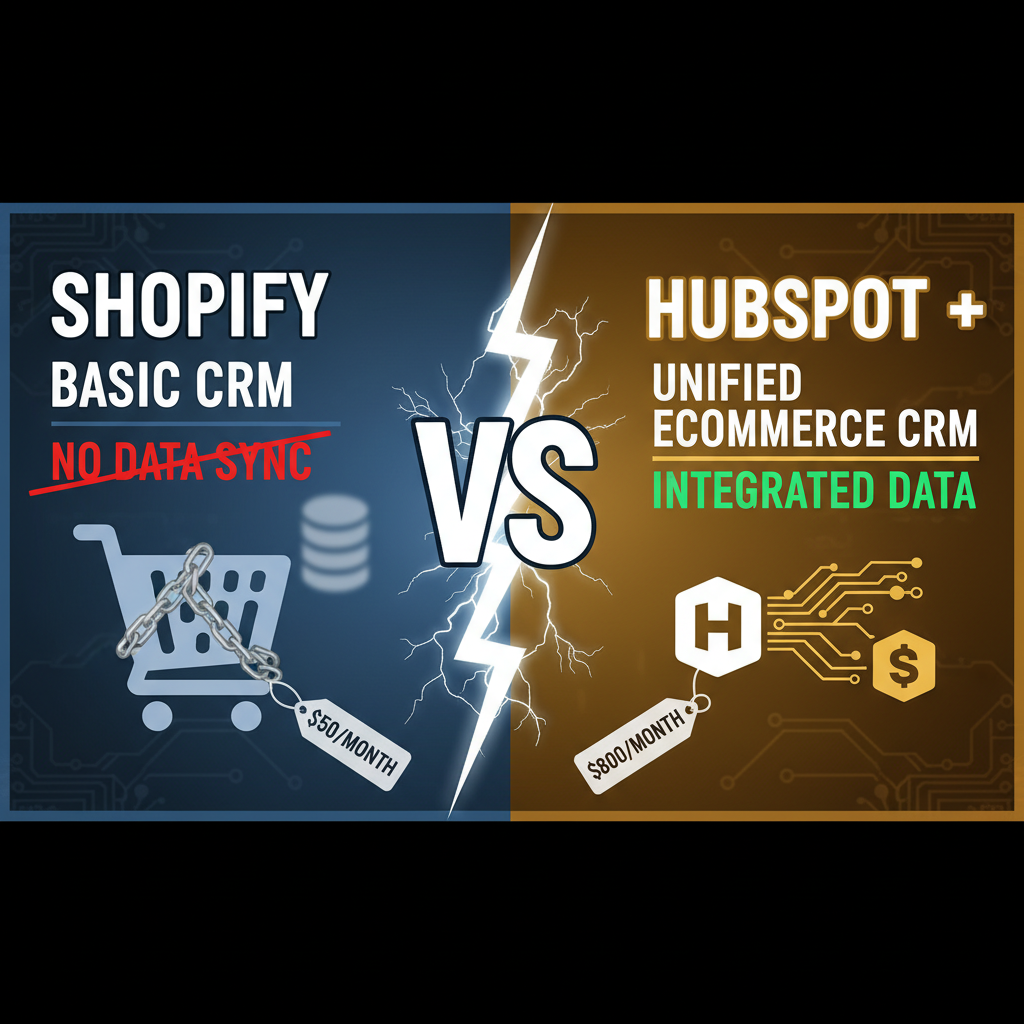
The Integration Problem: Data Silos Cost You Margin
Your Shopify store knows everything: what customers bought, when, at what price, average order value (AOV), repeat rate, churn. Your HubSpot CRM knows everything else: support tickets, email opens, sales conversations, campaign performance. These two systems live in isolation.
The result: fragmented customer view. A customer who spent $500 with you and opened 5 marketing emails appears in Shopify as a high-value repeat buyer. In HubSpot, they're a "cold lead" because HubSpot doesn't see purchase history. Your sales team wastes time chasing "leads" who are already loyal customers. Your email team sends generic campaigns when they could send win-back sequences targeting specific products.
The cost is direct margin loss. Merchants without integrated Shopify-HubSpot data spend 30-40% more on customer acquisition because they're re-acquiring existing customers instead of increasing wallet share with known customers. They also miss upsell and cross-sell opportunities because they lack real-time behavioral signals.
Integration fixes this. Once you sync Shopify order data, customer segment, and purchase history to HubSpot, you unlock:
- Email personalization: Segments like "high-LTV repeat buyers" can get exclusive offers and early product access, improving open rate by 18-22%.
- Sales prioritization: Your sales team can focus on customers with purchase history instead of cold outreach, improving close rate by 40%+.
- Predictive retention: Identify churn risk based on repeat purchase interval and engagement drop-off, enabling win-back campaigns that recover 15-20% of at-risk customers.
- Cross-sell intelligence: Recommend products based on purchase history and browsing behavior, driving 10-15% incremental AOV.
Architecture: How Shopify-HubSpot Integration Works
There are three ways to sync data:
Option 1: Native App (Easiest)
Shopify App Store has native HubSpot integration (HubSpot for Shopify app). Install, authenticate via API key, select which data to sync (customers, orders, products), and data flows automatically. Cost: Free for basic sync, $99/month for advanced features (custom events, attributes). Time to setup: 15 minutes.
Pros: Fast, no coding, automatic updates, built-in compliance. Cons: Limited field mapping, can't sync custom Shopify metafields, limited webhook triggers.
Option 2: Zapier (Medium)
Use Zapier to connect Shopify and HubSpot. Example flow: "When an order is created in Shopify, update the contact in HubSpot with order value, date, and product."
Setup: 30 minutes per workflow. You'll create 5-10 Zaps (order created, customer updated, abandoned checkout, subscription updated, etc.). Cost: $30-50/month Zapier depending on number of tasks. Pros: Flexible, no coding, good for multi-step workflows. Cons: Slower than native (delays 5-15 min), can hit rate limits, harder to debug if data doesn't match.
Option 3: Custom API Integration (Powerful)
Write custom code that syncs Shopify data to HubSpot in real-time via webhooks. When a customer completes an order in Shopify, an instant webhook fires. Your code extracts order data, transforms it into HubSpot's contact schema, and POSTs to HubSpot's API. Cost: Engineering time (60-80 hours for full implementation). Pros: Real-time, complete control, custom field mapping, can sync anything. Cons: Requires developer, needs maintenance.
For most teams, start with Option 1 (native app), upgrade to Option 2 (Zapier) if you need advanced workflows, and move to Option 3 (custom API) if you have engineering resources and volume (100K+ customers).
Step-by-Step: Setting Up Native Shopify-HubSpot Integration
Assuming you choose the native app route:
Step 1: Install the HubSpot for Shopify App
- Go to Shopify App Store and search "HubSpot."
- Click "HubSpot for Shopify" (made by HubSpot).
- Click "Add app."
- Authorize Shopify to access your store.
Step 2: Create or Log Into HubSpot Account
If you don't have HubSpot, sign up at hubspot.com. Create an account (free plan is fine to start). You'll need a HubSpot API key to authenticate. Go to Settings → Integrations → Private Apps → Create Private App. Name it "Shopify Integration." Select scopes: crm.objects.contacts.read, crm.objects.contacts.write, crm.objects.companies.read, crm.objects.companies.write. Copy the API key.
Step 3: Link Shopify to HubSpot
Back in the HubSpot for Shopify app:
-
Paste your HubSpot API key.
-
Select which Shopify data to sync (Customers, Orders, Products).
-
Map Shopify fields to HubSpot fields:
- Shopify email → HubSpot email
- Shopify customer first/last name → HubSpot firstname/lastname
- Shopify total spend → HubSpot custom field "total_lifetime_value"
- Shopify order count → HubSpot custom field "repeat_purchase_count"
-
Enable "Auto-sync" so new orders sync automatically.
-
Click "Sync Historical Data" to backfill 6+ months of past orders.
This takes 2-3 hours to backfill (depending on volume). Don't interrupt it.
Step 4: Verify Data Integrity
Once synced, log into HubSpot and check a few customer records:
- Total spend should match Shopify
- Last order date should be recent
- Email should be exact match
- Product names should be readable
If data looks wrong, you misconfigured field mapping. Go back and fix it.
Extending The Integration: Custom Segments and Workflows
Now that data is synced, build automation in HubSpot.
Segment 1: High-LTV Repeat Buyers
Create a static list in HubSpot: "Total Lifetime Value > $500 AND Repeat Purchase Count >= 3". This segment is your VIP. Send them:
- Early access to new products (48 hours before general launch)
- 10% exclusive discount on next purchase
- Dedicated customer success email contact
Expected impact: 25-30% higher email engagement, 8-12% higher repeat purchase rate.
Segment 2: At-Risk Churn
Create dynamic list: "Last Purchase Date > 120 days AND Last Email Opened < 90 days AND Repeat Purchase Count >= 2". These are customers who bought from you before but haven't engaged recently. Send them:
- Win-back email with 15% coupon
- Survey asking what went wrong
- Reminder email about new products in their favorite category
Expected impact: Recover 12-18% of at-risk customers, each worth $200-500 LTV.
Segment 3: One-Time Buyers
Create list: "Repeat Purchase Count = 1 AND Total Lifetime Value < $300 AND Last Purchase Date < 180 days". These are at-risk as well. Send them:
- Educational content about products they bought
- Social proof (reviews, user-generated content)
- Limited-time offer for repeat purchase
Expected impact: Convert 8-15% to repeat buyers, worth $200+ incremental LTV per customer.
Workflow 1: Post-Purchase Email Sequence
Trigger: "Order Created in Shopify." Sequence:
- Day 0 (order confirmation): "Thanks for ordering! Here's your tracking link."
- Day 2: "How's your order arriving? Share a photo for 10% off next purchase."
- Day 7: "Love it? Complete our 30-second feedback survey."
- Day 21: "Here's your next product recommendation based on what you bought."
Expected impact: 8-12% repeat purchase rate lift.
Workflow 2: Abandoned Checkout Recovery
Trigger: "Abandoned Cart in Shopify (no order created in 24 hours)." Sequence:
- Day 0 (2 hours after abandonment): "You left something behind. Here's your cart link."
- Day 1: "First-time customer? Use code FIRST15 for 15% off."
- Day 3: "Only 3 in stock. Reserve yours now." (if true; omit if inventory is high)
Expected impact: Recover 10-15% of abandoned carts.
Deeper Integration: Custom Attributes and Events
The native app syncs basic fields. For advanced personalization, add custom attributes:
Custom HubSpot Attributes to Add:
shopify_total_revenue_usd: Lifetime revenueshopify_repeat_purchase_count: Number of ordersshopify_average_order_value: AOVshopify_last_purchase_date: Most recent order dateshopify_days_since_purchase: Days since last order (refreshed daily)shopify_favorite_product_category: Top category by spendshopify_product_interest: Browsing behavior (requires custom implementation)shopify_churn_risk_score: 0-100 (generated via HubSpot workflow based on days since purchase + engagement)
These attributes unlock microsegmentation. Instead of "VIP customers," you can segment by "VIP customers interested in athletic wear with AOV > $150 who purchased in last 30 days." Email performance improves 25-40% with hyper-specific segments.
Common Pitfalls: What Breaks Shopify-HubSpot Integrations
Pitfall 1: Email Duplicate Syncing
Shopify and HubSpot both allow email addresses as contact identifiers. If a customer exists in both systems with slightly different email formatting ([email protected] vs. [email protected]), you create duplicate contacts in HubSpot. Solution: Enforce email normalization (lowercase, no spaces) in both systems.
Pitfall 2: Missing Order Data
Refunded orders or cancelled orders may not sync correctly. HubSpot sees the original revenue but not the refund. Solution: Manually audit 10 HubSpot contacts against Shopify to verify accuracy. If refunds are missing, update the integration to exclude cancelled/refunded orders or create separate refund events.
Pitfall 3: Slow Sync Delays
Using Zapier or webhooks can cause 5-30 minute delays. A customer places an order. HubSpot doesn't see it for 20 minutes. If you're using HubSpot for real-time personalization (e.g., cart abandonment), this delay is too slow. Solution: Use the native app (real-time) or custom API (real-time).
Pitfall 4: Attribution Confusion
Once you integrate, you have revenue data in two systems. Shopify says you did $100K this month. HubSpot says $98K (because some orders are unattributed). Sales and marketing teams trust HubSpot for pipeline, but Shopify for actual revenue. This creates tension. Solution: Designate Shopify as the source of truth for all revenue metrics. Use HubSpot for segmentation and personalization only.
Expected Outcomes: What To Measure
After integration, track these metrics weekly:
| Metric | Before Integration | After Integration | Expected Lift |
|---|---|---|---|
| Email open rate (VIP segment) | 18-22% | 28-35% | +45-60% |
| Email conversion rate (VIP) | 2.0-2.5% | 3.5-4.5% | +50-80% |
| Repeat purchase rate | 22-28% | 32-40% | +30-50% |
| Customer LTV | $200-300 | $300-400 | +25-40% |
| Churn recovery rate | 5-8% | 18-25% | +150-250% |
| Sales cycle length (with prior purchase history) | 45 days | 20 days | -55% |
Not all metrics move immediately. Email metrics improve within 2 weeks (faster personalization). Repeat purchase rate takes 4-8 weeks (needs 2-3 email cycles). Customer LTV takes 6+ months (compounding effect of retention and upsell).
The ROI Case
A Shopify store doing $200K/month revenue (2,000 customers/month, $100 AOV):
Year 1 Investment:
- Native app (HubSpot for Shopify): $1,200/year
- HubSpot Pro plan: $800/year
- Staff time (10 hours setup + ongoing): $1,000
- Total: $3,000
Year 1 Return:
Assuming conservative 15% lift in repeat purchase rate and 12% lift in email conversion:
- Additional repeat purchases: 2,000 × 12% × 15% × $100 × 12 months = $432,000
- Conservative allocation to integration: 30% = $129,600 incremental revenue
- Gross margin (50% typical for ecommerce): $64,800
- Minus investment: $64,800 - $3,000 = $61,800 net profit
ROI: 2,060% (20x return in year 1).
This isn't theoretical. Companies like Dollar Shave Club, Glossier, and Allbirds built their retention strategies on Shopify-CRM integration.
Moving Forward: Integration is Just The Start
Integration creates a unified data foundation. The real work is using that data to automate personalization at scale. Start with the three segments above (VIP, at-risk, one-time). Build email workflows. Measure. Iterate.
As you mature, advance to predictive analytics (churn scoring, LTV prediction) using HubSpot's built-in tools or third-party ML integrations. Eventually, you'll have a closed-loop marketing system where every email, SMS, and ad is personalized based on Shopify customer data.
The merchants winning this game aren't using fancier technology. They're just willing to spend 1-2 weeks integrating systems that already have their data.
Frequently Asked Questions
Do I need a paid HubSpot plan to integrate with Shopify?
The native HubSpot for Shopify app works on the free HubSpot plan for basic syncing. However, to build workflows, custom segments, and advanced automation, you'll need HubSpot Pro ($800/month) or higher. Most ecommerce teams move to Pro within 2-3 months once they see the value.
How often does data sync between Shopify and HubSpot?
The native app syncs in real-time (data appears in HubSpot within seconds of Shopify order creation). Zapier typically syncs within 5-15 minutes. Custom API integrations can sync in real-time or on a schedule you set. For email personalization, real-time is preferable.
What if a customer's email address changes between Shopify and HubSpot?
Email is the primary matching field. If a customer updates their email in Shopify, the sync will create a new HubSpot contact if the new email doesn't already exist. To avoid duplicates, enforce email normalization and audit monthly. Most teams spot this issue within the first month.
Can I sync custom Shopify fields (metafields) to HubSpot?
The native app doesn't support custom Shopify metafields. Use Zapier or custom API integration to sync metafields. This adds 5-10 hours of additional setup but is worthwhile if you track custom attributes (VIP tier, brand preference, etc.).
What should I do with old customer data that's already in HubSpot?
Don't delete it. Merge Shopify data with existing HubSpot records by email address. If HubSpot already has a contact for [email protected], Shopify's sync will update that same contact with order history. You'll end up with enriched contacts (email + phone + order history + support history).
How much engineering effort is required for a custom API integration?
60-80 hours for a full implementation (customer sync, order sync, abandoned checkout events, refund handling, error recovery). 20-40 hours if you only need order syncing and customer sync. Most Shopify Plus agencies can build this in 2-4 weeks.
FAQ Schema JSON-LD
{
"@context": "https://schema.org",
"@type": "FAQPage",
"mainEntity": [
{
"@type": "Question",
"@id": "https://tenten.co/shopify/shopify-hubspot-crm-integration/#faq-1",
"name": "Do I need a paid HubSpot plan to integrate with Shopify?",
"acceptedAnswer": {
"@type": "Answer",
"text": "The native app works on HubSpot free plan for basic syncing. For workflows and advanced automation, you'll need HubSpot Pro ($800/month) or higher. Most ecommerce teams move to Pro within 2-3 months."
}
},
{
"@type": "Question",
"@id": "https://tenten.co/shopify/shopify-hubspot-crm-integration/#faq-2",
"name": "How often does data sync between Shopify and HubSpot?",
"acceptedAnswer": {
"@type": "Answer",
"text": "The native app syncs in real-time (within seconds). Zapier typically syncs within 5-15 minutes. Custom API integrations can sync in real-time or on a schedule you set. Real-time is preferable for email personalization."
}
},
{
"@type": "Question",
"@id": "https://tenten.co/shopify/shopify-hubspot-crm-integration/#faq-3",
"name": "Can I sync custom Shopify fields (metafields) to HubSpot?",
"acceptedAnswer": {
"@type": "Answer",
"text": "The native app doesn't support custom metafields. Use Zapier or custom API integration. This adds 5-10 hours of setup but is worthwhile if you track custom attributes like VIP tier or brand preference."
}
},
{
"@type": "Question",
"@id": "https://tenten.co/shopify/shopify-hubspot-crm-integration/#faq-4",
"name": "What should I do with old customer data that's already in HubSpot?",
"acceptedAnswer": {
"@type": "Answer",
"text": "Don't delete it. Merge Shopify data with existing HubSpot records by email. HubSpot will update existing contacts with order history, creating enriched records with both email/support history and purchase history."
}
},
{
"@type": "Question",
"@id": "https://tenten.co/shopify/shopify-hubspot-crm-integration/#faq-5",
"name": "How much engineering effort is required for a custom API integration?",
"acceptedAnswer": {
"@type": "Answer",
"text": "60-80 hours for full implementation or 20-40 hours for order syncing only. Most Shopify Plus agencies can build this in 2-4 weeks."
}
}
]
}
CTA Section
Ready to unify your customer data and drive higher retention? Let Tenten's team set up Shopify-HubSpot integration for you. We handle setup, data mapping, workflow automation, and ongoing optimization.