Why B2B Merchants Are Sleeping on LinkedIn
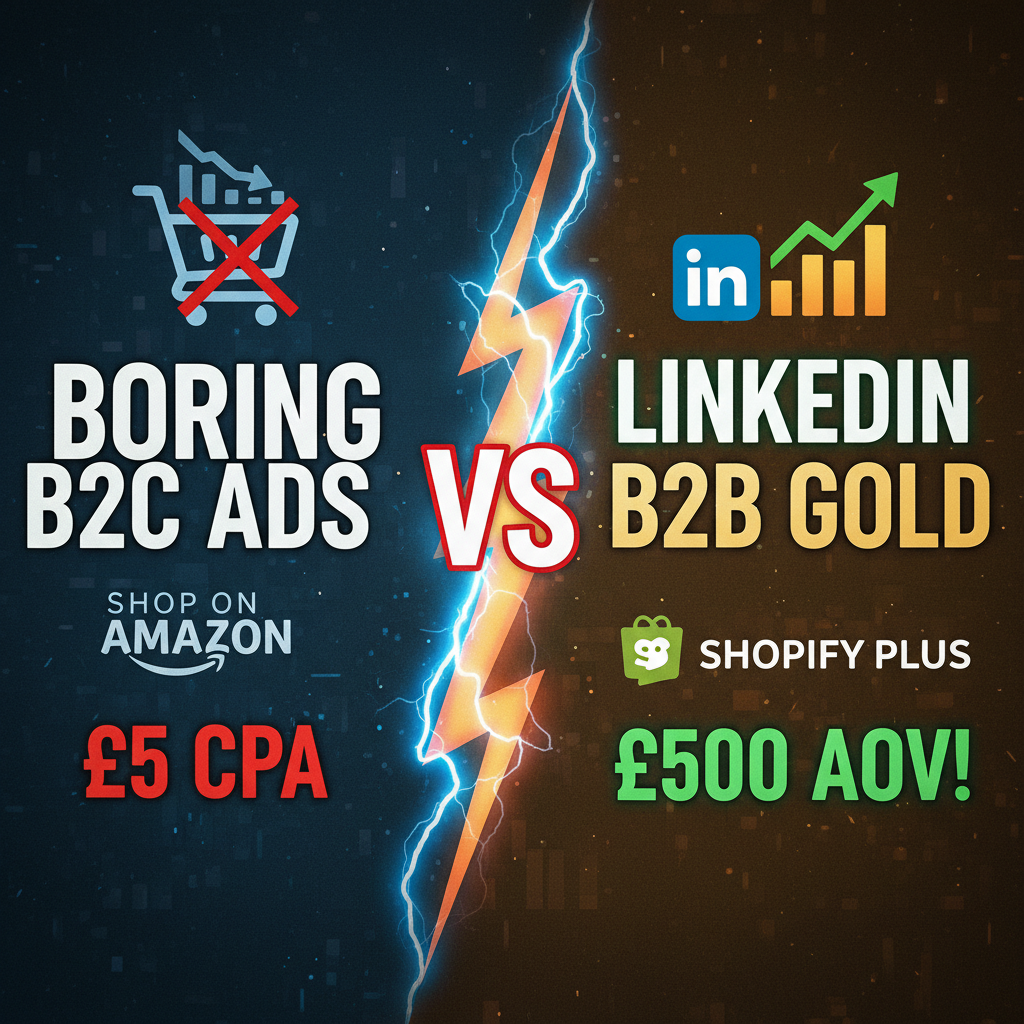
Google Ads targets intent (someone searches "industrial fasteners"). LinkedIn targets identity (someone is a Procurement Manager at a Fortune 500 company).
The difference is profound. B2B buyers research solutions in private—they don't Google to broadcast their needs. They scroll LinkedIn during their commute, read industry articles, and engage with thought leaders in their space. When a relevant offer appears in their feed, they notice.
Shopify's native B2B tools (wholesale channels, quote requests, custom pricing) work well for existing distributor relationships. But for finding net new enterprise buyers? LinkedIn is where quality leads live.
Here's what the data says: Companies running LinkedIn ads for B2B generate 3.2x higher-quality leads compared to Google Ads, according to Capterra's 2024 B2B Marketing Benchmark. More importantly, LinkedIn-sourced leads close at 2.1x higher rates (40-50% close rate vs 18-25% for Google). Customer acquisition cost is higher per lead, but the close rate more than compensates.
For a B2B Shopify store selling to enterprise buyers, this ROI shift is material.
The B2B Buyer Journey on LinkedIn
Traditional B2B sales involves a 6-9 month research cycle. By the time a buyer enters your sales funnel, they've already formed opinions about vendors and solutions.
LinkedIn compresses this timeline by letting you influence earlier in the journey—before the formal buying committee convenes.
Stage 1: Awareness (3-4 months before purchase)
A Procurement Manager reads your LinkedIn article on supply chain optimization. It's educational, not promotional. They follow your page, read more content, form a mental association: "These folks understand our problems."
Stage 2: Consideration (6-8 weeks before purchase)
A LinkedIn Lead Gen Ad appears in their feed offering a buying guide. "Top 5 Industrial Fastener Suppliers: Comparison Matrix." They convert (no friction—LinkedIn form auto-fills their data). Now you have their email and title.
Stage 3: Decision (2-4 weeks before purchase)
Your nurture sequence sends case studies and ROI calculators. They request a demo. Your sales team closes.
The key insight: LinkedIn lets you warm leads before your sales team engages. Warm inbound deals close 5-6x faster than cold outbound.
LinkedIn Audience Targeting for B2B Shopify
LinkedIn's targeting is granular and powerful, but it requires the right setup to work with Shopify.
Layer 1: Job Title Targeting
LinkedIn lets you target by exact job title. Use this to identify decision-makers:
- Procurement Manager, Purchasing Director, VP of Supply Chain (for B2B suppliers)
- Chief Marketing Officer, VP of Marketing, Marketing Director (if you're selling marketing services)
- Operations Manager, Chief Operations Officer, Plant Manager (for operational software)
Avoid vague titles like "Manager" or "Director"—too broad. Be specific. If you're selling to automotive suppliers, target "Automotive Procurement Manager" and "Supplier Quality Manager."
Layer 2: Company Size
Narrow by employee count if your ICP (Ideal Customer Profile) is enterprise-only:
- 500–1,000 employees
- 1,000–5,000 employees
- 5,000–10,000 employees
- 10,000+ employees
For smaller suppliers or niche solutions, include mid-market (50–500 employees) where decision cycles are shorter and budgets still exist.
Layer 3: Industry Targeting
LinkedIn classifies companies by industry (Manufacturing, Technology, Finance, Healthcare, etc.). Layer this on top of job titles:
- Target: Manufacturing + Procurement Manager = high intent
- Avoid: Technology + Procurement Manager = probably software procurement, not your audience
Layer 4: Seniority
LinkedIn defines seniority as: - Intern, Entry-level - Mid-level - Senior (Manager, Senior Manager) - Director - Executive (VP, C-Suite)
For B2B e-commerce, target Director and Executive exclusively. Mid-level is lower intent and longer sales cycle.
Campaign Structure: Three-Layer Funnel
Build three campaigns aligned with the buying journey:
Campaign 1: Awareness (Educational Content)
Objective: Engagement (page views, clicks) Budget: 40% of your LinkedIn spend Audience: Broad targeting (job titles + industry, no company exclusions) Creative: Articles, whitepapers, educational videos
Example Ad: "The Hidden Costs of Manual Procurement: Our 2024 Benchmarking Study" (linked to a blog post)
Campaign 2: Consideration (Lead Generation)
Objective: Lead Gen (form submissions) Budget: 35% of your LinkedIn spend Audience: People who engaged with Campaign 1 (Retargeting) + lookalike audiences Creative: Lead Gen Ads with native forms
Example Ad: "Get Our Purchasing ROI Calculator (15-minute read)" + form (job title, company, email)
Campaign 3: Conversion (Direct Sales)
Objective: Website conversions (demo requests, quotes) Budget: 25% of your LinkedIn spend Audience: Warm retargeting (website visitors, email list, engagement history) Creative: Direct response ads to Shopify product pages or quote request forms
Example Ad: "Request a Custom Quote" (CTA button directly to Shopify checkout or quote form)
LinkedIn Lead Gen Ads + Shopify Integration
LinkedIn Lead Gen Ads are powerful because they auto-populate form fields with LinkedIn profile data (name, email, company, job title). Friction drops 10x compared to website forms.
To connect LinkedIn leads directly to Shopify:
Option 1: Zapier Integration
LinkedIn > Zapier > Shopify (or your CRM)
In Zapier: 1. Trigger: New Lead Gen Ad form submission 2. Action: Create contact in Shopify or your CRM 3. Action: Send welcome email from your email platform
This creates customer contacts in Shopify instantly. If they convert to a paid customer, their history syncs seamlessly.
Option 2: Direct API Integration
For higher volume, connect LinkedIn's Lead Gen API directly to your Shopify backend:
// Capture LinkedIn form submission
app.post('/webhooks/linkedin-lead', async (req, res) => {
  const lead = req.body;

  // Create contact in Shopify using Customer API
  const shopifyContact = await shopify.rest.Customer.create({
    customer: {
      email: lead.email,
      first_name: lead.first_name,
      last_name: lead.last_name,
      tags: ['linkedin-lead', 'b2b', lead.jobTitle],
      metafields: [
        {
          key: 'linkedin_company',
          value: lead.companyName,
          type: 'single_line_text'
        }
      ]
    }
  });

  // Queue nurture email
  await sendNurtureEmail(lead.email, lead.jobTitle);

  res.json({ success: true });
});
This syncs LinkedIn leads directly to Shopify Customers, tags them for segmentation, and triggers nurture sequences automatically.
Creative Messaging That Converts
LinkedIn audiences expect professional, value-driven creative. Hype-focused creative (all caps, emoji, urgency language) bombs on LinkedIn.
Do: - Lead with a specific problem: "Reduce procurement cycle time from 12 weeks to 3" - Include data: "47% of enterprise buyers cite delivery speed as their top vendor differentiator" - Be educational: Focus on insights, not features - Use professional images or video, not stock photos - Include a clear CTA: "Get our benchmarking study," "Request a quote," "Schedule a 15-minute demo"
Don't: - Use hype language ("AMAZING," "SHOCKING," "LIMITED TIME") - Emphasize features over benefits ("Our platform has 200+ integrations" vs "Reduce manual data entry by 8 hours/week") - Use low-quality visuals or extreme crops - Ask for too much information upfront (start with email and title, not a 10-field form) - Run ads that look like personal posts—use the LinkedIn Ad format
Example: High-Performing B2B Shopify Ad
Headline: "Cut Procurement Costs by 22% Without Changing Vendors"
Body: "Most companies overpay for industrial supplies because they're not negotiating volume discounts strategically. In our 2024 benchmark of 340 manufacturers, companies using dynamic pricing saw average savings of $180K annually.
Here's what that looks like: • Batch ordering to hit volume tiers • Real-time market rate matching • Transparent supplier negotiations
[Get the full report → benchmarking study link]"
CTA Button: "Access the Report" (linked to gated PDF)
Image: A clean graphic showing before/after cost comparison (no corporate team high-fives)
Lead Generation Mechanics: The Quote Form
Most B2B Shopify conversions happen through quote requests, not direct checkout. LinkedIn leads are no different.
On Shopify, set up a quote request form that captures:
1. Product/Service Needed (dropdown)
2. Annual Volume (e.g., 1,000–10,000 units)
3. Delivery Timeline
4. Preferred Payment Terms
5. Additional Notes
Avoid asking for more than 5 fields initially. Once they've submitted, your sales team can ask deeper qualifying questions.
Here's a Shopify Liquid form for quote requests:
<form action="/contact" method="POST" id="quote-form">
  <input type="hidden" name="form_type" value="quote_request">

  <label for="product">What product are you interested in?</label>
  <select name="product" required>
    <option>Select a product</option>
    <option>Industrial Fasteners</option>
    <option>Electrical Components</option>
    <option>Hydraulic Systems</option>
  </select>

  <label for="volume">Annual Volume (units)</label>
  <input type="text" name="volume" placeholder="e.g., 50,000" required>

  <label for="timeline">When do you need delivery?</label>
  <input type="date" name="timeline" required>

  <label for="email">Work Email</label>
  <input type="email" name="email" required>

  <button type="submit">Request a Quote</button>
</form>
When submitted, this creates a contact in Shopify and triggers a notification to your sales team. Your sales team can follow up within 4 hours (critical for enterprise sales).
Measuring ROI: The Attribution Model
LinkedIn ads are tricky to measure because most B2B deals involve multiple touchpoints. A lead might see your LinkedIn ad, read your blog, attend a webinar, and then convert via email.
Use a multi-touch attribution model to credit LinkedIn fairly:
| Touchpoint | Credit | Timeline |
|---|---|---|
| First Touch (LinkedIn) | 20% | First interaction |
| Middle Touches (email, webinar) | 30% | Engagement |
| Last Click (quote form) | 50% | Conversion |
This way, LinkedIn gets credit for opening the conversation, even if the final conversion happens elsewhere.
Track with UTM parameters on all LinkedIn ads:
https://yourstore.shopify.com/products/fasteners?utm_source=linkedin&utm_medium=paid&utm_campaign=awareness_2026
In your Shopify analytics, filter by utm_source=linkedin to see LinkedIn's contribution to revenue.
Common B2B LinkedIn Mistakes
Mistake 1: Targeting too narrow
New B2B advertisers often target "VP of Procurement at Fortune 500 companies in the Northeast." This excludes 90% of good leads. Start broader (Procurement Manager at 100+ employee companies), then narrow based on performance data.
Mistake 2: Asking for too much too soon
A LinkedIn Lead Gen Ad asking for job title, company, annual spend, and number of suppliers will convert at 2% or lower. Ask for email and title only. Get the rest in a follow-up.
Mistake 3: Slow sales follow-up
Enterprise buyers expect a response within 4 hours. If your sales team responds in 2 days, the lead has already moved on. Set up automatic Slack notifications for new quote requests.
Mistake 4: Not retargeting website visitors
Your best LinkedIn audience is people who already visited your website. Retarget them with consideration-stage content (case studies, ROI calculators) before they see your hard-sell ads.
Mistake 5: Running the same ad forever
LinkedIn's algorithm penalizes creative fatigue. Every 2-4 weeks, refresh your ad creative. Same message, different images or video.
Benchmarks: What Good Performance Looks Like
For B2B Shopify on LinkedIn:
| Metric | Good | Excellent |
|---|---|---|
| Lead Gen Form Click-Through Rate (CTR) | 1.2–2.5% | 3%+ |
| Lead Gen Form Conversion Rate | 15–25% | 30%+ |
| Cost Per Lead | $15–$30 | <$15 |
| Sales-Qualified Lead Rate | 30–50% | 60%+ |
| Deal Close Rate | 35–50% | 50%+ |
| CAC (blended, all channels) | $2,000–$5,000 | <$1,500 |
If your numbers are below "good," optimize creative or audience. If they're above "excellent," scale spend.
Ready to Launch Your B2B LinkedIn Program?
LinkedIn is the hidden advantage for B2B e-commerce merchants. While your competitors chase commodity keywords on Google, you can own mindshare with decision-makers on LinkedIn at a fraction of the cost-per-qualified-lead.
Our team at Tenten has built LinkedIn programs for B2B Shopify merchants in manufacturing, SaaS, and enterprise services. We'll design your audience strategy, build high-converting creative, set up lead capture forms on Shopify, and establish attribution tracking so you know exactly what's working.
Let's build your B2B LinkedIn playbook or explore more B2B commerce strategies on our platform.
Editorial Note B2B e-commerce moves slower than D2C, but with higher deal values. The right channel focus—LinkedIn for awareness and early-stage leads, Google for bottom-funnel intent—dramatically improves CAC and close rates.
Frequently Asked Questions
Is LinkedIn too expensive for B2B e-commerce?
LinkedIn costs more per click ($8-15 vs Google's $2-5), but converts at 2-3x higher rates. For B2B, the LTV is usually 5-10x higher than D2C, so the cost is justified.
How long before I see ROI from LinkedIn ads?
B2B sales cycles are 6-9 months. You'll see leads in 2-4 weeks, but attribution to actual revenue takes 3-6 months. Run LinkedIn ads with a 6-month planning horizon.
Should I use LinkedIn Lead Gen Ads or drive traffic to my Shopify website?
Lead Gen Ads are better for B2B. They capture leads instantly without friction. Drive traffic to your website only if you're targeting existing customers or retargeting (pixel-based audiences).
Can I use the same LinkedIn audience for multiple campaigns?
Yes, but LinkedIn will serve your ads to the same people repeatedly, causing audience fatigue. Better approach: Use one broad audience across all campaigns, let LinkedIn's algorithm optimize, and refresh creative every 4 weeks.
What's a realistic LinkedIn ad budget for a B2B Shopify store?
Start with $2,000–$3,000/month (40-50 leads at $40-60 per lead). Scale to $5,000-10,000/month once you've optimized your sales follow-up process and validated close rates.
How do I track LinkedIn leads that don't convert immediately?
Use multi-touch attribution. Credit LinkedIn for first touch, but also track engagement after LinkedIn (email opens, website visits) so you see its full impact on revenue.