Claude Code SDK 讓你可以透過程式方式調用 Claude Code。它提供 TypeScript、Python 以及 CLI 方式,功能與終端中的 Claude Code 一致。
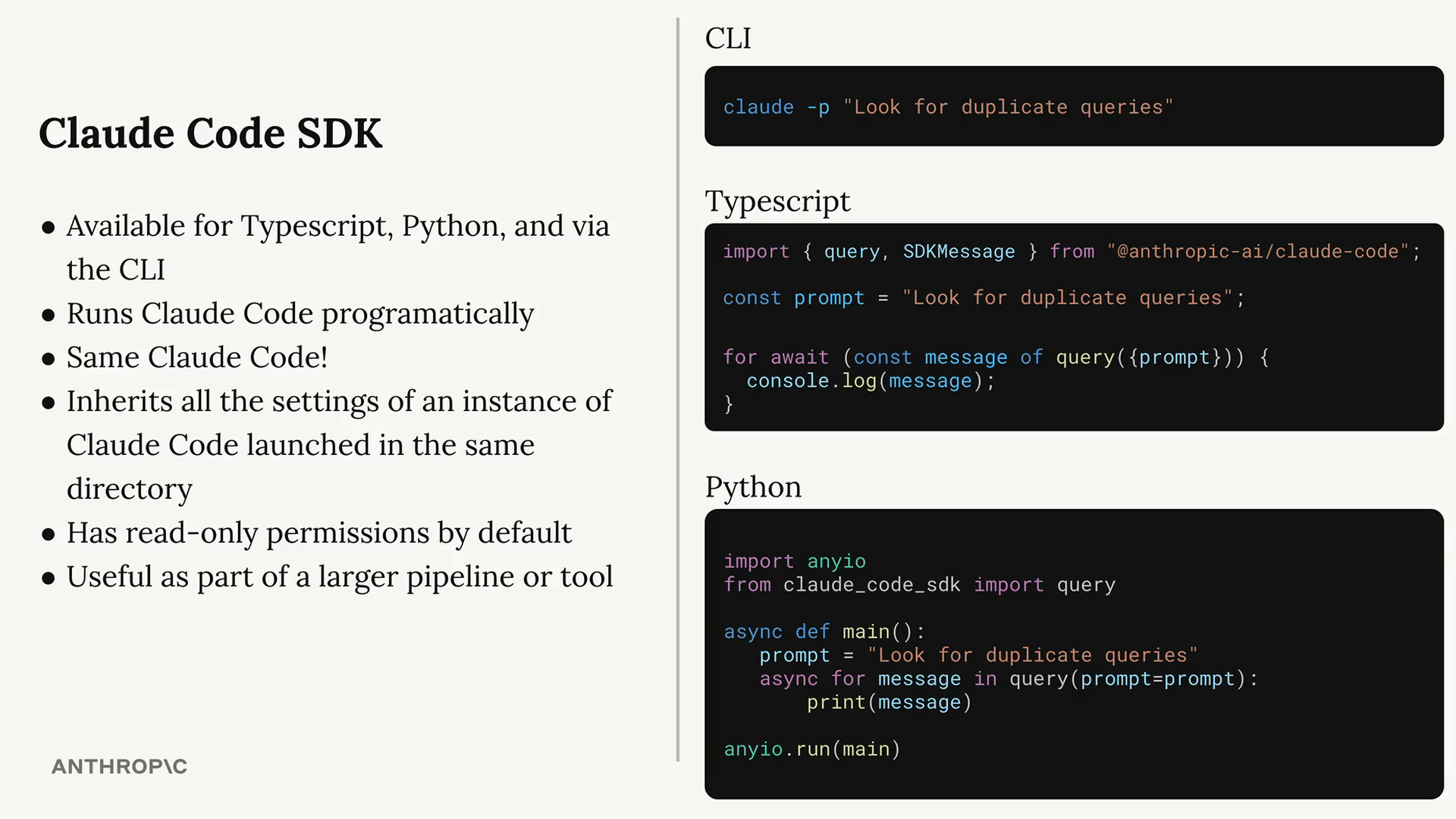
SDK 執行就是你熟悉的 Claude Code,同樣具備完整工具集,適用於自動化與系統集成。
關鍵特性
- 支持編程方式調用 Claude Code
- 功能與終端版本一致
- 繼承同目錄下 Claude Code 的設置
- 默認唯讀權限
- 適合嵌入更大的自動化流程
基礎用法
以下是一個 TypeScript 示例,用於查找重複查詢:
import { query } from "@anthropic-ai/claude-code";

const prompt = "Look for duplicate queries in the ./src/queries dir";

for await (const message of query({
  prompt,
})) {
  console.log(JSON.stringify(message, null, 2));
}
執行後你會看到 Claude Code 與模型之間的完整消息流,最終消息即 Claude 的完整響應。
權限與工具
SDK 默認是唯讀模式,只能讀取與檢索檔案,無法寫入或編輯。如果需要寫權限,可以在調用時傳入
allowedTools:
for await (const message of query({
  prompt,
  options: {
    allowedTools: ["Edit"]
  }
})) {
  console.log(JSON.stringify(message, null, 2));
}
也可以在專案的 .claude 設置檔案中進行全局授權。
實用場景
- 在 Git hooks 中自動評審改動
- 在構建腳本中分析和優化代碼
- 輔助維護任務的工具命令
- 自動生成文檔
- CI/CD 中的代碼品質檢查
SDK 讓把 AI 能力融入任意開發環節,是自動化與集成場景的強大基礎設施。
Agent SDK(更新)
Claude Code SDK 現已更名為 Agent SDK,反映了其更廣泛的代理編排能力。 除了 TypeScript,現在也支持 Python:
# Python 範例
from claude_agent_sdk import query

async for message in query(
    prompt="分析 src/ 目錄中的所有 API 端點",
    allowed_tools=["Read", "Glob", "Grep"]
):
    print(message)
結構化輸出
Agent SDK 支持結構化輸出,確保回傳的 JSON 符合你定義的 Schema:
const result = await query({
  prompt: "列出所有 API 端點",
  outputSchema: {
    type: "object",
    properties: {
      endpoints: {
        type: "array",
        items: {
          type: "object",
          properties: {
            method: { type: "string" },
            path: { type: "string" },
            description: { type: "string" }
          }
        }
      }
    }
  }
});
代理編排
Agent SDK 的核心能力是讓你構建多代理系統。你可以創建專門的子代理來處理不同任務, 並透過 SDK 協調它們的工作。更多關於多代理的介紹請參考第 30 課。